
 iPhone Data Recovery
 iOS System Recovery
 iOS Data Backup & Restore
 iOS Unlocker
 iPhone Password Manager
 Location Changer
 Android Data Recovery
 Broken Android Data Extraction
 Android Data Backup & Restore
 Android Unlocker
 FoneTrans for iOS
 iPhone Data Eraser
 iPhone Cleaner
 HEIC Converter
 HyperTrans
 WhatsApp Transfer for iOS
 Mac Sweep
 Data Retriever
 Mac Data Retriever
 Video Converter Ultimate
 Screen Recorder
 Phone Mirror
 Recover PC Data Now
Recover the lost/deleted data from computer, hard drive, flash drive, memory card, digital camera and more.
The 3 Best Free Data Recovery Software List of 2025
 Updated by
 There are various reasons why people look for free data recovery software on Mac and Windows. First, they want to recover their data for free. It might be due to a lack of budget for this recovery software. Also, there are third-party tools that do not work as advertised. They might want to test them before purchasing. Also, these free data recovery software prevent professional recovery losses.
You’re in luck! This article offers the 3 best and free data recovery software on your Mac or Windows. Also, the best data recovery you could ever use is presented. Please scroll below to know the complete information about them.


Guide List
Part 1. Top 3 Free Data Recovery Software
You might be having a hard time looking for the free data recovery software for Windows 10, Linux, Mac, and more, due to the quantity in the digital market. Here, we have listed the 3 leading free data recovery software that you can consider. Please see them from the section we have prepared for you. Move on.
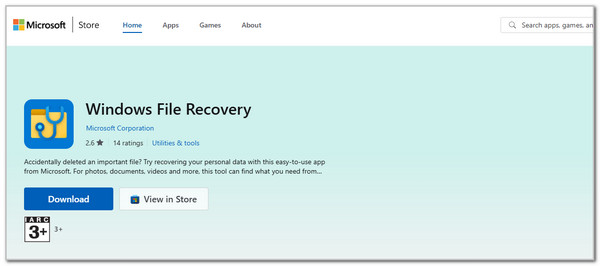
1. Windows File Recovery
Windows File Recovery is a Microsoft-approved method that can recover different data types from your computer. It can also recover data from internal hard drives, SD cards, and more. Also, it has a lot of options when recovering the data from the mentioned devices.
However, this third-party tool is only available with Windows 10 and 11. It means that you cannot access it on earlier versions of Windows or all models of macOS. Also, it only works over the command line. This method is not suggested to novices as it requires professional skills for the code.
Step 1Search for the Microsoft Store on your web browser. You can also open the program if it has been downloaded prior to this process. Then, search for the Windows File Recovery tool in the program. After that, click the Download button. Set up the downloaded file afterward and launch it to start the procedure.
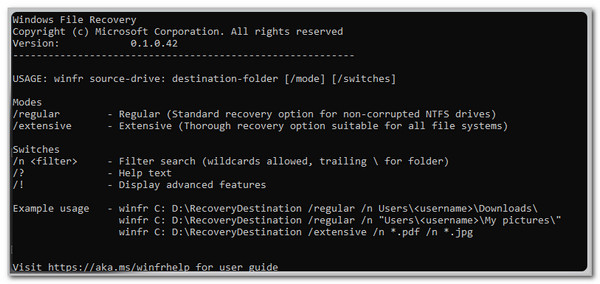
Step 2Please ensure that you have the folder or data name before it is deleted. Then, enter the E: [File Name]. Here is the example: winfr C: E:\Images /n \Users\jonfi\Downloads\*PNG. After that, hit the Enter key on your physical keyboard to enter the code. Please wait for the recovery procedure to be completed. Finally, check the data from the original folders.
2. Recuva
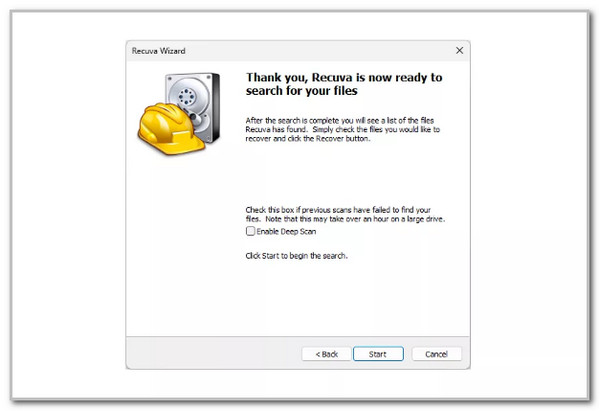
Recuva is indeed one of the most famous and best free data recovery software 2025 and earlier years. The concrete reason for the people who have experienced it is the simple interface it offers. This tool comes from an installable and portable version on your computer. Also, it contains simple wizards and advanced options for professionals.
However, like the previous third-party tool, Recuva only supports the Windows operating system. On the other hand, it supports way more versions of the operating system than it does. Also, the setup procedure of this tool is demanding. There are multiple procedures you need to perform. Please follow the steps below to use this tool.
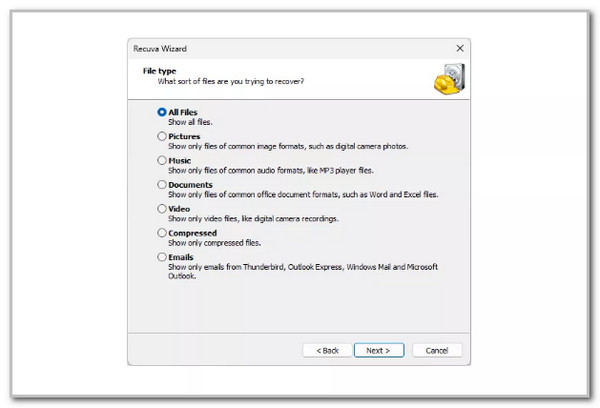
Step 1Look for the official website of Recuva using your web browser on your Windows computer. Then, follow the on-screen instructions on how to set up the tool after downloading it on your Windows computer. Later, the simple interface of Recuva will appear. Click the data you want to retrieve or click the All Files button. Click the Next button to proceed.
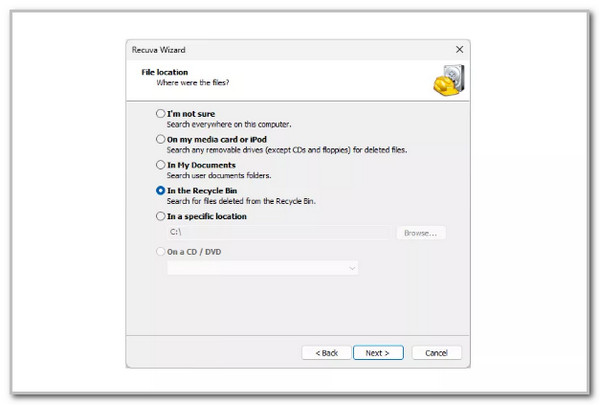
Step 2The available location where it can scan the deleted data will appear. Please click the area where you think the data has been lost. You can click the Browse button if unsure. Later, click the Next button to proceed.
Step 3Click the Start option at the bottom right of the screen. Then, select the data you want to recover from your Windows computer. Then, click the Recover selection at the bottom right to recover the data.
3. Wise Data Recovery
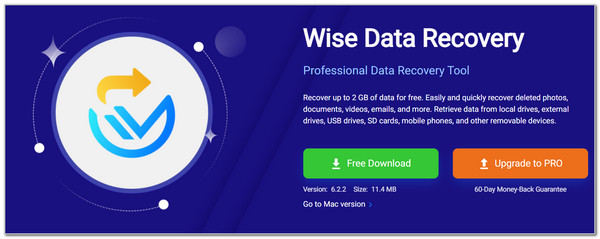
Last on the list is Wise Data Recovery. This tool is way more flexible due to its support for computers. It is available on Windows and Mac. It has a straightforward interface that is beneficial for novices. However, the setup process of this tool is way more demanding compared to the previous ones. Also, it has a limit on the file size you want to recover, which is only 2GB. This storage is not enough for individuals who have a massive amount of data they want to recover. Follow the steps below to discover how this free Mac data recovery software works.
Step 1Visit the official website of Wise Data Recovery. After that, click the Free Download button from the main interface. Wait for the downloading process to be completed and set it up. Then, install and launch it afterward.
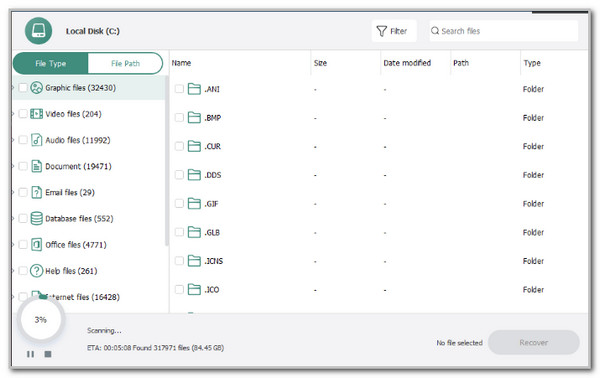
Step 2Select the drive where you want to scan the files. Then, the tool will scan the deleted data from the computer. Then, select the data type from the left side of the screen. Choose the data you want to recover on the right. Later, click the Recover button at the bottom right.
Part 2. Best Data Recovery Software - FoneLab Data Retriever
FoneLab Data Retriever does indeed require a purchase for its complete features. The good thing about this tool is that you can use its free trial to test it out! This tool is used to recover unsaved Word documents, accidental deletions, mistaken operations, virus attacks, device crashes, and other recoverable scenarios.
FoneLab Data Retriever - recover the lost/deleted data from computer, hard drive, flash drive, memory card, digital camera and more.
- Recover photos, videos, documents and more data with ease.
- Preview data before recovery.
Moreover, you can recover from your Mac, Windows, and other removable drives in a span of minutes. It also supports different data types on your devices, such as images, videos, audio, emails, and more. Please follow the steps below to discover how the tool works.
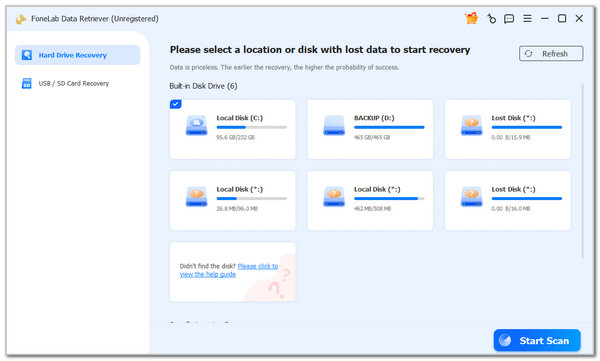
Step 1Go to the main website of FoneLab Data Retriever. Then, click the Free Download button from the main interface. Later, set up, install, and launch it afterward to start the procedure. Then, select the location where you want to scan the deleted data files from your devices. Later, click the Start Scan button.
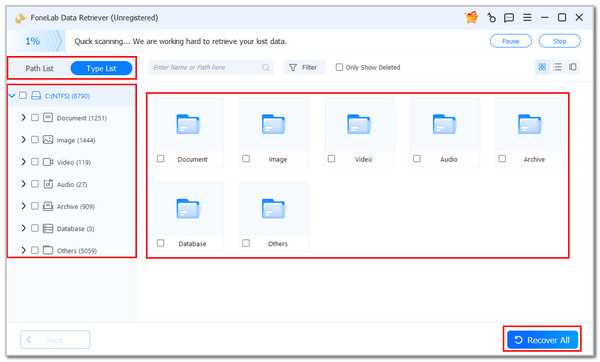
Step 2The scanning procedure will start, and it will last depending on the amount of deleted data. Please click the Path List or Type List at the top left for more options. Then, select the data type on the left side of the screen.
Step 3The tool will show you the folders where the data is stored based on their classification. Please choose the data you want to recover. Finally, please click the Recover All button at the bottom right of the screen. The recovery time will depend on the file size.
Part 3. Comparison Table of Data Recovery Software
Do you want a quick browse of the previous software? Here is a comparison table for them to summarize. Please see the list below to discover their information in a shortcut way.
| Function | Windows File Recovery | Recuva | Wise Data Recovery | FoneLab Data Retriever |
| Supported Recoverable Data Types | Photos, Videos, and Documents. Some of the data types are not guaranteed. | Pictures, Music, Documents, Videos, and Emails. | Documents, Graphics, Videos, Audio, and Emails. | Documents, Images, Videos, Audio, Emails, and more. |
| Storage Media Supported | SD Cards, Internal Drives, and more. | None | USB Drives, SD Cards, and External Drives. | Memory Card, Flash Drive, Hard Drive, Removable Drives, Digital Camera, and more. |
| Ease of Use | Professional if codes are unknown. | Intermediate | Intermediate | Beginner |
| Scanning Speed | Moderate | Slow | Slow | Fast |
| Success Rate | Low | Moderate | Moderate | High |
| Extra Features | None | Online Help | None | Filters the data from date or time, preview, Deep Scan feature, and more. |
Part 4. FAQs about Free Data Recovery Software
Is there free iPhone data recovery software?
Yes. There are free iPhone data recovery software including Recuva, TestDisk, and more. If you want a beginner tool, we recommend FoneLab iPhone Data Recovery. This tool is best for novices because it has a straightforward interface.
How is Norton data recovery software free download?
Norton has data recovery software, which is Norton Utilities Ultimate. This tool cannot be installed easily. You need to create an account on the Norton official website. Then, you need to purchase their premium plan to download the tool for free.
That’s all how the data recovery software free download is performed! The 3 best free software are posted. FoneLab Data Retriever stands out due to the recovery features it contains. It can also recover data from your devices in different recoverable scenarios. Download it now for more features to be discovered.



