
 iPhone Data Recovery
 iOS System Recovery
 iOS Data Backup & Restore
 iOS Unlocker
 iPhone Password Manager
 Location Changer
 Android Data Recovery
 Broken Android Data Extraction
 Android Data Backup & Restore
 Android Unlocker
 FoneTrans for iOS
 iPhone Data Eraser
 iPhone Cleaner
 HEIC Converter
 HyperTrans
 WhatsApp Transfer for iOS
 Mac Sweep
 Data Retriever
 Mac Data Retriever
 Video Converter Ultimate
 Screen Recorder
 Phone Mirror
- Part 1. How to Hack Screen Time by Changing the Device Time Zone
- Part 2. How to Hack Screen Time by Deleting and Reinstalling Apps
- Part 3. How to Hack Screen Time by Accessing Content via Links
- Part 4. How to Hack Screen Time by Factory Resetting the Device
- Part 5. How to Hack Screen Time by Texting People With The Share Feature/Siri/Contacts App
- Part 6. How to Hack Screen Time With FoneLab iFoneWiz
- Part 7. Comparison Table of Methods to Hack Screen Time
- Part 8. FAQs about How to Hack Screen Time
- Unlock Apple ID
- Bypass iCloud Activation Lock
- Doulci iCloud Unlocking Tool
- Factory Unlock iPhone
- Bypass iPhone Passcode
- Reset iPhone Passcode
- Unlock Apple ID
- Unlock iPhone 8/8Plus
- iCloud Lock Removal
- iCloud Unlock Deluxe
- iPhone Lock Screen
- Unlock iPad
- Unlock iPhone SE
- Unlock Tmobile iPhone
- Remove Apple ID Password
How to Hack Your Screen Time in 6 Dependable Techniques
 Updated by
 Hi! I forgot my Screen Time passcode because it has been months since I used it. My niece used my iPhone and iPad this morning, and I decided to turn them on. However, I cannot remember the passcode. How to hack Screen Time? Please help me. Thank you in advance!
The Screen Time passcode is important for turning off and using restrictions on your iPhone and iPad. Without this security feature, you cannot use them. If you forgot your iPhone or iPad Screen Time passcode, you might need to hack it. In this section, you will see 6 easy ways to do that. Continue browsing to discover the full details of this interesting topic.

Guide List
- Part 1. How to Hack Screen Time by Changing the Device Time Zone
- Part 2. How to Hack Screen Time by Deleting and Reinstalling Apps
- Part 3. How to Hack Screen Time by Accessing Content via Links
- Part 4. How to Hack Screen Time by Factory Resetting the Device
- Part 5. How to Hack Screen Time by Texting People With The Share Feature/Siri/Contacts App
- Part 6. How to Hack Screen Time With FoneLab iFoneWiz
- Part 7. Comparison Table of Methods to Hack Screen Time
- Part 8. FAQs about How to Hack Screen Time
Part 1. How to Hack Screen Time by Changing the Device Time Zone
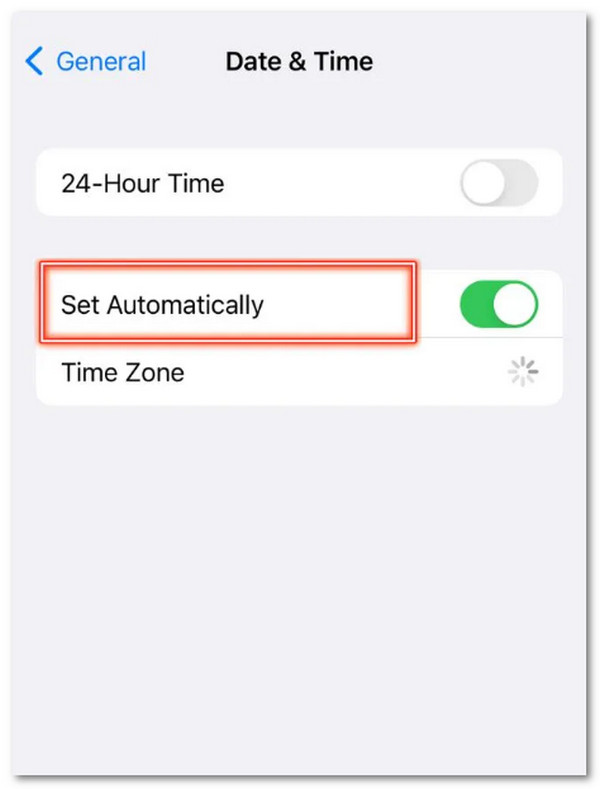
An incorrect time zone can affect the features on your iPhone or iPad. To hack the Screen Time feature, you can change the time zone of the mentioned devices. You can do this by following the detailed steps below.
Open the iPhone or iPad Settings app. Then, select the General button from the first interface. Tap the Date & Time button on the list. Toggle off the Set Automatically button and tap the Time Zone button. Search and select a city afterward.
Part 2. How to Hack Screen Time by Deleting and Reinstalling Apps
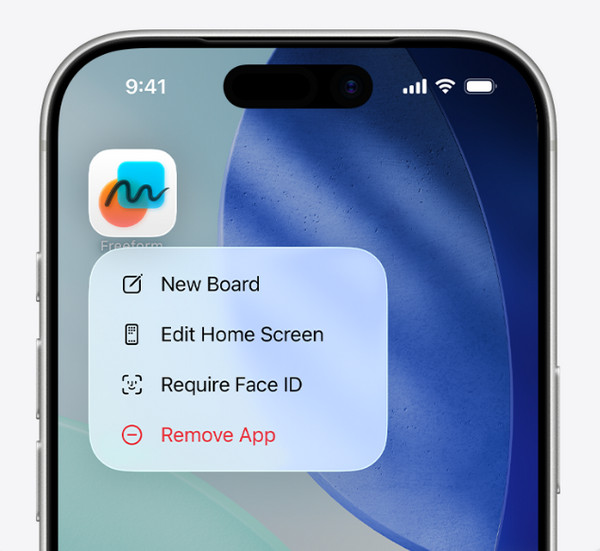
Applications on your iPhone and iPad can be reinstalled. So, the Screen Time feature will apply the restrictions to the present app. Deleting and reinstalling the apps can help you hack Screen Time. Learn how with the steps below.
Turn on your iPhone or iPad. After that, ensure that the passcode is known. Then, a list of more options will be prompted. Select the Remove App button. Later, you need to confirm the process. Tap the Delete App button from the small window. Alternatively, you can long-press an empty space from the Home Screen. Tap the Minus button of the app. Tap the Remove App button afterward. Reinstall the app afterward using the App Store.
Part 3. How to Hack Screen Time by Accessing Content via Links
Sometimes, Screen Time only restricts the applications on your iPhone or iPad. Accessing the links to the services will help you use them. This method is commonly used for hacking Screen Time due to links or URLs that are not included in the restrictions. You can use Safari or Google Chrome for accessing the websites, which are the best web browsers for the iPhone and iPad.
Part 4. How to Hack Screen Time by Factory Resetting the Device
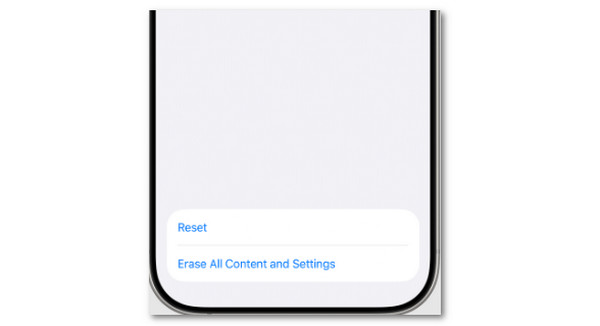
A factory reset deletes all the content and settings on your iPhone or iPad. It includes the removal of the Screen Time restrictions. However, it is the last option for the Apple way due to the data loss. If you prefer this method, please follow the steps below.
Tap the Settings app from the iPhone or iPad Home Screen. Then, it will be opened afterward. Select the General button on the next screen. Tap the Transfer or Reset iPhone/iPad button. Select the Erase All Content and Settings button. Authenticate the process afterward. Finally, set up the iPhone or iPad as new again.
Part 5. How to Hack Screen Time by Texting People With The Share Feature/Siri/Contacts App
Texting is one of the most restricted operations on iPhone or iPad when Screen Time is enabled. You can hack this Screen Time restriction with Siri, the Contacts app, and the Share feature. See their full and separate methods below as you scroll down.
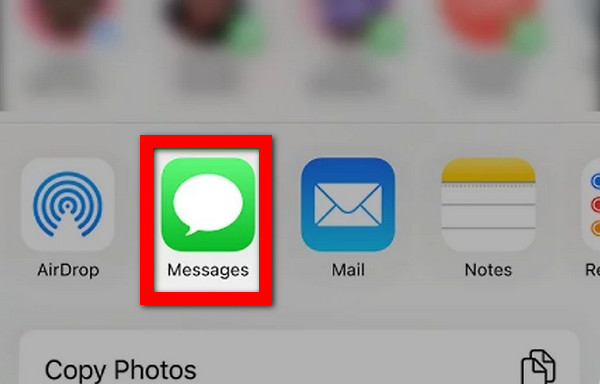
With the Share button, select the file you need to access. Then, tap the mentioned button and select the Messages button.
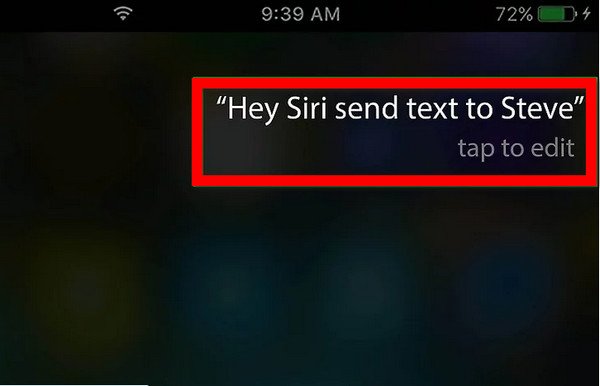
With Siri, enable it and say Hey Siri, text [your friend’s name]. It will ask you to tell your message afterward.
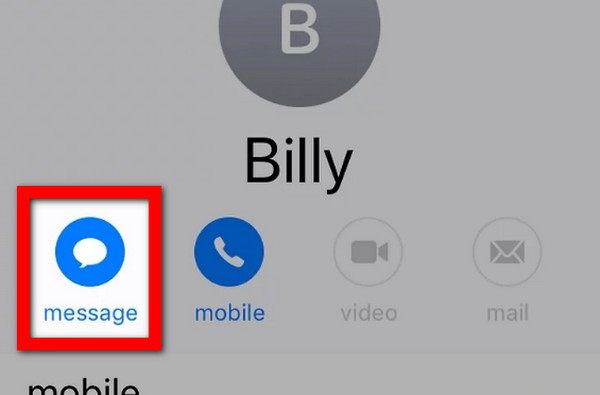
On the Contacts app, select the contact you prefer to text. Later, tap the Message button, and the app will open regardless of whether it is restricted.
Part 6. How to Hack Screen Time With FoneLab iFoneWiz
If you want a tool that has 100% success rate in bypassing screen time passcode, FoneLab iFoneWiz is the best one! This program will not affect the data on your iPhone and iPad when the mentioned feature is bypassed. Additionally, the tool does not need an internet connection to function.

iFoneWiz Helps you unlock iPhone screen, Removes Apple ID or its password, Remove screen time or restriction passcode in seconds.
- Helps you unlock iPhone screen.
- Removes Apple ID or its password.
- Remove screen time or restriction passcode in seconds.
Furthermore, you can use the tool as your guide on how to get into a locked iPhone and iPad. It can bypass their screen lock, iCloud Activation Lock, MDM profile, and more security features. Do you want to know how to use the tool? Kindly scroll below to discover the detailed steps of the tool.
Step 1Download FoneLab iFoneWiz by clicking Free Download. After that, set up, install, and open the tool on your computer to start the process. Then, the first interface will show you the supported features of the tool. Please select the Unlock Screen Time feature on the right.

Step 2Please plug the iPhone or iPad into the computer using your USB cable. Later, please click the Start Now button at the bottom left. Then, perform the on-screen instructions for the additional operations. Click the Next button to proceed.
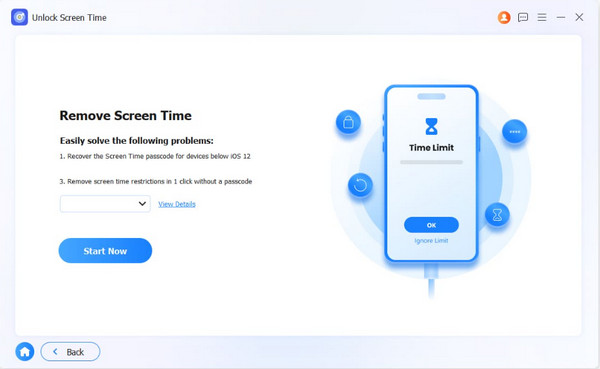
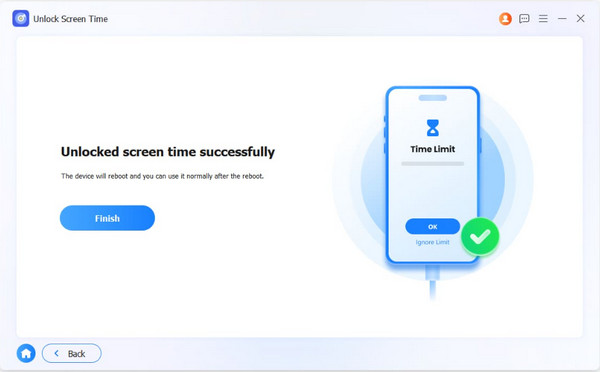
Step 3Select the Unlock button at the bottom center. Then, the tool will start to bypass your iPhone or iPad Screen Time. Wait for a few seconds to complete the process. Finally, click the Finish button and unplug your iPhone or iPad from the computer.
Part 7. Comparison Table of Methods to Hack Screen Time
| Method | Connection Needed | Speed | Success Rate |
|---|---|---|---|
| Changing the Device Time Zone | None | Moderate | Moderate |
| Deleting and Reinstalling Apps | Internet connection for reinstalling apps | It depends on the internet connection | Moderate |
| Accessing Content via Links | Internet Connection | Moderate | Moderate |
| Factory Resetting the Device | None | Slow | High |
| Texting People With The Share Feature/Siri/Contacts App | Internet Connection | Slow | Low |
| FoneLab iFoneWiz | USB Connection | Fast | High |
Part 8. FAQs about How to Hack Screen Time
What's the most common 4-digit passcode of Screen Time?
Screen Time allows you to set a 4-digit passcode. Some users prefer using some of the common passcodes so they don't forget them easily. 0000, 1234, 1212, and 1111 are the most common.
What happens after 10 failed Screen Time passcode attempts?
Your iPhone or iPad will lock you out when the Screen Time passcode is entered 10 times incorrectly. You need to wait for an hour before you can try again. Your data will remain intact on your iPhone or iPad.
You have learned how to hack Screen Time through this post, including the methods that can help you learn it. FoneLab iFoneWiz is also here to help you remove Screen Time restrictions. This tool can also help you bypass iCloud Activation Lock, screen lock, MDM, and more.



