
 iPhone Data Recovery
 iOS System Recovery
 iOS Data Backup & Restore
 iOS Unlocker
 iPhone Password Manager
 Location Changer
 Android Data Recovery
 Broken Android Data Extraction
 Android Data Backup & Restore
 Android Unlocker
 FoneTrans for iOS
 iPhone Data Eraser
 iPhone Cleaner
 HEIC Converter
 HyperTrans
 WhatsApp Transfer for iOS
 Mac Sweep
 Data Retriever
 Mac Data Retriever
 Video Converter Ultimate
 Screen Recorder
 Phone Mirror
- Unlock Apple ID
- Bypass iCloud Activation Lock
- Doulci iCloud Unlocking Tool
- Factory Unlock iPhone
- Bypass iPhone Passcode
- Reset iPhone Passcode
- Unlock Apple ID
- Unlock iPhone 8/8Plus
- iCloud Lock Removal
- iCloud Unlock Deluxe
- iPhone Lock Screen
- Unlock iPad
- Unlock iPhone SE
- Unlock Tmobile iPhone
- Remove Apple ID Password
Leading Network Unlock Apps with An Effortless Guide
 Updated by
 Are you interested in the network unlock app for Samsung, iPhone, or other devices? If so, you are not alone. Each day, hundreds of users find themselves locked to a carrier they no longer wish to use, whether due to expensive roaming fees, poor coverage, etc. Fortunately, several network unlock apps can now remove these restrictions quickly.
In this article, we will introduce you to the most reliable ones that are available today. Whether you’re looking for an app or program on an Android, iPhone, or a computer, the following sections have your back. We will also elaborate on what a network unlock app is all about, so that you’ll understand why network unlocking is essential. That said, continue learning below.

Guide List
Part 1. What Is a Network Unlock App?
Before diving into which apps lead the market, it helps to understand what a network unlock app actually is. In simple terms, this type of application is designed to remove the carrier restriction in devices. When a phone is carrier-locked, it will only accept SIM cards from a specific mobile provider, like Verizon or AT&T. Thus, you won’t be able to change to your preferred network.
But a reliable network unlock app can interact with your device's system to remove that restriction. Instead of contacting your carrier and waiting for approval, the app attempts to do the job directly from your mobile phone. That means you can often unlock your phone in just a few minutes, without needing special technical skills.
Part 2. Free Carrier Unlock
Before turning to third-party apps, the safest and most straightforward method to unlock your device from its network is simply to contact your current carrier. Most major providers, such as Verizon, AT&T, and T-Mobile, offer free unlocking services as long as you meet their basic requirements.
All you need to do is reach out to your carrier and request an unlock. You can find their contact details online or on the box that came with your device when you purchased it. Once you successfully reach the customer service, tell them your concern, and they will provide instructions. Take action accordingly until your device is unlocked from its carrier.
Part 3. Network Unlock Apps for Android
Moving forward, here are the network unlock applications you can use to free your Android device from its carrier. Both are very accessible, and you need only choose the one you prefer.
Option 1. Device SIM Unlock phone
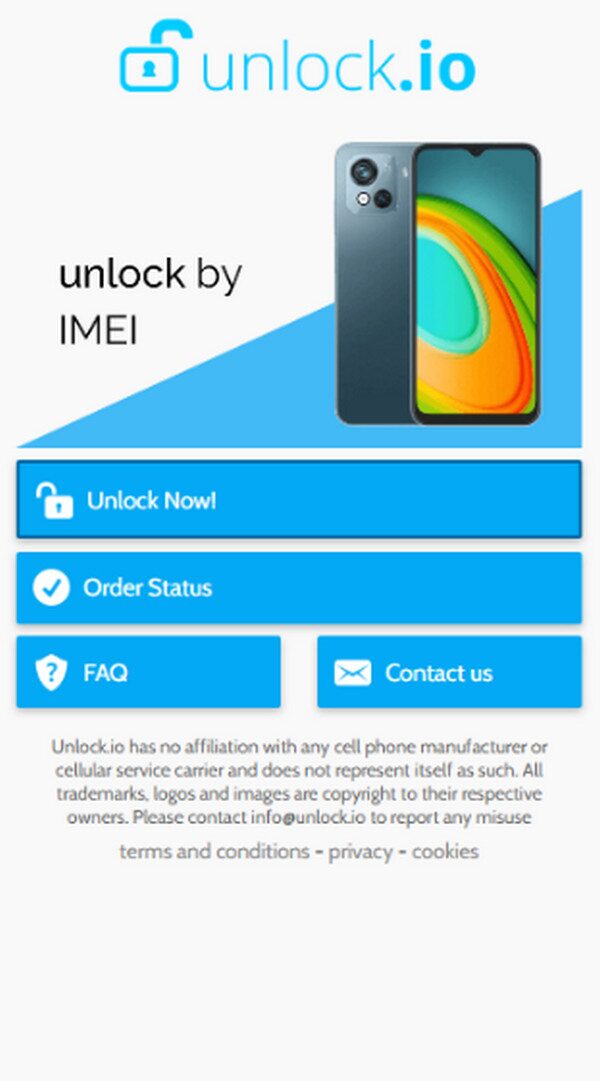
Device SIM Unlock phone is among the many apps that can be acquired from the Play Store. As its name suggests, this app specializes in unlocking a device’s SIM, and you can easily navigate its process with the help of your Android phone’s IMEI. Meanwhile, the app can work with any carrier, allowing you to use your preferred SIM card after unlocking.. Besides, it also supports many popular phone brands, including Samsung, LG, HTC, Motorola, Vivo, and more.
Follow the guide below to use the Device SIM Unlock phone app:
Step 1On your phone’s Play Store, find and install Device SIM Unlock phone.
Step 2Next, set up and run the app. Once ready, tap Unlock Now! to unlock your phone.
Option 2. GalaxSim Unlock
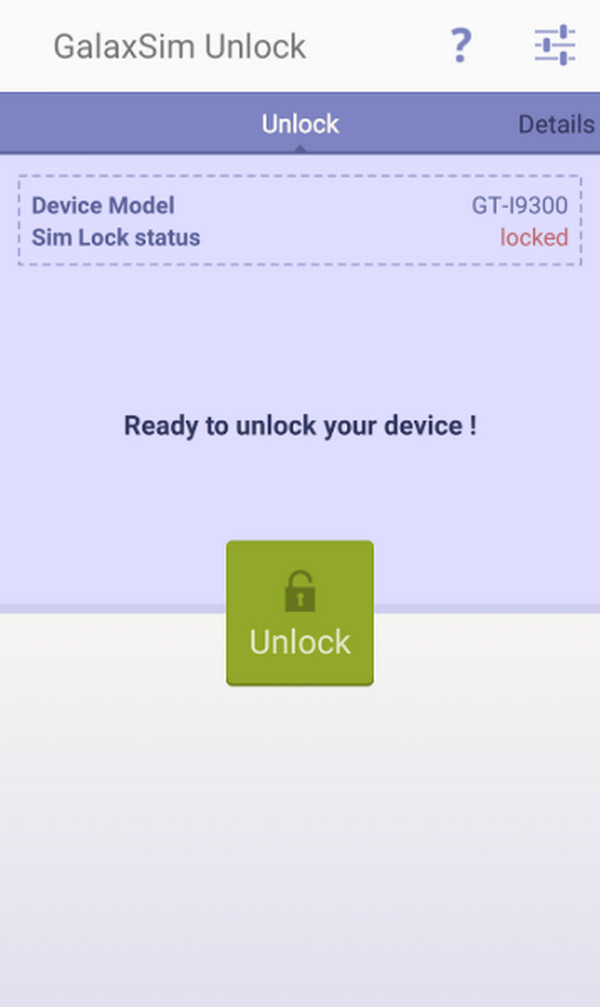
GalaxSim Unlock is another dedicated app you can get from the Play Store. Like the previous one, it offers an intuitive interface and a convenient process to help you unlock your device from its carrier. It already has a million downloads; thus, you can expect a decent performance. However, this app’s major limitation is that it only works on Samsung phones and tablets.
Follow the steps below to use the network unlock app Samsung, GalaxSim Unlock:
Step 1Start by installing GalaxSim Unlock on the Play Store, then set it up.
Step 2Once done, launch the app and choose Unlock at the center interface.
Part 4. iPhone Network Unlock
If unlock apps are available for Android, you might expect to find similar apps on the iPhone. Unfortunately, that is not the case. As you may know, Apple devices are very strict when it comes to security, so such unlocking apps aren’t available on the App Store. Instead, we recommend apps that provide guidance on carrier unlock status and IMEI information.
Option 1. Unlock Device - IMEI & Network
The first app on our list is the Unlock Device - IMEI & Network app. It provides a clean and modern iOS-style interface that lets you navigate the educational guidance with ease. Meanwhile, the app works without requiring an account, so you no longer have to worry about that aspect. Simply install it from your App Store and set up the app when ready. Afterward, start exploring its functions to optimize the guidance it offers.
Option 2. Unlock IMEI & Phone Carrier
Another app for iPhones is Unlock IMEI & Phone Carrier. With its dedicated function, this app can provide informational guides regarding your SIM-lock iPhone and other carrier details without a problem. Aside from that, among the things you can do is learn 5G basics, use IMEI-based guidance, explore network guides, tips, and troubleshooting, and more. As with the previous app, simply go to the App Store and install it. Then, set up and run the app.
Part 5. Desktop Software for SIM Unlock
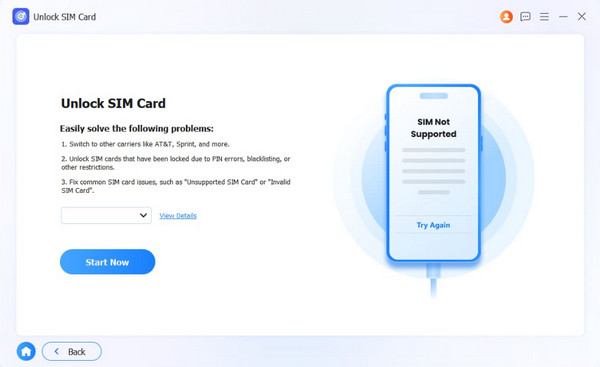
Since third-party apps are not offered on the App Store, you can try desktop software, like FoneLab iFoneWiz, instead. It is designed to remove SIM lock on iPhone with ease, so advanced or technical knowledge won’t be required. The program features a user-friendly interface and a hassle-free "Unlock SIM Card" function.
FoneLab iFoneWiz works with iOS 26 and earlier; thus, compatibility won’t be a problem either. Moreover, feel free to explore its other features, as they will be able to help if you encounter another lock problem later. It offers services for screen lock, Screen Time, MDM, and more.
See the convenient process below as a model to unlock your iPhone from its SIM or carrier with FoneLab iFoneWiz:

iFoneWiz Helps you unlock iPhone screen, Removes Apple ID or its password, Remove screen time or restriction passcode in seconds.
- Helps you unlock iPhone screen.
- Removes Apple ID or its password.
- Remove screen time or restriction passcode in seconds.
Step 1Obtain the FoneLab iFoneWiz file via the Free Download option. It will go directly to the Downloads, so set it up from there afterward. After a few moments of setting up, you can hit Start to run the tool and select Unlock SIM Card from the functions on the interface.
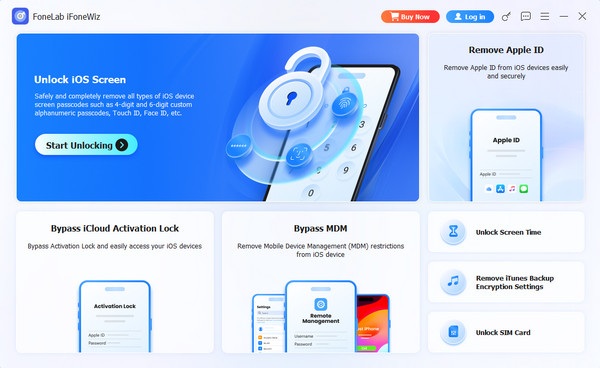
Step 2The next essential action is to connect your iPhone using a working Lightning cable. Then, choose Start Now on the succeeding interface. Further prompts and directions will then be presented. Simply follow along, and later, your device will be unlocked from its carrier.
Part 6. Comparison of Network Unlock Apps
| App/Program | Platform | Supported Devices | Key Feature |
| Device SIM Unlock phone | Google Play Store | Most Android phones | Direct SIM unlock on the app interface |
| GalaxSim Unlock | Google Play Store | Samsung Galaxy devices | Works without root on many Samsung models |
| Unlock Device - IMEI & Network | Apple App Store | iPhone (all models) | Uses IMEI number for server-side unlock |
| Unlock IMEI & Phone Carrier | Apple App Store | iPhone (all models) | Quick carrier check and permanent IMEI unlock |
| FoneLab iFoneWiz | Computer (Windows, Mac) | iPhone & iPad | Removes various lock types, including carrier and MDM |
Part 7. FAQs about Network Unlock App
Is there a network unlock app that is not from the App Store?
Yes, you may find some online, but they aren’t recommended, as they aren’t as trusted as the apps approved on the App Store. They may only take your money without guaranteed success.
Is using a network unlock app legal?
Yes, in most countries, unlocking your own phone is perfectly legal. However, you should check your local laws and your carrier contract.
Unlock your device from its carrier to enjoy services from your preferred network. Use the suggested apps or the program, FoneLab iFoneWiz, anytime for guaranteed success.



