
 iPhone Data Recovery
 iOS System Recovery
 iOS Data Backup & Restore
 iOS Unlocker
 iPhone Password Manager
 Location Changer
 Android Data Recovery
 Broken Android Data Extraction
 Android Data Backup & Restore
 Android Unlocker
 FoneTrans for iOS
 iPhone Data Eraser
 iPhone Cleaner
 HEIC Converter
 HyperTrans
 WhatsApp Transfer for iOS
 Mac Sweep
 Data Retriever
 Mac Data Retriever
 Video Converter Ultimate
 Screen Recorder
 Phone Mirror
- Part 1. Instagram Unblocked With VPN
- Part 2. Use a Proxy Server to Unblock Instagram
- Part 3. Use a Smart DNS Service to Unblock Instagram
- Part 4. Use Mobile Data to Unblock Instagram
- Part 5. Comparison Table of Methods to Unblock Instagram
- Part 6. How to Use Instagram on a Restricted iPhone/iPad
- Part 7. FAQs about Unblocked Instagram
- Unlock Apple ID
- Bypass iCloud Activation Lock
- Doulci iCloud Unlocking Tool
- Factory Unlock iPhone
- Bypass iPhone Passcode
- Reset iPhone Passcode
- Unlock Apple ID
- Unlock iPhone 8/8Plus
- iCloud Lock Removal
- iCloud Unlock Deluxe
- iPhone Lock Screen
- Unlock iPad
- Unlock iPhone SE
- Unlock Tmobile iPhone
- Remove Apple ID Password
Access an Instagram Unblocked Site or App With Simple Techniques
 Updated by
 Good day! I want to access my Instagram at school to update my profile. However, the mentioned social media platform is blocked at our school. How can I access Instagram unblocked at school? I hope you can help me. Thank you!
Instagram is indeed a great platform for posting pictures and videos. It is famous due to the aesthetic vibes it can offer. But Instagram is commonly blocked by schools and other organizations due to the distraction it can cause. Know how to access Instagram without restrictions using the simple methods this post offers.

Guide List
- Part 1. Instagram Unblocked With VPN
- Part 2. Use a Proxy Server to Unblock Instagram
- Part 3. Use a Smart DNS Service to Unblock Instagram
- Part 4. Use Mobile Data to Unblock Instagram
- Part 5. Comparison Table of Methods to Unblock Instagram
- Part 6. How to Use Instagram on a Restricted iPhone/iPad
- Part 7. FAQs about Unblocked Instagram
Part 1. Instagram Unblocked With VPN
Instagram on your iPhone and iPad can be unblocked if it is restricted with a VPN. In this section, you will find the methods for Instagram unblocked for school using a VPN. See them from the list below.
1. NordVPN
When it comes to VPN, NordVPN is one of the best. It has fast performance for unblocking websites and apps on your iPhone, including the Instagram unblocked website. The app can be used for public Wi-Fi protection, streaming, and more. However, the app is a bit expensive, especially for students.
2. Seed4.me
Seed4.me is another VPN for unblocking your iPhone and iPad apps and websites. It is a lightweight app that is best for beginners due to its simple interface. The app works on PC, Android, Mac, iPhone, and iPad.
3. Surfshark
Lastly, you can use Surfshark. It is the best VPN for users who want an affordable one. Like the previous app, it can be used on your Windows, Android, iPhone, iPad, and Mac. The best thing about it is that it allows an unlimited number of device connections in one account.
| VPN | Price | Device Limits | Speed |
| NordVPN | $44 USD | 10 Devices | Very Fast |
| Seed4.me | $13 USD | Unlimited | Moderate |
| Surfshark | $43 USD | Unlimited | Very Fast |
Part 2. Use a Proxy Server to Unblock Instagram
The proxy servers can help you access an unblocked Instagram for school by routing the internet traffic through a different server or another location. Compared to VPN, this method works for specific websites or apps.
However, most of the free proxy servers are unsafe and slow. They are less secure than VPNs. Also, they only work in Safari, not on the Instagram app. Please follow the steps below to set up a proxy server on your iPhone or iPad to access your blocked Instagram.
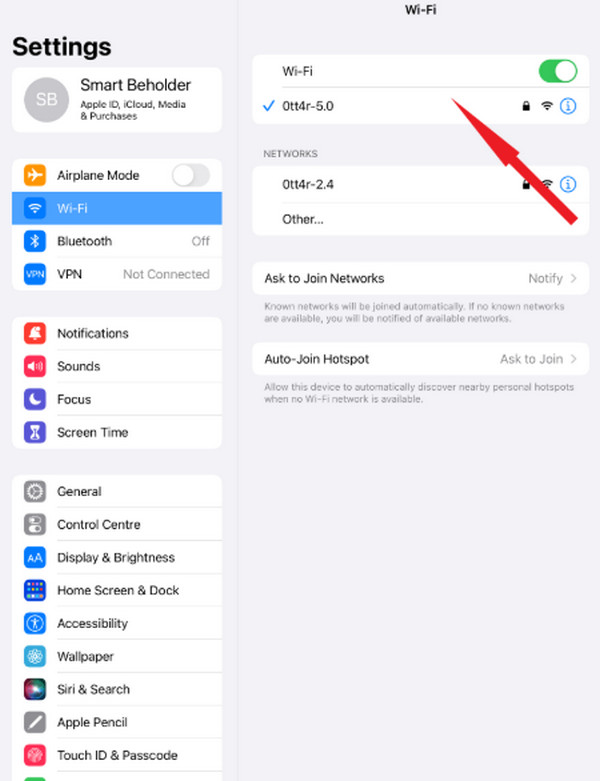
Access the Settings application on the iPhone or iPad. After that, select the Wi-Fi button from the list. Tap the Info button on the right. Then, swipe down on the screen and tap the Configure Proxy button. Later, choose between the Manual and Automatic buttons. Set up the proxy afterward. Tap the Save button to keep the changes.
Part 3. Use a Smart DNS Service to Unblock Instagram
Besides a proxy server, you can also use a Smart DNS service. They provide a unique IP address to access Instagram unblocked on Google sites and apps. Unlike VPNs, this method does not encrypt your internet traffic. It almost has the same process as the previous method. Please use the steps below to use a Smart DNS.
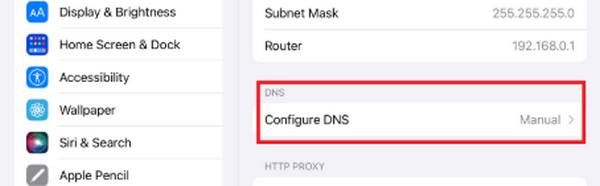
Get a Smart DNS from different providers on Smart DNS Proxy, Control D, or NextDNS. Then, open the Settings app from your iPhone or iPad. After that, tap the Wi-Fi button and tap the Info button ("i") next to the network. Tap the Configure DNS button and tap the Manual button. Tap the Add Server button and enter the Smart DNS address. Tap the Save button to keep the setup.
Part 4. Use Mobile Data to Unblock Instagram
Most of the time, the Wi-Fi network is the reason you cannot access your Instagram due to its restrictions. Alternatively, you can use mobile data to access the platform without limitations. Please use the steps below to know how.
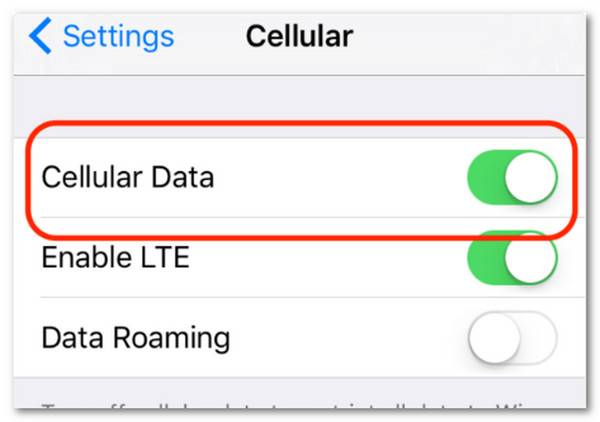
Turn off your iPhone or iPad Wi-Fi. To do that, swipe down at the top of the screen. Control Center will be accessed afterward. Please tap the Wi-Fi button to turn it off. Later, open the Settings app. Tap the Mobile Data or Cellular button. Tap the Cellular Data button to turn it on and save the changes.
Part 5. Comparison Table of Methods to Unblock Instagram
| Method | Safety | Free? | Speed |
| Proxy Server | Low | Yes | Slow |
| Smart DNS Service | Moderate | No | Moderate |
| Mobile Data | High | No | Fast |
Part 6. How to Use Instagram on a Restricted iPhone/iPad
If you cannot unblock Instagram using the previous methods due to security risks, you can also use FoneLab iFoneWiz. This tool is designed to turn off restrictions on iPhone and iPad. It can remove the restrictions that block your Instagram access on your iPhone or iPad. It includes Screen Time and MDM. It can also be used to unlock iPhone without passcode. Learn how to use the tool below to bypass MDM, which causes the iPhone or iPad’s Instagram to be blocked.

iFoneWiz Helps you unlock iPhone screen, Removes Apple ID or its password, Remove screen time or restriction passcode in seconds.
- Helps you unlock iPhone screen.
- Removes Apple ID or its password.
- Remove screen time or restriction passcode in seconds.
Step 1Click the Free Download button to start the download process on your computer. Then, locate the downloaded file to set up and install it on the mentioned device. After installation, the program will open automatically.
Step 2Select the Bypass MDM feature at the bottom. Then, plug an iPhone or iPad into the computer. Then, click the Start Now option at the bottom left. Follow the additional procedures for your iPhone or iPad. Then, click the Continue option at the bottom right when done. Click the Next button.
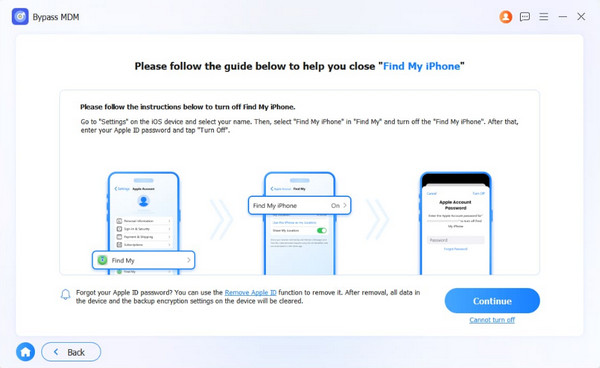
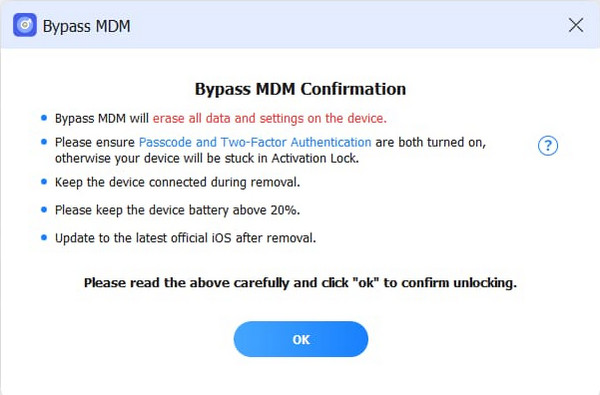
Step 3Please click the OK button under the precautions. Later, click the Confirm Again button on the same spot to confirm the process. The MDM bypass for your iPhone or iPad will start. Wait for the process to be completed and click the Finish button to end the bypass process.
Part 7. FAQs about Unblocked Instagram
Is the Instagram ban permanent?
Yes. Being banned, blocked, or restricted on Instagram can be permanent. You can only remove the mentioned restrictions if you turn off the features affecting the issue.
Does Instagram block all accounts by IP?
Yes. Instagram has the ability to block all accounts using the IP address due to the network-wide restriction for severe policy violations.
All in all, this post will guide you on how to get unblocked on Instagram app or website at school or other organizations. Most of the methods in this article are simple techniques. FoneLab iFoneWiz is a tool that can be used to bypass restrictions. It includes the removal of MDM and Screen Time. Download the tool to explore it even more!



