
 iPhone Data Recovery
 iOS System Recovery
 iOS Data Backup & Restore
 iOS Unlocker
 iPhone Password Manager
 Location Changer
 Android Data Recovery
 Broken Android Data Extraction
 Android Data Backup & Restore
 Android Unlocker
 FoneTrans for iOS
 iPhone Data Eraser
 iPhone Cleaner
 HEIC Converter
 HyperTrans
 WhatsApp Transfer for iOS
 Mac Sweep
 Data Retriever
 Mac Data Retriever
 Video Converter Ultimate
 Screen Recorder
 Phone Mirror
- Unlock Apple ID
- Bypass iCloud Activation Lock
- Doulci iCloud Unlocking Tool
- Factory Unlock iPhone
- Bypass iPhone Passcode
- Reset iPhone Passcode
- Unlock Apple ID
- Unlock iPhone 8/8Plus
- iCloud Lock Removal
- iCloud Unlock Deluxe
- iPhone Lock Screen
- Unlock iPad
- Unlock iPhone SE
- Unlock Tmobile iPhone
- Remove Apple ID Password
Effective Methods to Play Granny Unblocked Smoothly
 Updated by
 Are you curious about how to play Granny game unblocked? The viral horror game where you must escape a terrifying Granny within five days has become the youngsters’ favorite, which is why it’s often restricted on school or office networks. While we always recommend respecting your local policies, if you're looking for legitimate ways to access Granny’s unblocked version during free time, below are the methods to bypass these restrictions and enjoy a smooth gameplay experience.


Guide List
Part 1. Play Granny Unblocked at School
If you can’t access Granny on its official platform, the succeeding sections will assist you in playing the game’s unblocked version. Browse them and use the most suitable process to handle the problem that is restricting your access to the game.
Option 1. Visit Unblocked Gaming Websites
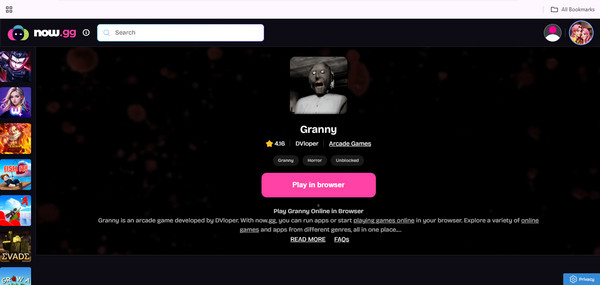
First on our list is visiting an unblocked gaming website. Since you can’t access or install the Granny app from its official source, like the Play Store, try accessing its unblocked version on a trusted gaming website that offers the game without restrictions. Among the most relevant ones is the now.gg website. You can access it with nearly all browsers, so all you have to do is visit the site and search for Granny to play the game with ease.
Pay attention to the easy procedures below to play Granny online unblocked by visiting the unblocked gaming websites, like now.gg:
Step 1Using your trusted browser, visit the unblocked gaming website, now.gg, and use its search bar at the top of the initial page to find and select Granny.
Step 2The game’s interface will be displayed immediately on the next page, so click Play in the browser to start playing Granny on the website.
As you can see, this unblocked version of Granny is played on a website that requires a stable internet connection. So, connect to a trusted network to ensure a lag-free gaming experience.
Option 2. Install a VPN
On the other hand, you may prefer to install a VPN so that you can still acquire and play Granny from its official source, even with location restrictions. If you’re unaware, a VPN stands for Virtual Private Network and is designed to mask your IP address and hide your location, browsing activity, and other online details. Thus, if you set up your device’s location using a VPN app, program, or service to where Granny is accessible, accessing it will no longer be a problem.
Bear in mind the trouble-free directions below to access unblocked games Granny by installing a VPN:
Step 1Install a VPN app or program and quickly set it up to change your device location to a country or place where Granny is accessible or installable.
Step 2After the setup, install Granny from its official source to play it on your device.
Option 3. Add a Chrome Extension
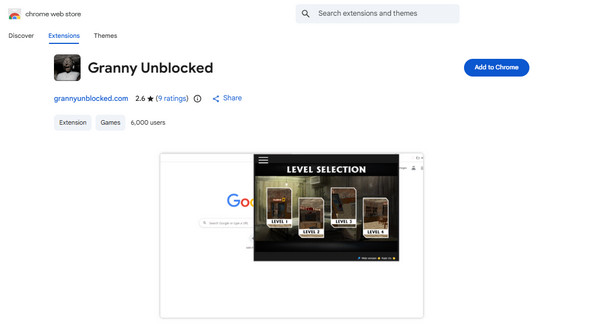
Meanwhile, adding Granny’s Chrome extension will also allow you to enjoy the game that you can’t access due to restrictions. It’s not the most official way to play Granny, but you can acquire its unblocked version on your browser program instead, without worrying about the original game app’s restrictions. Unlike the Granny installed on mobile devices, this version runs in Google Chrome and can be downloaded from the official Chrome Web Store. It can also be played offline, provided that you have already loaded the game once.
Yield to the unexacting operating below to enjoy Granny unblocked games by adding a Chrome extension:
Step 1Start on your Chrome browser by accessing the Chrome Web Store. Once you’re on the platform, find Granny using the upper section.
Step 2After selecting the game, select Add to Chrome on the upper right to add the Granny extension to your Chrome, letting you play it afterward.
Option 4. Connect to Mobile Data
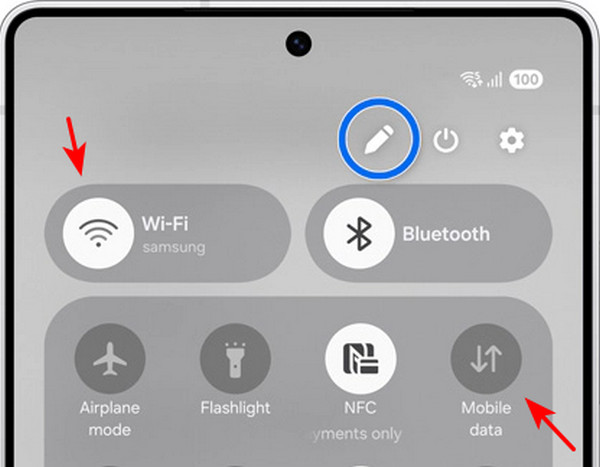
What if the restriction comes from the WiFi network you’re connected to? Many may not know this, but owners can choose to restrict or block specific sites or platforms on their WiFi by configuring the router’s settings. If the WiFi network you use blocks you from playing Granny, using your mobile data will be the most appropriate solution. Since you have full control of your device’s mobile network, you will be able to access any sites and play any game you want, like Granny’s unblocked version, without facing restrictions from your internet network.
Emulate the convenient task below to play Granny unblocked full screen by connecting to mobile data:
Step 1First, ensure you have a data subscription and turn off the device's WiFi.
Step 2Afterward, enable mobile data and install Granny to start playing.
Part 2. How to Play Granny at School with A Restricted iOS Device
Aside from the previous restrictions we discussed above, restrictions on your own device can also be the reason you can’t access or play Granny on iOS. Apple developed features like MDM and Screen Time to establish secure control of the device. For instance, MDM is set up by work, school, or organizations to ensure that an iOS device is used only for specific purposes. On the other hand, Screen Time can be enabled to set limits and restrictions for apps and features.
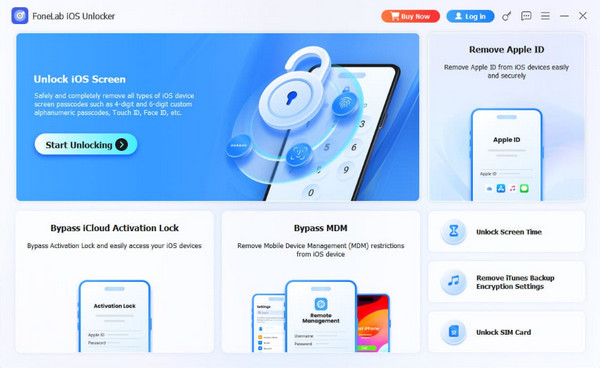
The problem is that these features can’t be easily disabled if you are not the original owner of the device or have forgotten the required password to turn them off. Fortunately, FoneLab iOS Unlocker is an efficient solution that can help you turn off retrictions on iPhone, allowing you to play Granny or any game afterward. It’s not a problem if you have no prior knowledge about the tool, as it offers a user-friendly design and processes.
Notice the stress-free steps below as a model to play Granny unblock at school with a restricted iOS device using FoneLab iOS Unlocker:
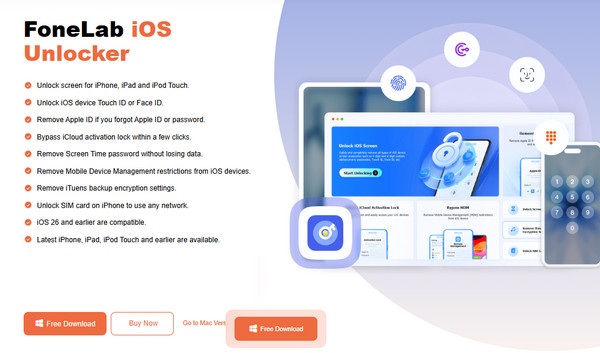
Step 1On your trusted browsing program, acquire FoneLab iOS Unlocker’s installer file via the Free Download tab and process the installation from your computer’s Downloads. The initial setup won’t take long, so expect the Start button to pop up; click it to run the program.
Step 2From the presented features on the main interface, pick Bypass MDM or Unlock Screen Time and attach your iOS device, as instructed on the subsequent screen. When the further prompts and instructions appear, follow them until the restrictions are finally removed.
FoneLab iOS Unlocker is not only helpful in removing restrictions. As its name suggests, it handles different iOS locks, so it will also be possible to unlock iPhone without passcode with this program if you get locked out of your device later.
Part 3. FAQs about Granny Unblocked
Is the Granny game safe for kids?
While Granny is generally safe for kids, it is not recommended, as the jump scares, blood, and death scenes could be terrifying, making it more suitable for teenagers.
Is the Granny unblocked game legal?
Unfortunately, Granny’s unblocked versions found on third-party sites or platforms are typically legally questionable, as they sometimes use the developer's property without permission.
Despite different restrictions, it is now hassle-free to access and play Granny’s unblocked version using the solutions above, especially with the specialized program, FoneLab iOS Unlocker. Thus, don’t be reluctant to install it whenever you can.



