
 iPhone Data Recovery
 iOS System Recovery
 iOS Data Backup & Restore
 iOS Unlocker
 iPhone Password Manager
 Location Changer
 Android Data Recovery
 Broken Android Data Extraction
 Android Data Backup & Restore
 Android Unlocker
 FoneTrans for iOS
 iPhone Data Eraser
 iPhone Cleaner
 HEIC Converter
 HyperTrans
 WhatsApp Transfer for iOS
 Mac Sweep
 Data Retriever
 Mac Data Retriever
 Video Converter Ultimate
 Screen Recorder
 Phone Mirror
- Part 1. How Much Does It Cost to Unlock an iPhone Carrier Lock
- Part 2. How Much Does It Cost to Unlock an iPhone Activation Lock
- Part 3. How Much Does It Cost to Unlock iPhone Screen Lock
- Part 4. How Much Does It Cost to Unlock an iPhone Screen Time Passcode
- Part 5. FAQs about How Much Does It Cost to Unlock an iPhone
- Unlock Apple ID
- Bypass iCloud Activation Lock
- Doulci iCloud Unlocking Tool
- Factory Unlock iPhone
- Bypass iPhone Passcode
- Reset iPhone Passcode
- Unlock Apple ID
- Unlock iPhone 8/8Plus
- iCloud Lock Removal
- iCloud Unlock Deluxe
- iPhone Lock Screen
- Unlock iPad
- Unlock iPhone SE
- Unlock Tmobile iPhone
- Remove Apple ID Password
How Much Does It Cost to Unlock an iPhone Properly
 Updated by
 How much does it cost to unlock iPhone? A frequent question by many Apple users, especially since it could refer to various locks on the device. A carrier lock, an Activation Lock tied to an Apple ID, a disabled screen lock, or others each present a different challenge. Hence, the answer is usually not a simple fee, as the proper method and its price depend entirely on which barrier you are facing. Understanding these distinctions is the first step toward a legitimate and cost-effective solution, so let this article provide the guidance you need to navigate each scenario.

Guide List
- Part 1. How Much Does It Cost to Unlock an iPhone Carrier Lock
- Part 2. How Much Does It Cost to Unlock an iPhone Activation Lock
- Part 3. How Much Does It Cost to Unlock iPhone Screen Lock
- Part 4. How Much Does It Cost to Unlock an iPhone Screen Time Passcode
- Part 5. FAQs about How Much Does It Cost to Unlock an iPhone
Part 1. How Much Does It Cost to Unlock an iPhone Carrier Lock
Various solutions to unlock your iPhone carrier are available, but although they have the same goal, the cost varies. You have the official unlock method and third-party carrier unlock services to choose from.
Option 1. Contact iPhone Carrier
The official method we suggest you try first is contacting your carrier. That's because, aside from being the most trusted, it is also free. All you must do is contact your iPhone carrier and meet their requirements; this way, they can perform the unlock process for your device. You may wonder, "How do I contact them?" It's easy — just find their contact info online or on the box your iPhone came with when it was first purchased.
Once you contact your carrier, provide the requirements, such as the device model, IMEI number, etc. The customer support will then instruct you on the proper navigation. Simply abide by them carefully, and later, your iPhone carrier will be unlocked.
Option 2. UnlockRiver
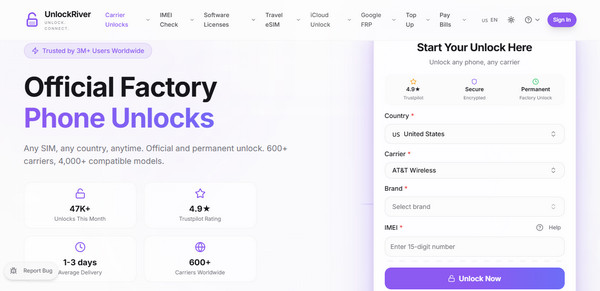
On the other hand, you can try unlocking services like UnlockRiver. This specific service costs $20 to $80, depending on various factors, like your device brand, version, model, and more. You can effortlessly access it on the web, and on its initial page, enter your country, carrier, brand, and IMEI in the designated fields before hitting Unlock Now. Afterward, further prompts will appear. Follow them and your iPhone will be unlocked from its carrier.until you successfully unlock your iPhone's carrier.
Part 2. How Much Does It Cost to Unlock an iPhone Activation Lock
Like before, both official methods and other offered unlocking services can be relied on to unlock an iPhone Activation Lock. Apple's official solution is our initial recommendation, but if it doesn't work for your situation, a dedicated program will be helpful instead.
Option 1. Erase iPhone Using iCloud Find My
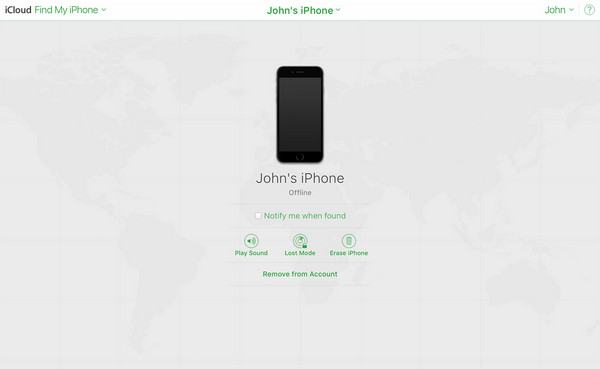
What is the cost to unlock iPhone from the Activation Lock? The good news is that it is also free if you use Apple's official solution, iCloud Find My. By accessing your iCloud account on the web and heading to the Find My page, you will be able to see and select the All Devices option. From there, pick your iPhone and opt for Erase iPhone on the following page. This option will erase everything on the device, including the Activation Lock, unlocking your iPhone. However, the catch is that you must already be logged into your iCloud account to access the necessary page, since it requires your Apple ID and password.
Option 2. iCloud Bypass (Unlock) - iRemove Software
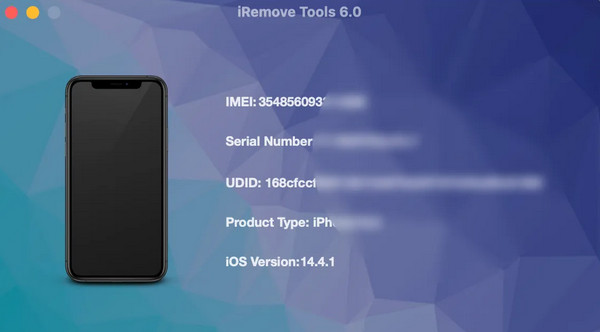
iCloud Bypass (Unlock) - iRemove Software is a program you can find online and install on your computer. Its price starts from $19.00, supporting nearly all iOS versions and iPhone models. Just acquire the program from its primary website and use it for the installation. Following that, set up the options accordingly. Once installed, run the program and use the necessary features and options on the interface to unlock your iPhone from Activation Lock.
Part 3. How Much Does It Cost to Unlock iPhone Screen Lock
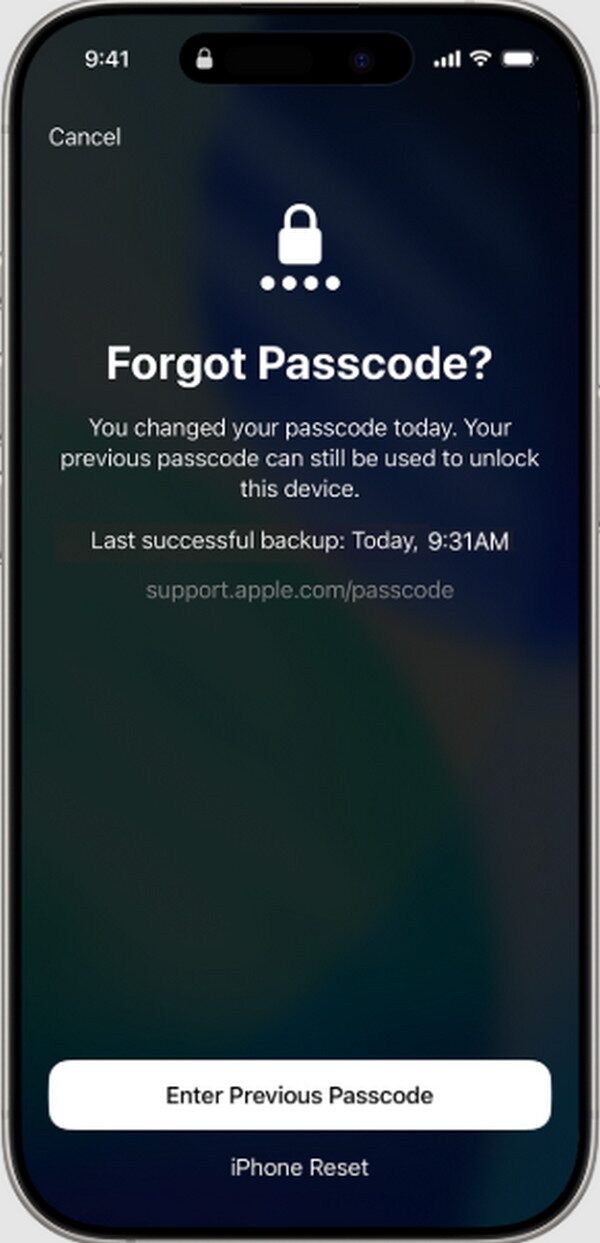
Forgot Passcode is a built-in iPhone feature, so expect it to be free as well. It is located in the lock screen's lower right section, and if you choose it, the following screen will provide you with the iPhone Reset option. Select it and input the Apple credentials you used when you first logged in on your iPhone. All content and settings will then be deleted from the device, including the screen lock passcode, allowing you to regain access. However, this method is free only on iOS 15.2 and later versions.
Part 4. How Much Does It Cost to Unlock an iPhone Screen Time Passcode
An iPhone's Screen Time passcode is another lock feature you can encounter on your device. Luckily, it's possible to reset Screen Time passcode with a specialized tool like FoneLab iFoneWiz, which you can get for as low as $31.20. The tool's Unlock iOS Screen feature is only one of the many functions it offers, and you can navigate it easily thanks to its intuitive interface.
Aside from the ability to bypass Screen Time passcode, FoneLab iFoneWiz can also handle the other iPhone locks mentioned above, including Activation Lock, screen lock, MDM or Mobile Device Management, and more. That's right! It is an all-in-one tool you can use anytime. It doesn't even require advanced knowledge, as the on-screen guides, labels, and instructions are enough to assist you through the process. It can also be quickly accessed on its official website.

iFoneWiz Helps you unlock iPhone screen, Removes Apple ID or its password, Remove screen time or restriction passcode in seconds.
- Helps you unlock iPhone screen.
- Removes Apple ID or its password.
- Remove screen time or restriction passcode in seconds.
Perceive the user-friendly instructions below as a model to unlock your iPhone Screen Time passcode with FoneLab iFoneWiz:
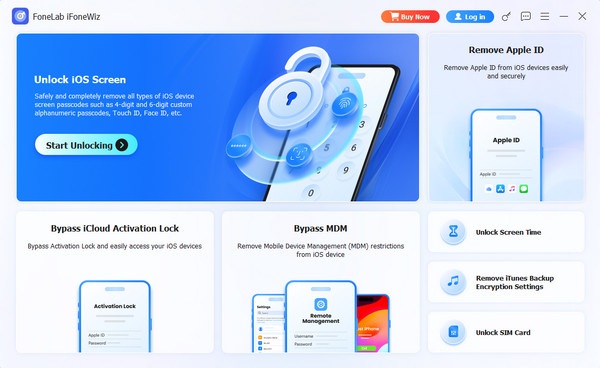
Step 1Select Free Download to open the program file from your Downloads folder later and install FoneLab iFoneWiz on the computer. Once installed, start running it on your desktop to view and choose the Unlock Screen Time feature on the key interface.
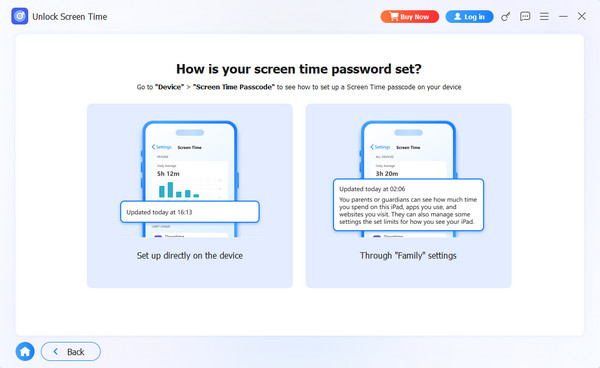
Step 2The following step will require your device to connect using a functional Lightning cable. Input it carefully, and once the program detects the iPhone, you will be instructed to pick between Set up directly on the device and Through Family settings from the 'How is your screen time password set' screen. Then follow further prompts to finish unlocking.
As you can see, FoneLab iFoneWiz's unlocking features are readily available on the primary interface. Thus, if you need to use the other functions besides Unlock Screen Time, don't hesitate to select it and perform the process with the help of the on-screen prompts and guides.
Part 5. FAQs about How Much Does It Cost to Unlock an iPhone
Why do some unlocking services charge very low prices?
Extremely low prices are often red flags. These services usually attempt temporary or unauthorized unlocks that may fail or even damage your device. Hence, it's best to be meticulous when choosing a service or solution for unlocking an iPhone.
What is the average price range for unlocking an iPhone?
Aside from the free solutions from Apple, other trusted services or programs typically charge between $20 and $60, depending on the difficulty of your situation and device model.
Official unlock methods from Apple are guaranteed free and trustworthy, but they come with conditions that may not work for your situation. Thankfully, budget-friendly options are also available — especially FoneLab iFoneWiz, which you can use on various iPhone locks.



