
 iPhone Data Recovery
 iOS System Recovery
 iOS Data Backup & Restore
 iOS Unlocker
 iPhone Password Manager
 Location Changer
 Android Data Recovery
 Broken Android Data Extraction
 Android Data Backup & Restore
 Android Unlocker
 FoneTrans for iOS
 iPhone Data Eraser
 iPhone Cleaner
 HEIC Converter
 HyperTrans
 WhatsApp Transfer for iOS
 Mac Sweep
 Data Retriever
 Mac Data Retriever
 Video Converter Ultimate
 Screen Recorder
 Phone Mirror
- Part 1. What Is Basketball Stars Unblocked
- Part 2. Play Basketball Stars Unblocked on Unblocked Game Sites
- Part 3. Use Proxy Sites to Play Basketball Stars Unblocked
- Part 4. Use a VPN to Play Basketball Stars Unblocked
- Part 5. Use the Basketball Stars Unblocked Chrome Extension
- Part 6. Comparison of Methods to Play Basketball Stars Unblocked
- Part 7. Remove MDM/Screen Time Restrictions on iPhone/iPad
- Part 8. FAQs about Basketball Stars Unblocked
- Unlock Apple ID
- Bypass iCloud Activation Lock
- Doulci iCloud Unlocking Tool
- Factory Unlock iPhone
- Bypass iPhone Passcode
- Reset iPhone Passcode
- Unlock Apple ID
- Unlock iPhone 8/8Plus
- iCloud Lock Removal
- iCloud Unlock Deluxe
- iPhone Lock Screen
- Unlock iPad
- Unlock iPhone SE
- Unlock Tmobile iPhone
- Remove Apple ID Password
Basketball Stars Unblocked: Play with a Detailed Guide
 Updated by
 Greetings! Could anyone please help me play unblocked Basketball Stars without getting restricted? I’ve seen some of my classmates play it, but after attempting to download the game to my device, I found out it’s inaccessible. How do I play the unblocked version?
Do you like playing games on your device? If so, you must also like exploring ones from different platforms, like Basketball Stars. However, not all games are readily available due to various restrictions from the device or the game itself, but no worries. If you experienced the same scenario above, you can rely on the solutions we gathered using user-friendly guides.

Guide List
- Part 1. What Is Basketball Stars Unblocked
- Part 2. Play Basketball Stars Unblocked on Unblocked Game Sites
- Part 3. Use Proxy Sites to Play Basketball Stars Unblocked
- Part 4. Use a VPN to Play Basketball Stars Unblocked
- Part 5. Use the Basketball Stars Unblocked Chrome Extension
- Part 6. Comparison of Methods to Play Basketball Stars Unblocked
- Part 7. Remove MDM/Screen Time Restrictions on iPhone/iPad
- Part 8. FAQs about Basketball Stars Unblocked
Part 1. What Is Basketball Stars Unblocked
Before anything else, know that Basketball Stars is a popular online multiplayer basketball game where players can control customizable avatars in fast-paced, one-on-one matches. Basically, Basketball Stars is the name of the game you can officially get from its primary source, like the Play Store. Meanwhile, the term “Unblocked” refers to versions of the game hosted on third-party platforms that are not officially affiliated with the original game developers.
Part 2. Play Basketball Stars Unblocked on Unblocked Game Sites
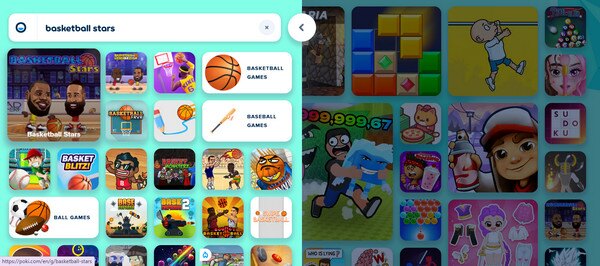
Among, if not the most popular, ways to play this basketball game is to visit unblocked game sites. Yes, you read that correctly! Websites designed for playing games that are blocked for certain reasons can be accessed on your browser, allowing you to enjoy their unblocked versions. One of the trusted sites is Poki Games, so if you haven’t yet heard about it, this must be the perfect time to explore the platform, as it offers Basketball Stars and other games.
Note the procedure below to play unblocked games Basketball Stars, on unblocked game sites:
Step 1First, rely on your trusted browser to visit the unblocked game site, Poki Games.
Step 2Click the search symbol at the top left to type and find Basketball Stars. Once it appears on the results, select it and start playing when the game is shown on the next page.
Part 3. Use Proxy Sites to Play Basketball Stars Unblocked
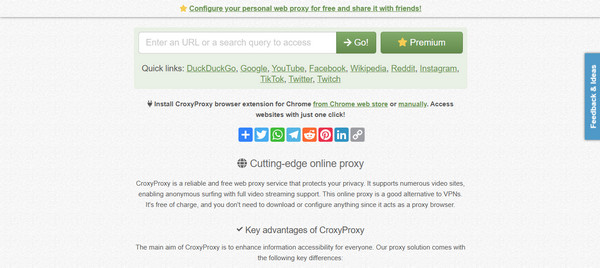
Meanwhile, proxy sites, as the name suggests, are platforms that use alternative URLs to allow users to bypass school or work restrictions in accessing gaming websites. The reliable and popular one you can try is CroxyProxy. You must only provide the gaming platform that has the game you want, which is Basketball Stars, and the site will let you access it without a problem. It may only be more procedural than other methods since you will be browsing multiple sites.
Emulate the directions below to enjoy the basketball unblocked game using proxy sites:
Step 1On a reliable browser, open CroxyProxy’s site and enter the URL or platform containing the unblocked version of Basketball Stars.
Step 2When the results are displayed, enter the site and search for Basketball Stars. Afterward, you can finally open the game and play it without a problem.
Part 4. Use a VPN to Play Basketball Stars Unblocked
If you want a more direct path to the Basketball Stars game, a VPN would be a suitable technique. Like the last part, your chosen VPN service will mask your IP address and location to bypass the game’s restrictions and let you play Basketball Stars. The only difference is that instead of using a proxy site, you will be able to access the game on its official platform directly. You can pick a reliable VPN program, app, or service online, depending on your preference.
Mirror the steps below to play Basketball Stars unblocked using a VPN:
Step 1Subscribe to a VPN service or install a VPN app or program, and set up its location to a country where Basketball Stars is available and unblocked.
Step 2Once set, you can proceed to the game’s official source, like the Play Store, and acquire it. Unlike before, it will be installable this time, allowing you to play the game.
Part 5. Use the Basketball Stars Unblocked Chrome Extension
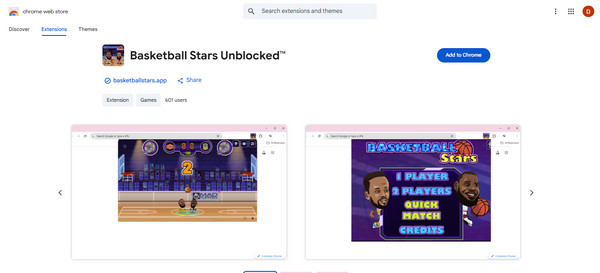
An unblocked version of Basketball Stars is also available as an extension; thus, if you’re playing on a Chrome browser, it will be an excellent alternative. Various extensions, whether games, apps, etc., can be accessed on the Chrome Web Store, and adding them to your browser is hassle-free. Just note that not all browsing programs support Chrome extensions.
Obey the instructions below to enjoy the unblocked Basketball Stars Chrome extension:
Step 1Navigate to the Chrome Web Store and search for Basketball Stars Unblocked.
Step 2Once found, hit the Add to Chrome tab to add it to the browsing program. When done, you can finally open and play the game on your Chrome browser.
Part 6. Comparison of Methods to Play Basketball Stars Unblocked
| Methods | Unblocked Game Sites | Proxy Sites | VPN | Chrome Extension |
| How It Works | Directly hosts games that bypass school or work filters. | Acts as an intermediary between you and the game site. | Encrypts & routes traffic through a remote server. | A browser add-on that bypasses restrictions. |
| Ease of Use | Excellent | Very Good | Good | Very Good |
| Speed & Performance | Usually good, depends on site traffic. | Slower due to rerouting traffic. | Varies; premium faster. | Generally decent speed. |
| Best For | Quick, no-installation access. | Temporary, simple bypass. | Regular use with full privacy. | Browser-specific and lightweight. |
Part 7. Remove MDM/Screen Time Restrictions on iPhone/iPad
On the other hand, we suggest not to miss discovering FoneLab iOS Unlocker. If this is your first time hearing about the tool, you will be delighted to know how it can turn off restrictions on iPhone that may be preventing you from accessing games, like Basketball Stars, and other features on your device. It will help you bypass Screen Time passcode or remove MDM, whichever is stopping you from enjoying your device usage. You don’t even have to be knowledgeable about it since the program offers beginner-friendly design and functions.

FoneLab Helps you unlock iPhone screen, Removes Apple ID or its password, Remove screen time or restriction passcode in seconds.
- Helps you unlock iPhone screen.
- Removes Apple ID or its password.
- Remove screen time or restriction passcode in seconds.
See the trouble-free operation below to remove MDM or Screen Time restrictions on iPhone or iPad with FoneLab iOS Unlocker:
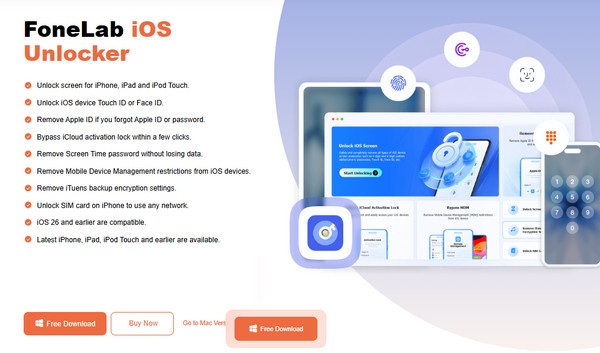
Step 1Acquire the installer for FoneLab iOS Unlocker through the website’s Free Download tab. Once it is saved in your computer’s Downloads, set up the file for the tool’s installation. It won’t be long before a Start option appears, so select it to open the interface.
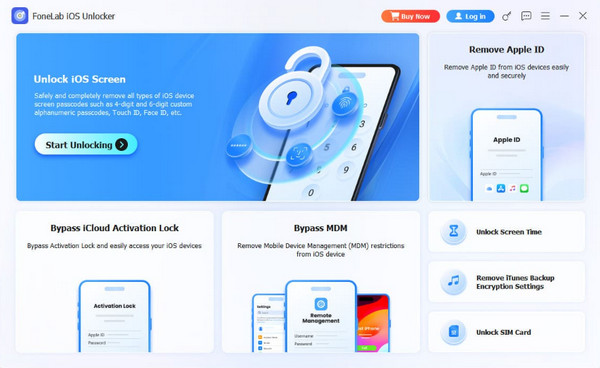
Step 2You will be greeted by the program’s features once it launches. Hence, choose Bypass MDM or Unlock Screen Time, depending on the restriction you’re facing. When asked, link your iPad or iPhone via a Lightning cable and follow the succeeding prompts.
Part 8. FAQs about Basketball Stars Unblocked
Can I play Basketball Stars full screen?
Yes, you can. Even on proxy or unblocked game platforms, you can still play the game in full screen, as our suggested platforms offer a full-screen feature.
Is it legal to play the unblocked version of Basketball Stars?
Playing the game itself is legal. However, bypassing network restrictions may violate your school or workplace's acceptable use policy.
Play the unblocked version of Basketball Stars with the help of our recommendations in this post. You must also not hesitate to check out FoneLab iOS Unlocker, as it helps bypass and remove various restrictions that prevent you from enjoying games, apps, and features.



