
 iPhone Data Recovery
 iOS System Recovery
 iOS Data Backup & Restore
 iOS Unlocker
 iPhone Password Manager
 Location Changer
 Android Data Recovery
 Broken Android Data Extraction
 Android Data Backup & Restore
 Android Unlocker
 FoneTrans for iOS
 iPhone Data Eraser
 iPhone Cleaner
 HEIC Converter
 HyperTrans
 WhatsApp Transfer for iOS
 Mac Sweep
 Data Retriever
 Mac Data Retriever
 Video Converter Ultimate
 Screen Recorder
 Phone Mirror
- Unlock Apple ID
- Bypass iCloud Activation Lock
- Doulci iCloud Unlocking Tool
- Factory Unlock iPhone
- Bypass iPhone Passcode
- Reset iPhone Passcode
- Unlock Apple ID
- Unlock iPhone 8/8Plus
- iCloud Lock Removal
- iCloud Unlock Deluxe
- iPhone Lock Screen
- Unlock iPad
- Unlock iPhone SE
- Unlock Tmobile iPhone
- Remove Apple ID Password
How to Quickly Access The Unblocked Game 76 in 2026
 Updated by
 Good day! Do you know what Game Unblocked 76 or Unblocked Game 76 is? My friend suggested it to me. He said that there are countless free games on this website. Is it true? Please help me know more about it. Thank you!
Countless web browser games can be accessed. But Unblocked Game 76 is quite popular. It offers famous games that users can play online. In this article, you will know the most important information about the website. Please continue browsing to know more details.

Guide List
Part 1. What is Unblocked Games 76?
Unblocked Games 76 is like any other website that offers different games. This website is completely free! Also, you are not required to download it on your computer. Having a strong internet connection will help you access it. Otherwise, you will have a hard time playing the games.
Additionally, the website does not need an account. Users do not need to register for the website, since its users are intended to be kids. Furthermore, it can often bypass school and office internet filters.
Part 2. Key Features & Game Library of Game 76
Unblocked Games 76 has different key features you should know before using it. Kindly scroll below to know them, including their game library.
1. No Installation or Extensions Needed
The game website does not need to be installed. Also, there are no web browser extensions needed to be downloaded. You can play the games from the website without additional files or requirements.
2. Accessible on Restricted Networks
Most organizations, like schools and work, contain restricted networks that block websites automatically. The good thing about this website is that it is less blocked by internet filters.
3. Fast and Lightweight Loading
Unblocked Games 76 is fast and lightweight. In this case, you will have a smooth experience in accessing the website, including its games. Most of the games it supports can be accessed in a small browser game.
| Category | Games |
| Puzzle Games | • 20248 • Cut The Rope |
| Action Games | • Time Shooter: SWAT • Gunblood • Bullet Force |
| Sports Games | • Soccer Random • Basketball Stars |
| Adventure Games | • Fireboy and Watergirl • Vex 6 |
| Strategy Games | • Age of War • Stick War |
Part 3. Pro Tips for a Smoother Experience for Unblocked Games 76
Not all experience a smooth experience with Unblocked Games 76. In this section, we will help you experience one. Please see the list below.
1. Use a Modern Browser
If you want to experience a smooth gaming process, it is recommended to use a modern browser. Google Chrome, Mozilla Firefox, and Microsoft Edge are the most recommended.
2. Close Tabs Not Used
Each tab on your web browser consumes RAM and CPU on your computer. Closing them will help your computer focus on one tab, which is the website of Unblocked Games 76. In this case, the website will function as expected.
3. Clear Browser Cache
Web browsers store cache with every visit or access to different websites. This temporary data slows down the operation of your computer's web browsers. Clearing them will help you experience a smooth gaming experience on Unblocked Games 76.
Part 4. How to Access Unblocked Games on a Restricted iPhone/iPad
On the other hand, Unblocked Games 76 can still be blocked by screen time or MDM. If so, you can turn off retrictions on iPhone or iPad. The 3 methods below will help you do that. Continue browsing to know them.
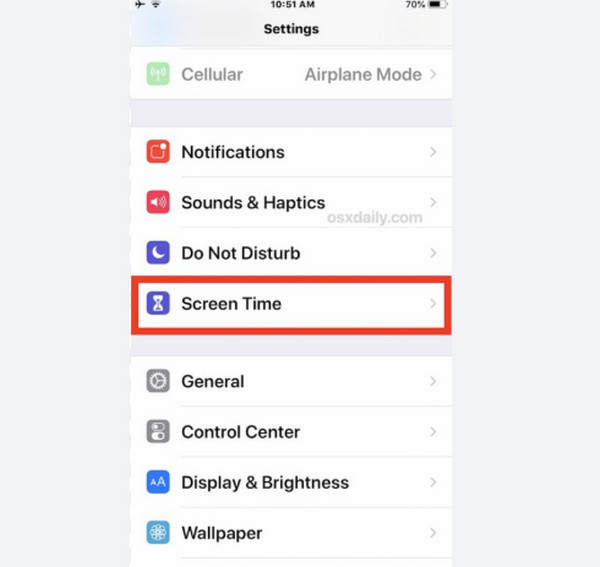
1. Turn Off Screen Time
Screen Time can block websites from your iPhone and iPad. It is commonly used by parents who want to limit the screen time of their children. See the steps below to unblock the websites where you want to play games.
Open the Settings app on your iPhone or iPad. Then, select the Screen Time button from the list. Later, please tap the Turn Off Screen Time button or the Turn Off App & Website option. Later, enter the Screen Time passcode from the screen. Tap the Turn Off button on the screen to complete the process.
2. Remove MDM Profile
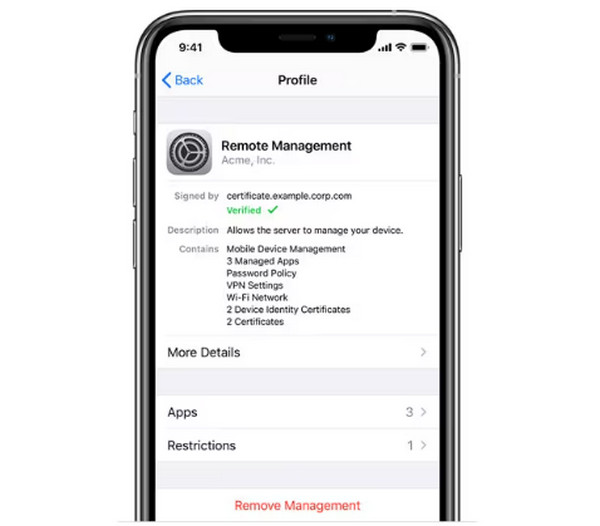
An MDM profile is usually used for an iPhone or iPad that is produced by the school, work, or other organizations. This feature allows the organization’s IT admin to remotely manage the mentioned devices. Removing the MDM profile allows you to access the blocked websites, including Unblocked Games 76. See how with the steps below.
Go to the Settings app on your iPhone or iPad. Then, select the General button from the prompted list. Later, please tap the VPN & Device Management button. Select the profile you want to remove. Finally, tap the Remove Management button. Enter the authentication to complete the process.
3. Use FoneLab iOS Unlocker
Sometimes, the credentials to remove the MDM profile and Screen Time passcode are unknown. So, you need to bypass Screen Time passcode and MDM on your iPhone or iPad. FoneLab iOS Unlocker is the best tool to use. You can use it without an internet connection, which is convenient for some of you. You will not also experince a data loss if you bypass the Screen Time passcode. Also, novices will have a quick procedure with this software because of its intuitive interface. iCloud Activation Lock, Apple ID, SIM Lock, and other security features can also be removed. Please use the steps below to know how to use the tool.

FoneLab Helps you unlock iPhone screen, Removes Apple ID or its password, Remove screen time or restriction passcode in seconds.
- Helps you unlock iPhone screen.
- Removes Apple ID or its password.
- Remove screen time or restriction passcode in seconds.
Step 1Go to the main website that FoneLab iOS Unlocker offers. Then, click the Free Download button. Set up, install, and open the tool afterward. Plug the iPhone or iPad into the computer to let it be recognized by the computer. Select your device name from the list. Choose the Unlock Screen Time or the Bypass MDM feature. Then, click the Start Now button.
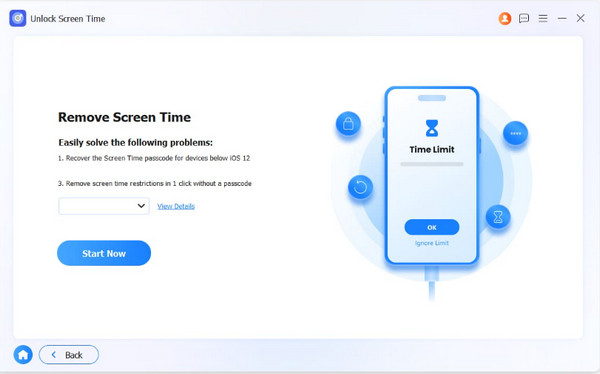
Step 2Follow the on-screen instructions to continue with the process. Later, click the Continue button.
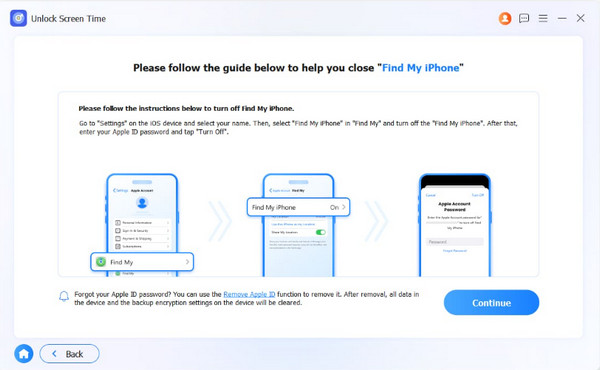
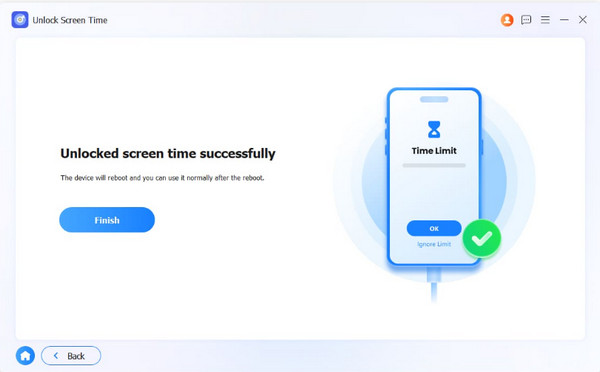
Step 3Please click the Unlock button at the bottom center. The bypass process will start. Click the Finish button once done.
Part 5. FAQs about Unblocked Games 76
What games are 13+ in Unblocked Games 76?
There are various 13+ games in Unblocked Game 76. It includes Bullet Force, Pixel Warfare, War Brokers, Age of War, and more.
Which games are banned now in Unblocked Games 76?
There is no official list from Unblocked Games 76 about the blocked games. On the other hand, it removed games due to copyright, hosting, and violence issues. It includes Happy Wheels, Minecraft, Super Mario Bros, and more.
All in all, Unblocked Game 76 is a website that offers different games that are suitable for kids. In this article, a complete review of the website will be conducted. Also, when the website is blocked, 3 methods can also be used, including FoneLab iOS Unlocker, to remove the Screen Time restriction and MDM profile that causes the block issue. You can also use it to remove Apple ID and iCloud Activation Lock. Download the tool to know more about it!



