
 iPhone Data Recovery
 iOS System Recovery
 iOS Data Backup & Restore
 iOS Unlocker
 iPhone Password Manager
 Location Changer
 Android Data Recovery
 Broken Android Data Extraction
 Android Data Backup & Restore
 Android Unlocker
 FoneTrans for iOS
 iPhone Data Eraser
 iPhone Cleaner
 HEIC Converter
 HyperTrans
 WhatsApp Transfer for iOS
 Mac Sweep
 Data Retriever
 Mac Data Retriever
 Video Converter Ultimate
 Screen Recorder
 Phone Mirror
- Unlock Apple ID
- Bypass iCloud Activation Lock
- Doulci iCloud Unlocking Tool
- Factory Unlock iPhone
- Bypass iPhone Passcode
- Reset iPhone Passcode
- Unlock Apple ID
- Unlock iPhone 8/8Plus
- iCloud Lock Removal
- iCloud Unlock Deluxe
- iPhone Lock Screen
- Unlock iPad
- Unlock iPhone SE
- Unlock Tmobile iPhone
- Remove Apple ID Password
Play Retro Bowl Unblocked Using Functional Methods
 Updated by
 Greetings! Is there any way I can play the Unblocked Retro Bowl game? I've already tried accessing the game multiple times, but for some reason, I can't get through due to some restriction I don't completely understand. So, I'm now attempting to find methods; the problem is, I don't know which ones are safe and actually work. Could anybody please lend me a hand?
Retro Bowl is a well-known 8-bit style American football game that is available on iOS, Android, web browsers, and other platforms. It is free, but you can unlock its full features through an in-app purchase; however, some restrictions still just can't be removed regardless. So, some prefer the unblocked version, as it bypasses network restrictions and lets users access the game on other platforms besides the official one acquired in the App or Play Store. That said, we invite you to play Retro Bowl's unblocked version with the accessible strategies below.


Guide List
Part 1. Play Retro Bowl on Trusted Mirrors
Playing Retro Bowl on trusted mirrors is often the most reliable technique to access the unblocked game. You must only find a reputable and well-established mirror website, like Poki Games, that hosts a direct, browser-based version of the game. It serves as an effective alternative when official channels are blocked, providing an experience that closely mimics the original without requiring downloads or installations. Hence, consider this approach as the straightforward path to your desired gameplay.
Pay attention to the unexacting directions below to play Retro Bowl on a trusted mirror, Poki Games:
Step 1Go to your preferred browser, and when it's ready, access the Poki Games website.
Step 2A Search symbol will be on the upper left, so click it and type 'Retro Bowl' in the text field. The game will then be in the results. Click it to play the game online.
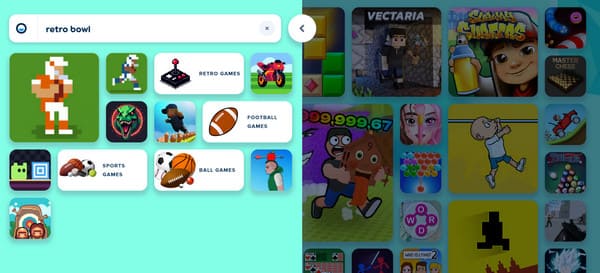
No matter how good this approach is, you still can't expect it to be as excellent as the original. Thus, anticipate some drawbacks or limitations. For instance, it is expected to be behind several updates of the official game, making you miss some new features. Aside from that, the gameplay may sometimes suffer from lag or instability due to server limitations.
Part 2. Play Retro Bowl Using Incognito Mode
Utilizing your browser's Incognito mode also presents a clever method to attempt playing Retro Bowl. As you know, this mode lets you have an isolated browsing session that does not rely on your usual cache, cookies, or browsing history. Hence, it might be able to evade or bypass the simple local network restrictions that are blocking you from playing the game normally. It offers a quick, first-step troubleshooting option that requires no additional tools or risky website visits.
Act under the secure operation below to play Retro Bowl Unblock using Incognito mode:
Step 1On the initial interface of your browser, select the three-dotted symbol in the top right section and choose the New Incognito tab option from the list.
Step 2Once you're in the Incognito mode window, enter your trusted mirror website, as in the previous process. Then, search for the Retro Bowl game to play it.
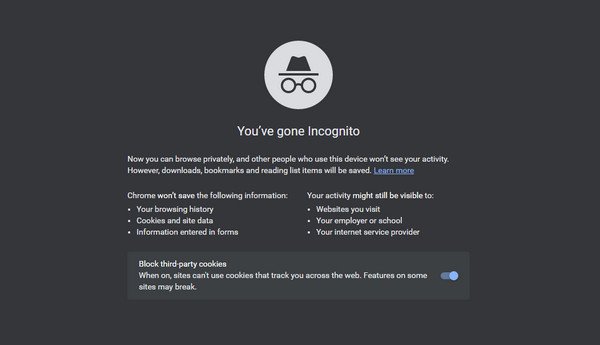
However, please note that it is not a completely foolproof solution. You may still experience restrictions or limitations, so if that happens, proceed to the other strategies instead, as their processes may be more suitable for your situation.
Part 3. Play Retro Bowl Using a VPN
Meanwhile, if Retro Bowl isn't accessible on your device because of its unavailability in your location, try using a VPN or Virtual Private Network. It works by encrypting your internet traffic and routing it through a server in a location of your choice. Your real IP address will then be masked or hidden, making it appear as though you are browsing from elsewhere, where the game is accessible. You will be able to reach the official game website or other legitimate gaming platforms that were previously blocked due to location restrictions, offering a more secure and direct connection than many third-party mirror sites.
Bear in mind the effortless task below to play Retro Bowl Unblocked using a VPN:
Step 1First, know which country or location offers the Retro Bowl game, then install a VPN tool.
Step 2Once installed, launch it and set the location to where the game is available. Afterward, you can finally install and play Retro Bowl on your device.
Part 4. Remove MDM to Play Retro Bowl on iPhone Without Restrictions
What if you're still having trouble with other restrictions playing Retro Bowl besides the location? In this case, though, it could be because of your iPhone's MDM, which is set by your school, company, or organization. No worries because we also prepared a solution for this, which is the FoneLab iOS Unlocker tool. With its straightforward interface, removing the MDM will be quick and painless, setting you free from the restrictions imposed by anyone.

FoneLab Helps you unlock iPhone screen, Removes Apple ID or its password, Remove screen time or restriction passcode in seconds.
- Helps you unlock iPhone screen.
- Removes Apple ID or its password.
- Remove screen time or restriction passcode in seconds.
Thus, you can successfully access the game you want to play, whether Retro Bowl or another game. Other than allowing you to remove MDM from iPhone, FoneLab iOS Unlocker specializes in removing or accessing other locks on iOS devices. For instance, it will allow you to unlock iPhone without passcode if you have forgotten it. You can also bypass the screen time restriction, remove iTunes backup password, remove the Apple ID, and more.
Obey the stress-free guidelines below to play Retro Bowl Unblocked without restriction by removing MDM using FoneLab iOS Unlocker:
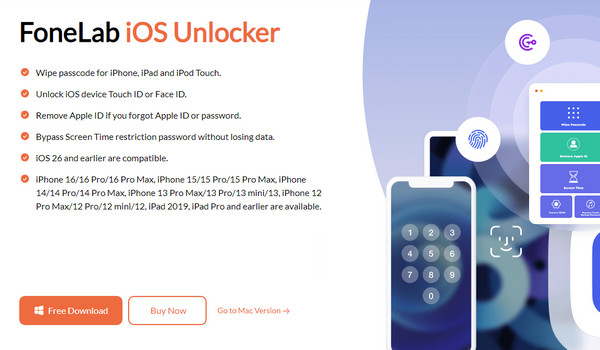
Step 1Open a trustworthy browser to access FoneLab iOS Unlocker's official page. From the left section, select Free Download to get the installer into your computer's Downloads folder. After saving, you can immediately set up and install the program, presenting the Start button shortly. Click it, and the initial interface with all its key features will be displayed.
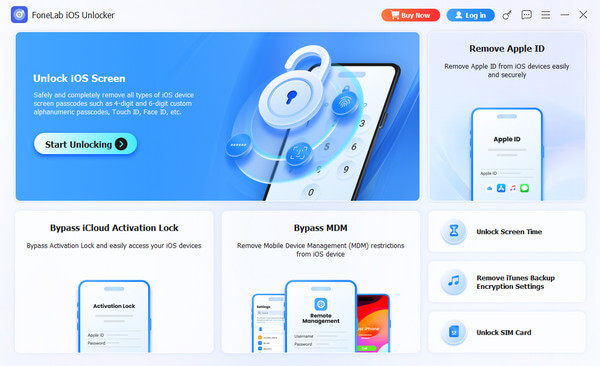
Step 2Among the features is Bypass MDM, and you will see it in the middle of the lower half of the screen. Hence, click it and attach your iPhone or iOS device, as instructed on the following interface. Once the connection is successful, another direction will be shown, followed by a few more. Navigate through them until the program removes the MDM from your device.
Part 5. FAQs about Retro Bowl Unblocked
Is the Retro Bowl Unblocked game safe for kids?
Yes, it is. The Entertainment Software Rating Board or ESRB rated it 'Everyone', which means its content is generally suitable for all ages, including kids. Thus, you can trust that it won't contain mature content, language, and explicit violence, making it safe for younger players.
Why is Retro Bowl blocked?
Retro Bowl is sometimes blocked on devices by school, work, or other organizations, usually because it is deemed a distraction. That's why many students look for an unblocked version instead to still enjoy the game.
Play and enjoy Retro Bowl during your free time with the help of the techniques we provided above. You especially won't want to miss FoneLab iOS Unlocker, as it will be helpful, even in other situations you might encounter later. Don't hesitate to install it.



