
 iPhone Data Recovery
 iOS System Recovery
 iOS Data Backup & Restore
 iOS Unlocker
 iPhone Password Manager
 Location Changer
 Android Data Recovery
 Broken Android Data Extraction
 Android Data Backup & Restore
 Android Unlocker
 FoneTrans for iOS
 iPhone Data Eraser
 iPhone Cleaner
 HEIC Converter
 HyperTrans
 WhatsApp Transfer for iOS
 Mac Sweep
 Data Retriever
 Mac Data Retriever
 Video Converter Ultimate
 Screen Recorder
 Phone Mirror
- Unlock Apple ID
- Bypass iCloud Activation Lock
- Doulci iCloud Unlocking Tool
- Factory Unlock iPhone
- Bypass iPhone Passcode
- Reset iPhone Passcode
- Unlock Apple ID
- Unlock iPhone 8/8Plus
- iCloud Lock Removal
- iCloud Unlock Deluxe
- iPhone Lock Screen
- Unlock iPad
- Unlock iPhone SE
- Unlock Tmobile iPhone
- Remove Apple ID Password
How to Play Unblocked Snake Game on Web Browsers Easily
 Updated by
 Good day! My classmates and I will have a long free period tomorrow. Some of our teachers are absent for a seminar. We decided to play the Snake Game. However, the game is blocked on our network. Is there a chance to play it? Please help us. Thank you!
If the Snake Game is blocked on your school’s network, you can play its unblocked version. Alternatively, you can turn off some restrictions on your devices that are causing the game to be blocked. Play the Snake Game unblocked by reading this informative article! Please scroll below for the complete information.


Guide List
Part 1. Top Ways to Play Unblocked Snake Game
A blocked Snake Game cannot be accessed on its main website. So, you need an alternative website that is not blocked on your network or device. However, the availability of the alternative ways below still depends on your network and device. Some of you might experience that the game is still blocked. The good thing is that you can try each of them. Please see the top ways to play the Snake Google Game unblocked.
1. Play The Snake Game in The Classic Google Version
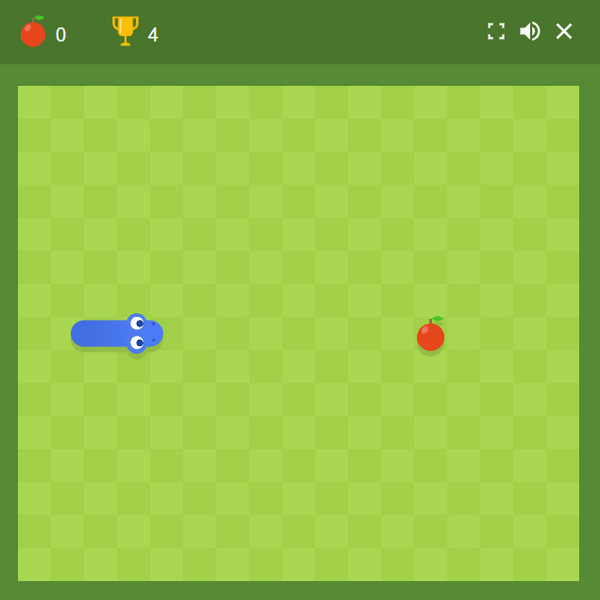
Snake Game has a simple version on Google Chrome. The interface is simpler compared to other versions.
There are no special permissions required from this website. It may be played with the arrow keys on your device. Alternatively, you can simply drag the snake to eat the food available.
2. Google Snake Menu Mod
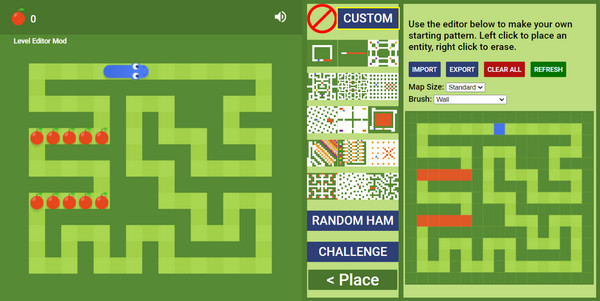
Google Snake Menu Mod is different from the website mentioned in the previous section. It is a web browser that allows you to play the Snake Game in different versions, including the Year of The Snake Google game unblocked. This version allows you to choose a map, and on which level it changes. Also, it has additional features for the game. However, it is not the usual Snake Game, which does not allow for an endless score.
3. Snake Game – HTML5
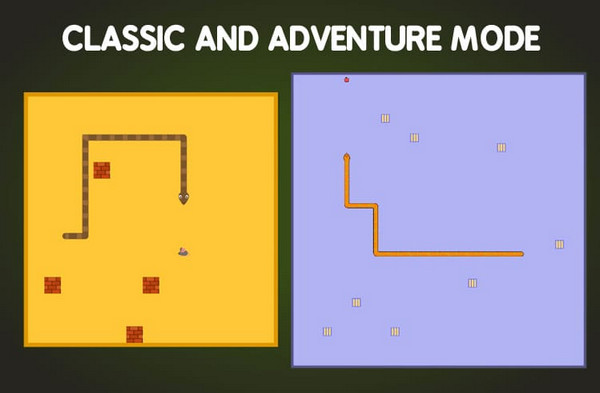
Snake Game – HTML5 is another web browser extension that offers the Snake Game Google unblocked. The difference from the previous website and web browser is that it offers the Classic and Adventure modes. They have different interfaces and goals that can be enjoyed by the users. The best thing about it is that it is available offline.
Part 2. Quick Tips: Get High Scores in Playing Snake Game Unblocked
Some players take the Snake Game seriously. They want to enter the leaderboards, where players have a high score. Below are the quick tips to get a high score on the Snake Game.
- • Go near the center of the board for more space to react.
- • Always plan your snake’s next move a few seconds ahead..
- • Use a consistent pattern, including zigzag paths, circular movement, and more.
- • Staying at the edge of the board is good, but too risky. Try another route.
- • Focus more on safe movements when the snake is bigger.
- • Always leave space for your future movements.
- • ractice with different versions of Snake Game..
Part 3. What to Do If Your iPhone or iPad Blocks Snake Game
When the iPhone or iPad blocks the Snake Game, there are restrictions made from them. Turning them off will allow you to access the mentioned game without limitations. Please use the steps below to play the Snake Game on your iPhone or iPad by removing the restrictions.
1. Turn Off Screen Time
Children are the top players of the Snake Game. So, Screen Time is commonly used to restrict them from playing the Snake Game due to its addictive nature. Turning off the mentioned feature will help you access the game without limitations. Do the process with the steps below.
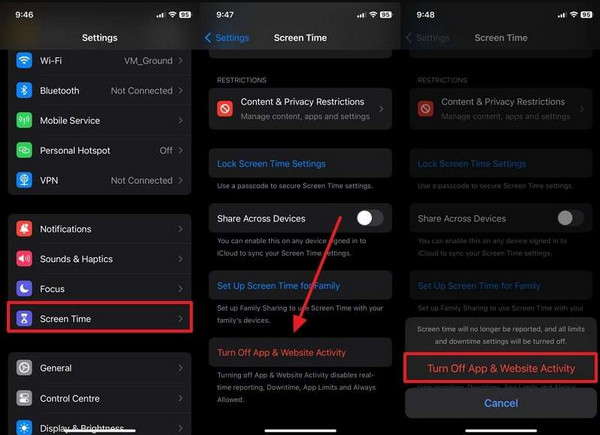
Open the Settings app. Select the Screen Time button and tap the Turn Off App & Website Activity button. You will be asked for the Screen Time passcode. Confirm the process afterward by tapping the same button at the bottom of the screen.
2. Remove MDM Profile
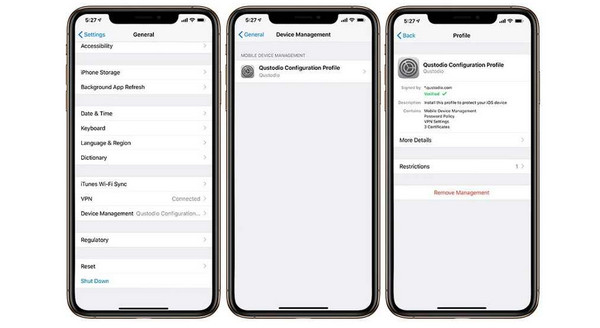
Some do not know how to set Screen Time on iPhone. So, they prefer using MDM to restrict the Snake Game. Turning off this security feature requires the associated Apple ID used to enable it. The steps will help you remove this profile.
Select the Settings button on the iPhone Home Screen. Then, tap the General button from the list. Tap the VPN & Device Management button. Tap the MDM profile and enter the needed information. Finally, tap the Remove Management button.
3. Use FoneLab iOS Unlocker
Screen Time and MDM can be removed by one tool, which is FoneLab iOS Unlocker! It can turn off restrictions on iPhone and iPad, including their different versions and models. USB connection is the primary connection needed for the procedure to work. Also, the tool has a simple interface that is best for novices. There’s more! You can also bypass iCloud Activation Lock, unlock SIM lock, remove iTunes backup encryption settings, and more security features! You can refer to the steps below to know how to use the tool.

FoneLab Helps you unlock iPhone screen, Removes Apple ID or its password, Remove screen time or restriction passcode in seconds.
- Helps you unlock iPhone screen.
- Removes Apple ID or its password.
- Remove screen time or restriction passcode in seconds.
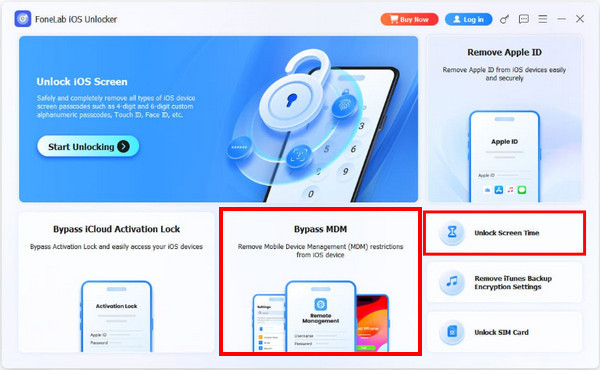
Step 1Download FoneLab iOS Unlocker. Set it up. Install and open it afterward to begin. Click the Unlock Screen Time or Bypass MDM feature from the first screen.
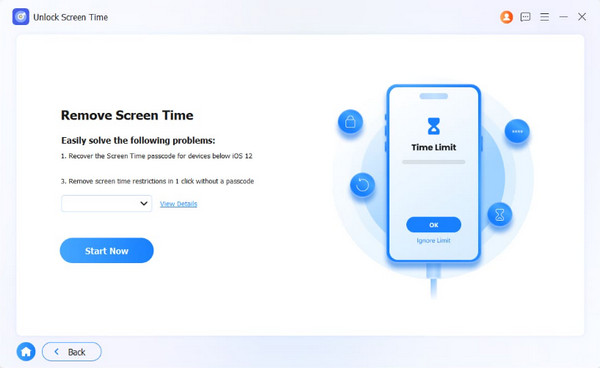
Step 2Plug your iPhone or iPad into the computer. Select Start Now at the bottom left. Click the Next button to proceed.
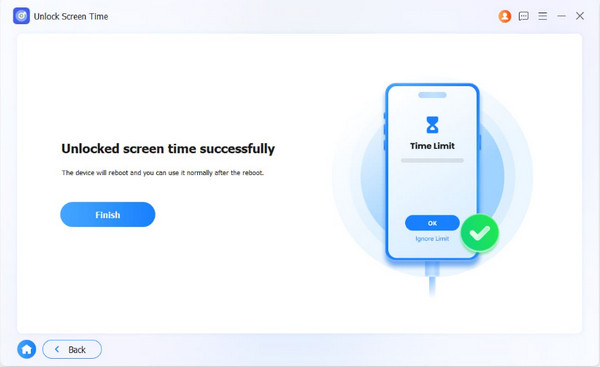
Step 3Choose the Unlock button at the bottom. Later, select the Finish button to end the process.
Part 4. FAQs about Snake Game Unblocked
Is Google Snake Game unblocked for kids?
Yes, the Google Snake Game is definitely for kids. The target players of the mentioned game are children. Teenagers and adults also play this game to kill their free time when available.
Did Google remove Snake Game?
Yes. Google removed the main URL of the Snake Game in early 2025. But don’t worry. It has been brought back by different developers to let Snake Game players still enjoy playing it nowadays. You can still access it from different websites.
Snake Game unblocked is accessed when the game’s main website is blocked on your devices or network. In this article, the top ways to play it without limitations are posted, including the game’s tips and tricks to gain a high score. FoneLab iOS Unlocker is here to help you remove the Screen Time or MDM features on your iPhone that cause the mentioned game to be blocked. You can also use it to remove the iTunes backup encryption settings, Apple ID, SIM lock, and other security features. Download it to know all of them!



