
 iPhone Data Recovery
 iOS System Recovery
 iOS Data Backup & Restore
 iOS Unlocker
 iPhone Password Manager
 Location Changer
 Android Data Recovery
 Broken Android Data Extraction
 Android Data Backup & Restore
 Android Unlocker
 FoneTrans for iOS
 iPhone Data Eraser
 iPhone Cleaner
 HEIC Converter
 HyperTrans
 WhatsApp Transfer for iOS
 Mac Sweep
 Data Retriever
 Mac Data Retriever
 Video Converter Ultimate
 Screen Recorder
 Phone Mirror
- Part 1. Can You Bypass iPad Lock Screen
- Part 2. How to Bypass iPad Lock Screen With Forgot Passcode Option
- Part 3. How to Bypass iPad Lock Screen With Recovery Mode
- Part 4. How to Bypass iPad Lock Screen With FoneLab iFoneWiz
- Part 5. How to Bypass iPad Lock Screen Using iCloud
- Part 6. Comparison Table of Methods to Bypass iPad Lock Screen
- Part 7. FAQs about How to Bypass iPad Lock Screen
- Unlock Apple ID
- Bypass iCloud Activation Lock
- Doulci iCloud Unlocking Tool
- Factory Unlock iPhone
- Bypass iPhone Passcode
- Reset iPhone Passcode
- Unlock Apple ID
- Unlock iPhone 8/8Plus
- iCloud Lock Removal
- iCloud Unlock Deluxe
- iPhone Lock Screen
- Unlock iPad
- Unlock iPhone SE
- Unlock Tmobile iPhone
- Remove Apple ID Password
4 Proven and Tested Ways to Bypass iPad Lock Screen
 Updated by
 Good day! My son was using my iPad this morning. When he gave it to me, I couldn’t unlock it with the passcode. He told me that he changed the passcode, but he can’t remember it. Can I bypass iPad lock screen? Please guide me. Thank you in advance!
The iPad lock screen is important in securing the data and content it contains. However, even you cannot access them when the passcode is forgotten. In this article, we will show you the 4 easy methods to bypass the iPad lock screen. You can scroll below to discover the full details about the topic.

Guide List
- Part 1. Can You Bypass iPad Lock Screen
- Part 2. How to Bypass iPad Lock Screen With Forgot Passcode Option
- Part 3. How to Bypass iPad Lock Screen With Recovery Mode
- Part 4. How to Bypass iPad Lock Screen With FoneLab iFoneWiz
- Part 5. How to Bypass iPad Lock Screen Using iCloud
- Part 6. Comparison Table of Methods to Bypass iPad Lock Screen
- Part 7. FAQs about How to Bypass iPad Lock Screen
Part 1. Can You Bypass iPad Lock Screen
The iPad lock screen serves as the security for your data and settings. However, some accidentally forgot it due to frequent changes, a hard passcode, or other possible reasons. If you can't remember iPad passcode, you cannot access it. The question is: Can you bypass iPad lock screen? Definitely, yes!
The iPad lock screen can be bypassed in different legitimate Apple ways. This article will show you most of the proven methods, including the best third-party tool for bypassing different lock screen types on your iPad and iPhone. Continue browsing from their separate sections below.
Part 2. How to Bypass iPad Lock Screen With Forgot Passcode Option
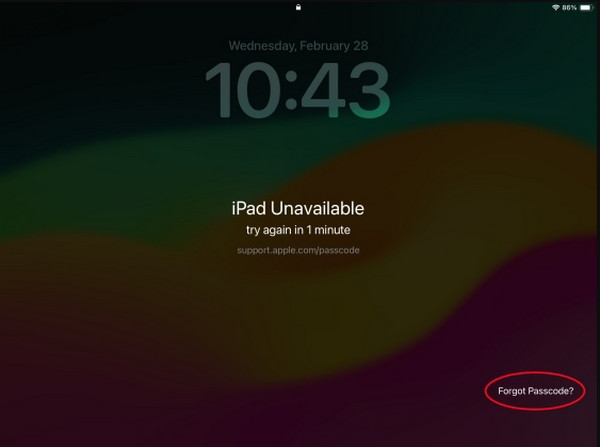
When you enter multiple incorrect passcodes on your iPad, more options appear on the screen. It includes the Forgot Passcode option. It helps you reset the iPad without the passcode using the Apple ID associated with it. See how this process works below.
Enter multiple wrong attempts on your iPad. Then, tap the Forgot Passcode button. Tap the Reset iPad button. Enter your Apple ID on the screen. Follow the on-screen instructions to complete the process.
Part 3. How to Bypass iPad Lock Screen With Recovery Mode
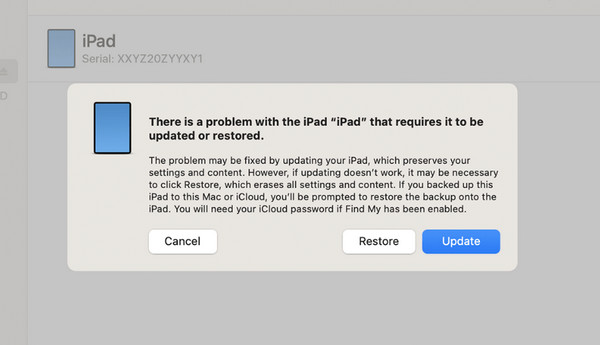
Recovery mode is a professional mode that lets you restore your iPad to its factory settings. It needs a USB connection to be completed. Also, it requires professional skills to perform the combination of buttons needed. Please refer to the steps below to know how to use recovery mode to unlock your iPad.
Step 1Enter the iPad recovery mode. To do that with an iPad without a Home button, press and release Volume closest to Top. Do the same with the Volume farthest from the mentioned button. Press and hold Side afterward.
If your iPad has a Home button, press and hold Side and Home. Wait until the iPad enters the black screen.
Step 2Plug your iPad into the computer. Then, open iTunes, Finder, or Apple Devices. Later, click the Restore option at the bottom right to start resetting your iPad to its factory settings.
Part 4. How to Bypass iPad Lock Screen With FoneLab iFoneWiz
Besides the Apple ways, you can also use a third-party app. FoneLab iFoneWiz is one of the tools that can enable a disabled iPad. This tool can bypass different screen lock types on your iPad. It includes Face ID, Touch ID, passcode, and PIN. The best thing about it is that it is available offline! The tool's process will not depend on the strength of your internet connection. Besides that, the tool can be used to bypass iCloud Activation Lock, Screen Time, MDM, and more. Please use the steps below to learn how to use it.

iFoneWiz Helps you unlock iPhone screen, Removes Apple ID or its password, Remove screen time or restriction passcode in seconds.
- Helps you unlock iPhone screen.
- Removes Apple ID or its password.
- Remove screen time or restriction passcode in seconds.
Step 1Please download FoneLab iFoneWiz. Click the Free Download button to do that. Later, set up the downloaded file and install it afterward. Then the computer will start opening the tool.
Step 2Please click the Unlock iOS Screen feature at the top left of the screen. Later, plug the iPad into the computer using your compatible USB cable. After that, click the Start Now button at the bottom left.
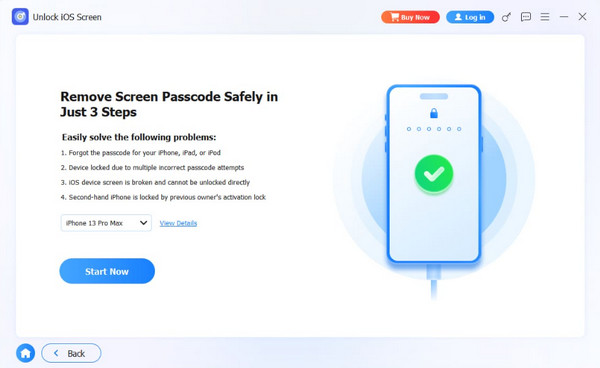
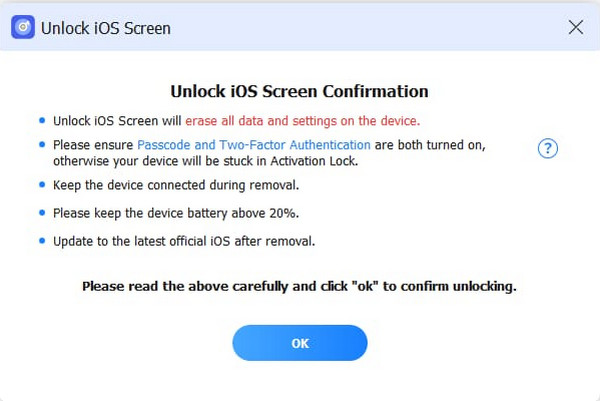
Step 3The firmware package will be downloaded afterward. Please click the OK option at the bottom. Then, click the Confirm Again button in the same place. The tool will start to unlock your iPad. Finally, please click the Finish button to end the process.
Part 5. How to Bypass iPad Lock Screen Using iCloud
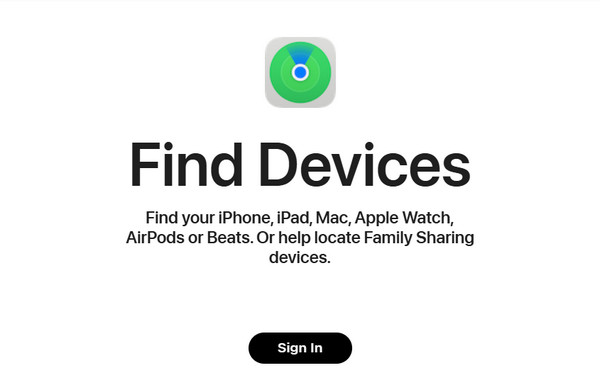
You can also use Find My to unlock your iPad without the passcode. It is a free service offered by iCloud. This service is accessible online using another device since the iPad is locked. The associated Apple ID is required for sign-in and iCloud Activation Lock. Please use the steps below to know how to use the service.
Open the device you will use. Then, search for iCloud Find My on the website. Click the Sign In section at the bottom. Later, enter the Apple ID account on the screen. Click the Continue button to sign in. Go to the All Devices section at the top left. Later, select the iPad name from the list. Finally, select the Erase This Device button from the screen. Confirm the process by clicking the Erase button.
Part 6. Comparison Table of Methods to Bypass iPad Lock Screen
| Method | Required Connection | Requires Apple ID? | Success Rate |
| Forgot Passcode Option | Internet Connection | Yes. It is used for authenticating the procedure. | Moderate. It happens when the Apple ID is known. |
| Recovery Mode | USB Connection | Yes. You need the account used to restore the iPad, which is the iCloud Activation Lock. | Moderate. It is attainable when the computer is trusted before the iPad is locked. |
| FoneLab iFoneWiz | USB Connection | No | High |
| iCloud | Internet Connection | Yes. The account is needed for signing in and iCloud Activation Lock. | Moderate. It is possible when the associated Apple ID is known. |
Part 7. FAQs about How to Bypass iPad Lock Screen
Can you factory reset an iPad with just the buttons without a password?
No. An iPad cannot be factory reset with just the buttons, unlike Android phones. You can use the buttons to enter the iPad recovery mode and use a computer to reset it. This method is available in this article.
How to remove screen password?
Open the Settings app on your iPad. After that, tap the Security/Lock Screen button from the options list. Later, select the Screen Lock button on the screen. Tap the None or Swipe button on the list to remove the password.
All in all, you can bypass iPad lock screen when the passcode is forgotten. The 4 easy methods are in this post to help you achieve the best results. FoneLab iFoneWiz is here to bypass different lock screen types on your iPad, including Face ID, Touch ID, passcode, and PIN. The tool can also be used for removing Apple ID, Screen Time, MDM, and other security features. Download it now to explore its features!



