
 iPhone Data Recovery
 iOS System Recovery
 iOS Data Backup & Restore
 iOS Unlocker
 iPhone Password Manager
 Location Changer
 Android Data Recovery
 Broken Android Data Extraction
 Android Data Backup & Restore
 Android Unlocker
 FoneTrans for iOS
 iPhone Data Eraser
 iPhone Cleaner
 HEIC Converter
 HyperTrans
 WhatsApp Transfer for iOS
 Mac Sweep
 Data Retriever
 Mac Data Retriever
 Video Converter Ultimate
 Screen Recorder
 Phone Mirror
- Part 1. What Is BitLife Unblocked?
- Part 2. Find a Trusted Unblocked Gaming Site to Play BitLife Unblocked
- Part 3. Play BitLife Unblocked with VPN
- Part 4. Play BitLife Unblocked via a Proxy Server
- Part 5. Play BitLife Unblocked Using Mobile Data
- Part 6. Skills for Playing BitLife Unblocked
- Part 7. Remove MDM/Screen Time Restrictions on iPhone with FoneLab iOS Unlocker
- Part 8. FAQs about BitLife Unblocked
- Unlock Apple ID
- Bypass iCloud Activation Lock
- Doulci iCloud Unlocking Tool
- Factory Unlock iPhone
- Bypass iPhone Passcode
- Reset iPhone Passcode
- Unlock Apple ID
- Unlock iPhone 8/8Plus
- iCloud Lock Removal
- iCloud Unlock Deluxe
- iPhone Lock Screen
- Unlock iPad
- Unlock iPhone SE
- Unlock Tmobile iPhone
- Remove Apple ID Password
BitLife Unblocked: Renowned Techniques with Easy Guide
 Updated by
 Good day! Would it be possible to play the BitLife unblocked games? I saw my older sister playing, and found the game interesting. But when I tried to access it, I discovered it doesn’t come up for some unknown reason. It seems blocked or something, I don’t understand. So, I hope someone here can be kind enough to help me access and play BitLife effectively.
Have you also discovered BitLife and found the game interesting, but you can’t access it? If so, here is the perfect guide to your proper introduction to BitLife and how you can play it without facing blocked issues. Understand how the game’s unblocked version works by skimming the following sections, and enjoy it on your device afterward.

Guide List
- Part 1. What Is BitLife Unblocked?
- Part 2. Find a Trusted Unblocked Gaming Site to Play BitLife Unblocked
- Part 3. Play BitLife Unblocked with VPN
- Part 4. Play BitLife Unblocked via a Proxy Server
- Part 5. Play BitLife Unblocked Using Mobile Data
- Part 6. Skills for Playing BitLife Unblocked
- Part 7. Remove MDM/Screen Time Restrictions on iPhone with FoneLab iOS Unlocker
- Part 8. FAQs about BitLife Unblocked
Part 1. What Is BitLife Unblocked?
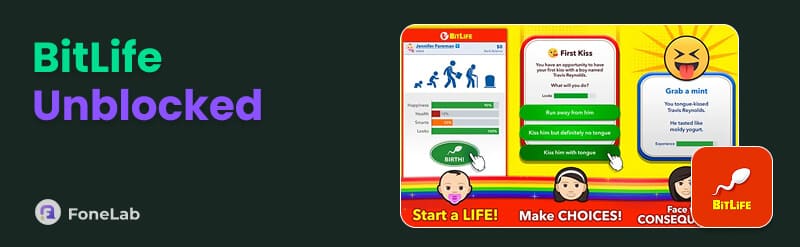
BitLife is a popular life simulation game where players make choices that shape a character's entire lifetime, from birth to death. Many find its premise interesting, as each decision users make in the game, whether it’s about education, relationships, career, etc., leads to different outcomes, making every playthrough unique.
However, many schools, colleges, and workplaces restrict access to gaming websites, including the official BitLife platforms, by blocking them on their networks. Thus, players end up searching for the unblocked version, as it bypasses these network restrictions, letting players enjoy BitLife freely even in places with limited access. If you are among them, kindly proceed below.
Part 2. Find a Trusted Unblocked Gaming Site to Play BitLife Unblocked
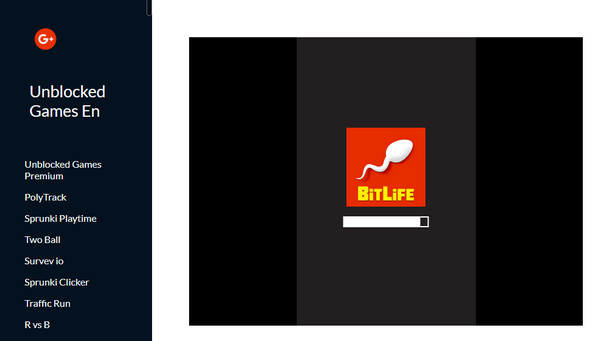
Once you understand what BitLife Unblocked is, the next step is finding a reliable platform to play it on. Just note that not all unblocked gaming sites are safe. Some are filled with intrusive ads, malicious pop-ups, or outdated game versions that don’t function properly. Hence, we suggest the Unblocked Games En - BitLife Simulator platform, as it is not only known for its effectiveness but also for its safety.
Note the procedure below to play the unblocked games BitLife by finding a trusted unblocked gaming site like Unblocked Games En - BitLife Simulator:
Step 1Open the Unblocked Games En - BitLife Simulator site on your browser.
Step 2The page will quickly display the game’s interface, letting you start playing right away.
Part 3. Play BitLife Unblocked with VPN
Various restrictions may have caused BitLife to be blocked on your device, and among them may be your location. In this case, relying on a VPN service, program, or app would be suitable, as it will help mask your IP address to bypass this specific limitation. Basically, a VPN or Virtual Private Network can change your location to where the game is available, letting you play it.
Stick to the steps below to play BitLife Simulator unblocked wth VPN:
Step 1Acquire a VPN service, program, or app on your device, then launch it after setup.
Step 2Once ready, maneuver the interface to set your device’s location to a place where the BitLife game is not blocked. Then, you can finally access and play it on its official platform.
Part 4. Play BitLife Unblocked via a Proxy Server
Another helpful technique to play BitLife’s unblocked version is a proxy server. When you enter the game via a proxy site, your request to access BitLife will be routed through an external server, masking your real IP address and making it appear as though you're browsing from a different location where BitLife isn't blocked.
Comply with the guide below to play BitLife online unblocked via a proxy server:
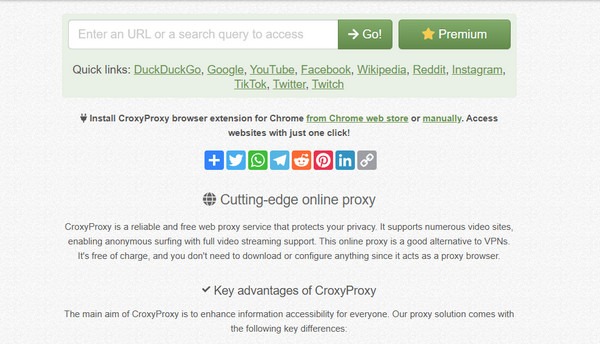
Step 1A popular proxy server you can use is CroxyProxy; thus, visit it using your trusted browser. After that, enter the URL of BitLife’s platform in its search field.
Step 2Once the result is shown, the server will let you access the game and play it.
Part 5. Play BitLife Unblocked Using Mobile Data
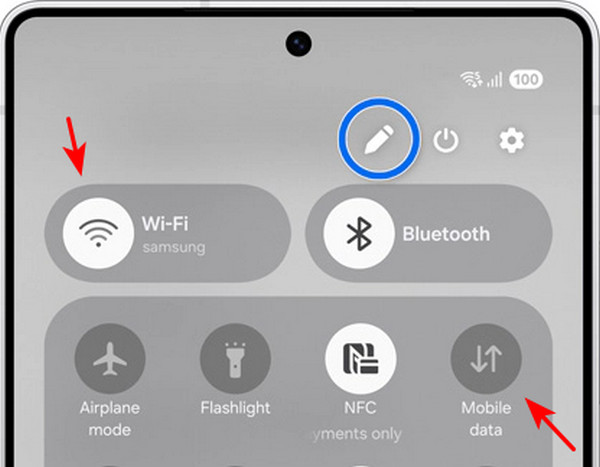
The WiFi network you’re connected to may also be the reason you can’t access the official BitLife game. Perhaps your internet comes from your school’s WiFi, where gaming sites, including BitLife’s platform, are blocked. In this case, using your mobile data as your internet source would be effective since it is not set to block any site or platform. Simply navigate to your device’s Quick Panel or Control Centre, then turn off WiFi and enable Mobile Data.
Part 6. Skills for Playing BitLife Unblocked
Once you’ve successfully accessed BitLife’s unblocked version, it will be a great advantage to learn some skills for your character to thrive throughout the play. The game may appear simple, but since it reflects the realities of life, it can be complex; so be smart with your choices.
- • Education First: Hit the books early. Good grades lead to better jobs, which in turn result in more money.
- • Keep People Happy: High relationship bars with family and friends unlock inheritance, support, and less drama.
- • Don't Blow Your Money: Buy property. It goes up in value. Avoid get-rich-quick scams, as they're almost always traps.
- • Know When to Walk Away: Check the odds before taking risky actions. Low-percentage bets usually backfire.
- • Be Patient: Some goals take decades, but keep playing. The boring years make the wins sweeter.
- • Play Your Own Way: You don't have to be a millionaire. Play the life you want. BitLife is about stories, not just stats.
Part 7. Remove MDM/Screen Time Restrictions on iPhone with FoneLab iOS Unlocker
Are you trying to access your desired game using an iPhone given by your school, work, or organization? If so, restrictions are usual in such cases, as your access to different platforms, features, etc., is set by them. Fortunately, FoneLab iOS Unlocker has been developed to resolve such concerns. Thus, whichever platform your device is blocked from, you can rely on this program to bypass Screen Time passcode or remove MDM to help you.

FoneLab Helps you unlock iPhone screen, Removes Apple ID or its password, Remove screen time or restriction passcode in seconds.
- Helps you unlock iPhone screen.
- Removes Apple ID or its password.
- Remove screen time or restriction passcode in seconds.
Use the stress-free instructions below as a sample to remove MDM or bypass Screen Time restrictions with FoneLab iOS Unlocker:
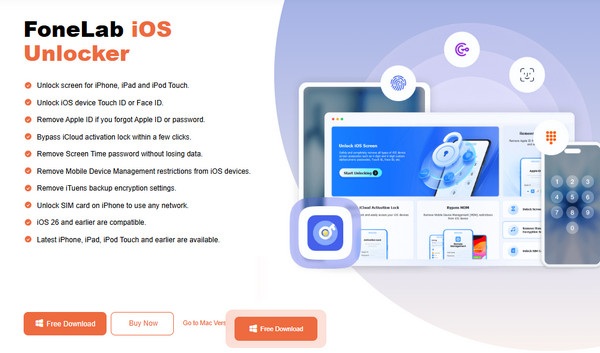
Step 1Download the installer of FoneLab iOS Unlocker by ticking the official page’s Free Download tab. The file will immediately be located in your Downloads section. Therefore, initialize and set it up for the program’s smooth installation. Once ready, launch its interface.
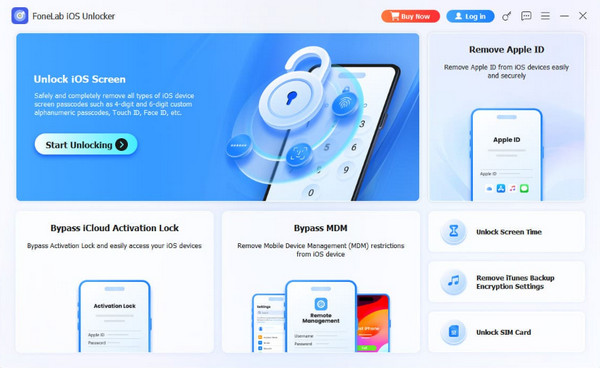
Step 2Shortly, you will get a clear view of the program’s key features on the main interface. Click Bypass MDM or Unlock Screen Time from there to attach your device, as instructed, using a Lightning cable. When you successfully connect, select Start Now on the interface to view and follow the succeeding prompts to handle MDM or Screen Time on your device.
Other than handling MDM and Screen Time, FoneLab iOS Unlocker also offers the function to unlock iPhone without passcode. So, optimize its features every time you need.
Part 8. FAQs about BitLife Unblocked
Why can't I access BitLife unblocked at school?
Schools usually block games like BitLife, as they are non-educational, and sometimes even contain content unsuitable for students.
Is BitLife alright for 14-year-olds?
BitLife can be entertaining and educational for 14-year-olds, but from an adult’s perspective, it is not necessarily good since it includes mature themes.
Many gaming sites can be inaccessible because of various restrictions or limitations, but with the suggested techniques above, you can enjoy BitLife without a problem. A bonus recommendation, FoneLab iOS Unlocker, is even included for a wider scope of solutions.



