
 iPhone Data Recovery
 iOS System Recovery
 iOS Data Backup & Restore
 iOS Unlocker
 iPhone Password Manager
 Location Changer
 Android Data Recovery
 Broken Android Data Extraction
 Android Data Backup & Restore
 Android Unlocker
 FoneTrans for iOS
 iPhone Data Eraser
 iPhone Cleaner
 HEIC Converter
 HyperTrans
 WhatsApp Transfer for iOS
 Mac Sweep
 Data Retriever
 Mac Data Retriever
 Video Converter Ultimate
 Screen Recorder
 Phone Mirror
- Unlock Apple ID
- Bypass iCloud Activation Lock
- Doulci iCloud Unlocking Tool
- Factory Unlock iPhone
- Bypass iPhone Passcode
- Reset iPhone Passcode
- Unlock Apple ID
- Unlock iPhone 8/8Plus
- iCloud Lock Removal
- iCloud Unlock Deluxe
- iPhone Lock Screen
- Unlock iPad
- Unlock iPhone SE
- Unlock Tmobile iPhone
- Remove Apple ID Password
4 Leading Sites of Unblocked Movies for School You Can Consider
 Updated by
 Good day! Where can I watch movies unblocked at school? The reason is that most of the websites that offer movies are blocked on my iPhone and iPad. Can you help me with this issue? Thank you in advance!
There are schools that do not allow their students to access different movie sites. This way, they can monitor the movies their students watch. However, it is not convenient for students who only want to watch movies in their free time. In this post, you will see the 4 unblocked movie sites for school. Please continue browsing to discover them.

Guide List
Part 1. Top Unblocked Movie Sites for School
There are multiple free movies unblocked at school from different websites. This section will show you the top 4 unblocked websites at school where you can watch unlimited movies. Please see their list below and use whichever is most convenient for you.
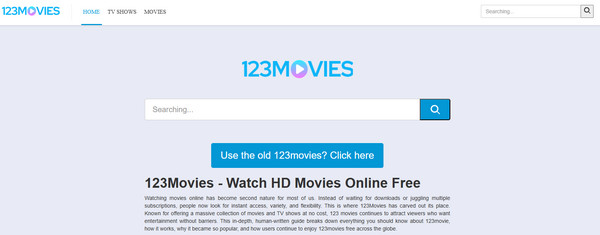
1. 123Movies
123Movies is a website that is well-designed to help students watch movies and shows without limitations. It does not require a subscription or sign-up before watching its content. It has thousands of free movies unblocked for school from different genres. It includes horror, drama, and more. However, this website comes with aggressive pop-up ads. It also changes domains frequently every single minute.
2. Putlocker
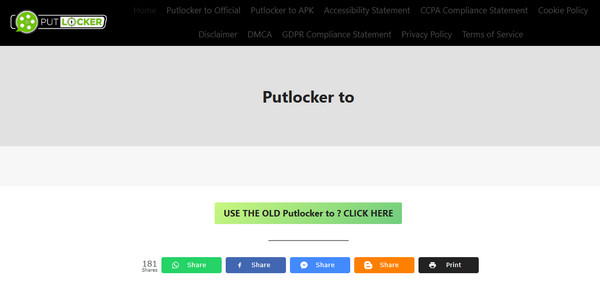
Putlocker works on your iPad, iPhone, Windows, Mac, and Android. It is a free streaming website for movies and TV shows. It also does not offer a sign-up before you can watch the film and TV shows. It is a free movie website unblocked at school that has a large selection across genres. However, it has no legitimate licensing. Some sites offer fake sign-ups that might be inconvenient for some users.
3. Fmovies
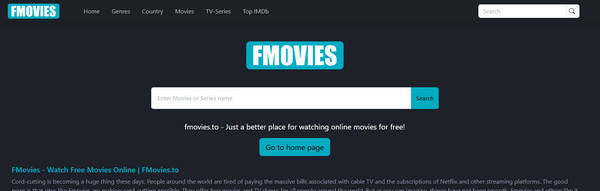
Fmoview is a bit different from the previous unblocked movies sites for school. This website does not primarily contain movies and TV shows. It only links to the websites of the film to help you quickly find them. However, it is considered an unlicensed source. Also, the availability of the website is not consistent. Sometimes it is accessible, and sometimes it is not.
4. Popcornflix
Popcornflix is an ad-supported streaming platform. It also supports thousands of movies and TV shows suitable for students. It offers a lot of genres, including documentaries, classics, indie films, and more. Downloads are not required for this movie websites unblocked for school. You can enjoy it on your web browsers without limitations. However, this website does not offer the latest blockbuster movies and TV shows.

Part 2. How to Access Movie Sites on a Restricted iPhone/iPad
The blocked movies and websites at schools are due to multiple restrictions on your iPhone or iPad when accessing them. In this section, you will see 3 methods to access blocked websites or movies on the devices mentioned. Scroll below to know more about their procedures.
1. Use Screen Time
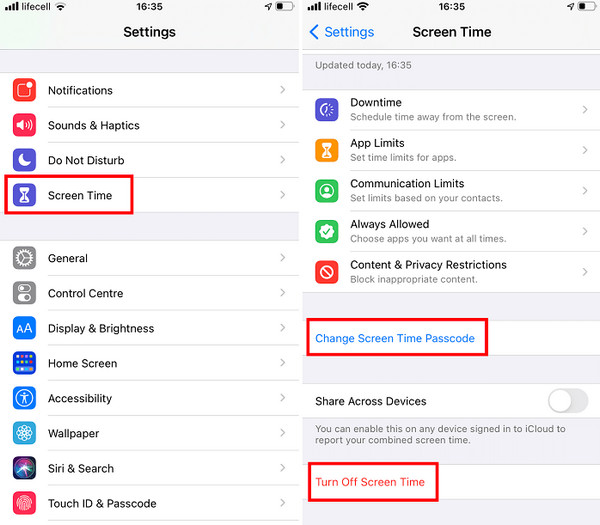
Screen Time is a helpful feature on iPhone that lets you control and limit device usage. It includes the movies you can watch on websites. If the website is restricted, the feature might be set up for it. Turn off Screen Time to remove this restriction on websites so you can watch free, unblocked movies for school. The steps below will teach you how to turn off Screen Time.
Go to the Settings app. You can locate it from the Home Screen section. After that, please tap the Screen Time button on the first screen. Later, tap the Turn Off Screen Time button. Enter your current Screen Time passcode afterward.
2. Utilize VPN
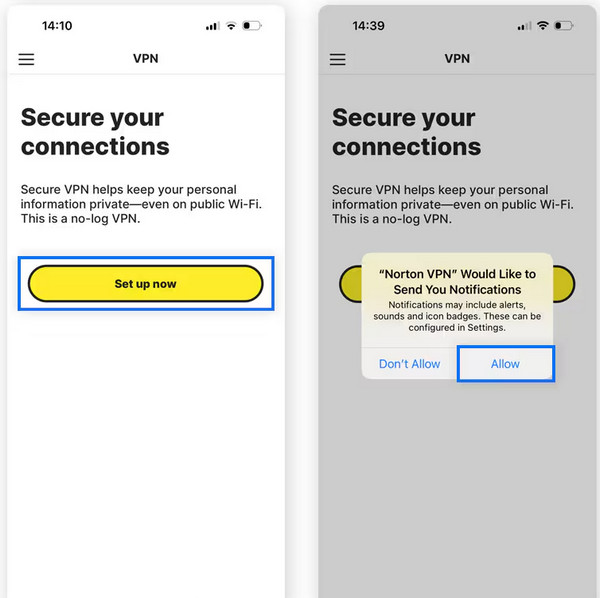
If the internet is the component blocking you from accessing the websites, you can use a VPN. It changes how your internet traffic appears. Norton VPN is one of the VPN applications available. It is entirely free. Please use the instructions below to know how to use it.
Download Norton VPN on your iPhone. After that, tap the Active Today or Redeem a Subscription button. Tap the Set Up Now button at the center. Later, allow all the permissions it asks. Enter your iPhone passcode and toggle on the slider. You will automatically be connected to a new server afterward.
3. Use FoneLab iOS Unlocker
Also, schools often use MDM to manage the iPad and iPhone of their students that are provided by them. MDM controls device settings and other operations, including websites. It can restrict the contents that can be accessed. Use FoneLab iOS Unlocker to remove MDM from iPad and iPhone. It remains the privacy of your data and operations, free from your school’s supervision. The software ensures that the iPhone and iPad data remain intact and unaffected.

FoneLab Helps you unlock iPhone screen, Removes Apple ID or its password, Remove screen time or restriction passcode in seconds.
- Helps you unlock iPhone screen.
- Removes Apple ID or its password.
- Remove screen time or restriction passcode in seconds.
Furthermore, you can use it to turn off Screen Time or retrieve its passcode without data loss. Please perform the steps below to know how the tool works.
Step 1Please download FoneLab iOS Unlocker on your computer. You need to click the Free Download button on its website. Then, install and open the software on your computer.

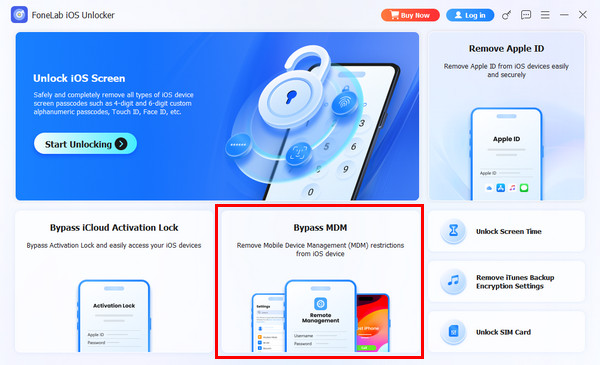
Step 2Please click the Bypass MDM feature from the prompted features. Then, you will be directed to a new screen.
Note: You can also choose the Unlock Screen Time feature and follow the on-screen instructions.
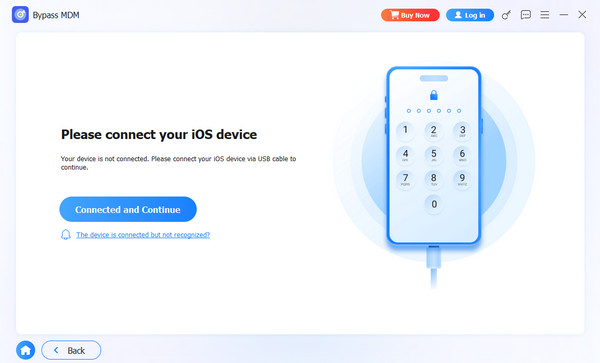
Step 3Please grab a USB cable. Use it to plug your iPhone into the computer. Later, click the Connected and Continue button. Follow the on-screen instructions to start your iPhone or iPad to bypass the MDM profile.
4. Comparison Table of Methods to Access Movie Sites on a Restricted iPhone/iPad
| Method | Safety Notes | Main Target | Other Security Features It Can Remove |
| Screen Time | Legal | Parental restrictions or device usage limits. | None |
| VPN | Some countries ban or restrict VPNs. | Geolocation restrictions | None |
| FoneLab iOS Unlocker | Completely legal without malware risk. | iPhone or iPad passcode, password, Face ID, and Touch ID. | Screen lock passcode, iCloud Activation Lock, Screen Time, SIM card, Apple ID, and iTunes backups encryption settings. |
Part 3. FAQs about Unblocked Movie Sites for School
Do schools block Netflix?
Most of the websites that are not thoroughly educational are commonly blocked by the school. Since Netflix is famous for containing mixed content, it is likely blocked by your school. You can still visit the website to check.
Can school Wi-Fi see your apps?
The school Wi-Fi can indeed block websites unrelated to education. But it cannot see the applications you use on your iPad or iPhone.
In conclusion, this article has listed the top 4 free movie websites unblocked for school. Also, it guides you to remove the restrictions from the websites to watch without limitations. FoneLab iOS Unlocker is here to help you bypass the MDM profile on your iPhone and iPad. The tool is user-friendly, so novices will have a smooth unlocking experience. Download the tool now to know more about its additional features!



