
 iPhone Data Recovery
 iOS System Recovery
 iOS Data Backup & Restore
 iOS Unlocker
 iPhone Password Manager
 Location Changer
 Android Data Recovery
 Broken Android Data Extraction
 Android Data Backup & Restore
 Android Unlocker
 FoneTrans for iOS
 iPhone Data Eraser
 iPhone Cleaner
 HEIC Converter
 HyperTrans
 WhatsApp Transfer for iOS
 Mac Sweep
 Data Retriever
 Mac Data Retriever
 Video Converter Ultimate
 Screen Recorder
 Phone Mirror
- Part 1. Can You Remove Activation Lock on Apple Watch Without Previous Owner
- Part 2. How to Remove Activation Lock on Apple Watch Without Previous Owner
- Part 3. How to Remove Activation Lock on iPhone/iPad with FoneLab iOS Unlocker
- Part 4. FAQ about How to Remove Activation Lock on Apple Watch Without Previous Owner
- Unlock Apple ID
- Bypass iCloud Activation Lock
- Doulci iCloud Unlocking Tool
- Factory Unlock iPhone
- Bypass iPhone Passcode
- Reset iPhone Passcode
- Unlock Apple ID
- Unlock iPhone 8/8Plus
- iCloud Lock Removal
- iCloud Unlock Deluxe
- iPhone Lock Screen
- Unlock iPad
- Unlock iPhone SE
- Unlock Tmobile iPhone
- Remove Apple ID Password
How to Remove Activation Lock on Apple Watch Without Previous Owner
 Updated by
 Apple Watch is an Apple device that is used to monitor your health, communicate with others, and more. The good thing about this smartwatch is that it offers multiple security features that benefit its users. It includes Emergency SOS, fall detection, crash detection, and more.
The mentioned Apple device’s small size makes it prone to loss or theft. Luckily, it also supports iCloud Activation Lock. This feature is bound to prevent unauthorized access to Apple devices, including Apple Watch, when they are lost or stolen. However, what if the previous owner forgot to disable the iCloud Activation Lock? In this article, we will teach you how to remove Activation Lock on Apple Watch without previous owner. Proceed below to discover the easy methods.

Guide List
- Part 1. Can You Remove Activation Lock on Apple Watch Without Previous Owner
- Part 2. How to Remove Activation Lock on Apple Watch Without Previous Owner
- Part 3. How to Remove Activation Lock on iPhone/iPad with FoneLab iOS Unlocker
- Part 4. FAQ about How to Remove Activation Lock on Apple Watch Without Previous Owner
Part 1. Can You Remove Activation Lock on Apple Watch Without Previous Owner
Apple Watch has iCloud Activation Lock to prevent it from being used by an unauthorized person. The good thing about it is that there is no legitimate way to remove the iCloud Activation Lock without the original owner. You need the Apple ID associated with the mentioned device. Why? Apple Watch is permanently tied to the signed-in Apple ID. Additionally, Apple's main server verifies the account before enabling activation.
Besides that, restoring or factory resetting the Apple Watch will not remove the iCloud Activation Lock. Don’t worry. We will help you find a way to remove the mentioned security feature on your Apple Watch. Continue browsing to the next section to discover them.
Part 2. How to Remove Activation Lock on Apple Watch Without Previous Owner
The 2 methods listed below are Apple's ways for the Apple Watch Activation Lock removal. These are the safest methods that your Apple Watch could ever undergo. Please see the list below as you scroll.
1. Contact Apple Support
You can contact Apple Support if you do not want to go through multiple steps to unlock the iCloud Activation Lock on your Apple Watch. You can call them directly at 800-692-7753 or 800-275-2273.
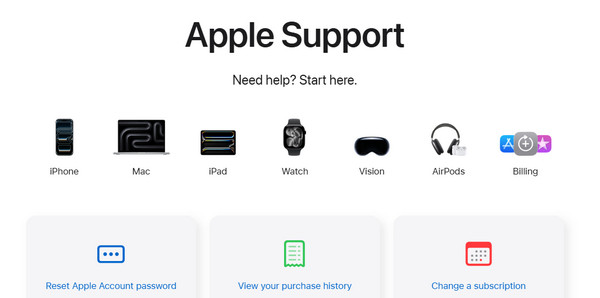
Alternatively, you can visit Apple Support's main website to find guides or articles. However, some of them require professional skills. Use the steps below to learn how to use the website.
Search for the Official Apple Support website. Then, click the Apple Watch button. Then, scroll to the bottom and search for iCloud Activation Lock. Please choose one of the articles or guides that will appear on the screen.
2. Reset Password
An Apple ID is the primary account needed to unlock an iCloud Activation Lock on an Apple Watch. If you do not know the password, you can reset Apple ID password. Apple iForgot is the website that can help you. If the email address is not available, you can use the registered phone number on the account. Ensure that authentication information, such as security questions, is available if needed. You can use Apple and non-Apple devices with this procedure. They only need a web browser. Please proceed with the steps below.
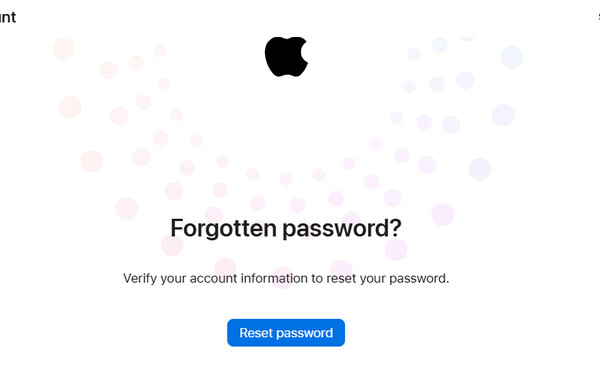
Step 1Open one of your web browsers. After that, please search for the Apple iForgot website. Then you will see the full website description. Then, click the Reset Password option at the bottom.
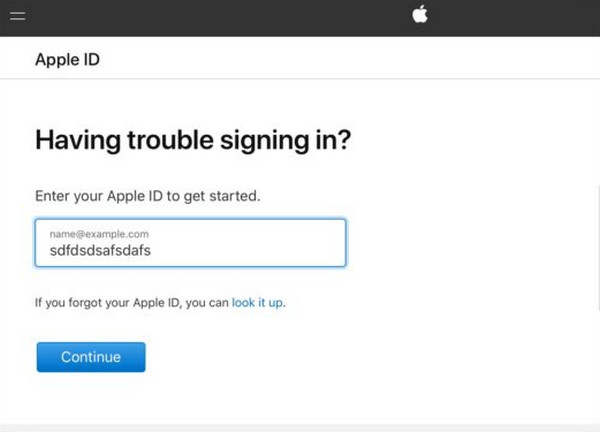
Step 2Enter the Apple ID or phone number from the first empty box. Then, enter the captcha code for the next one. Click the Continue button. Authenticate the procedure and create your new password. On your Apple Watch, enter your Apple ID and the new password to unlock it.
Part 3. How to Remove Activation Lock on iPhone/iPad with FoneLab iOS Unlocker
Besides the Apple Watch, iPhone, and iPad, iCloud Activation Lock is available too! Users have also forgotten their Apple IDs to unlock the security feature on the mentioned Apple devices. FoneLab iOS Unlocker is to the rescue! This third-party tool can bypass the iCloud Activation Lock from your iPhone or iPad. Novices will love this tool's intuitive interface. It can also turn off restrictions on iPhone and iPad’s other security features. It includes MDM profile, Screen Time, and more.

FoneLab Helps you unlock iPhone screen, Removes Apple ID or its password, Remove screen time or restriction passcode in seconds.
- Helps you unlock iPhone screen.
- Removes Apple ID or its password.
- Remove screen time or restriction passcode in seconds.
The best thing about it is that you do not need an internet connection to use it. Do you want to use the tool? See the steps below to know how to use it.
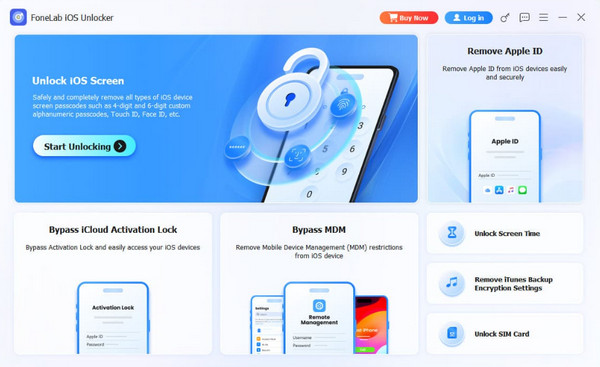
Step 1Download FoneLab iOS Unlocker and set it up on your computer. You only need to locate the downloaded file. Then a small window will appear. Please install the software afterward, and it will automatically open on the screen. The supported features will appear. Click Bypass iCloud Activation Lock feature.
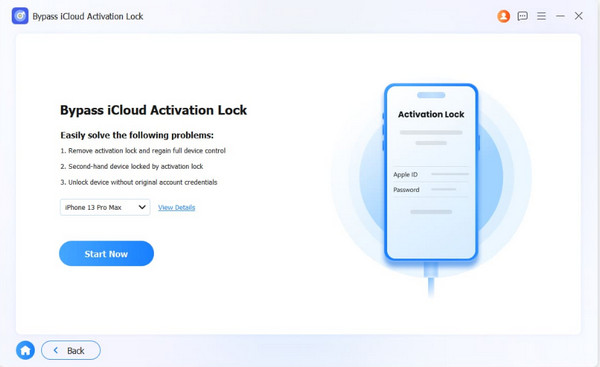
Step 2Please get the USB cable to be used for plugging. Then please perform the procedure mentioned above on your iPhone or iPad. Then, the iPhone or iPad name will appear on the screen. Please click the Start Now option at the bottom left.
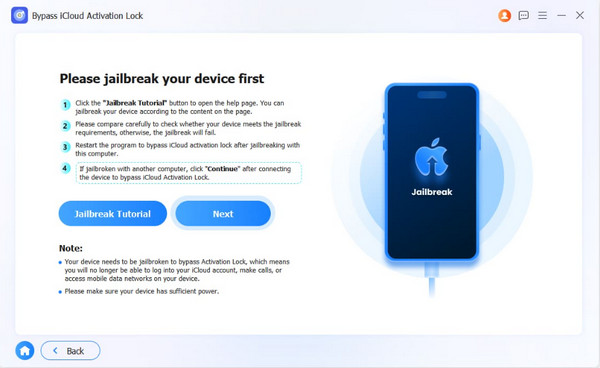
Step 3The tool will require you to jailbreak your iPhone or iPad. You can follow the on-screen instructions. Alternatively, you can click the Jailbreak Tutorial button at the bottom left. Once completed, please click the Next button on the right to continue.
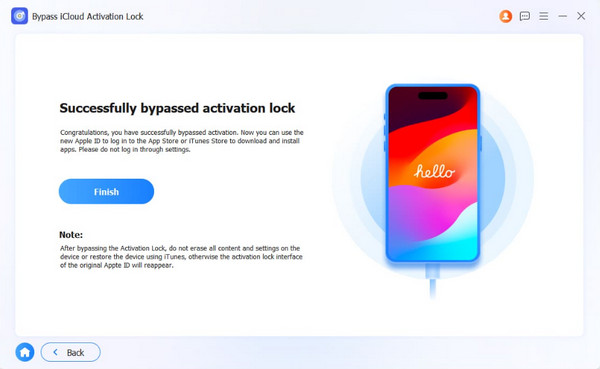
Step 4The bypass process for your iPhone or iPad's iCloud Activation Lock will begin immediately. Please wait a few minutes or seconds for the process to complete. Finally, please click the Finish button at the bottom. Unplug your iPhone or iPad from a computer afterward.
Part 4. FAQ about How to Remove Activation Lock on Apple Watch Without Previous Owner
Can an Apple Watch be tracked after a factory reset?
Yes. An Apple Watch can still be tracked after a factory reset when the iCloud Activation Lock is enabled. Its location can be updated when it is connected to the internet. On the other hand, the Apple Watch cannot be tracked after a full factory reset if the iCloud Activation Lock is not present.
How to find the original owner of an Apple Watch?
Apple protects the user’s privacy. So, tracking the original owner of the Apple Watch is difficult. Apple will not reveal the user's identity at any cost. However, some engrave their name and the Apple Watch’s serial number on the back. You may check this information to know the original owner of the device.
How to remove Activation Lock on Apple Watch without previous owner? This article has shown you the easiest way to do it. Also, FoneLab iOS Unlocker is listed as the most recommended one to help you bypass the iCloud Activation Lock from your iPhone or iPad. You can also use it to remove screen locks, Apple IDs, MDM profiles, and more. Download the tool to learn more about its reliable unlocking features.



