
 iPhone Data Recovery
 iOS System Recovery
 iOS Data Backup & Restore
 iOS Unlocker
 iPhone Password Manager
 Location Changer
 Android Data Recovery
 Broken Android Data Extraction
 Android Data Backup & Restore
 Android Unlocker
 FoneTrans for iOS
 iPhone Data Eraser
 iPhone Cleaner
 HEIC Converter
 HyperTrans
 WhatsApp Transfer for iOS
 Mac Sweep
 Data Retriever
 Mac Data Retriever
 Video Converter Ultimate
 Screen Recorder
 Phone Mirror
- Part 1: What Is iPhone Activation Lock
- Part 2: Bypass iPhone Activation Lock with FoneLab iOS Unlocker
- Part 3: Ask the Previous Owner to Remove Activation Lock
- Part 4: Sign In with Apple ID
- Part 5: Contact Apple Support
- Part 6: Comparison of Methods
- Part 7: A Note About Erasing vs. Bypassing
- Part 8: FAQs about How to Remove iPhone Activation Lock
- Unlock Apple ID
- Bypass iCloud Activation Lock
- Doulci iCloud Unlocking Tool
- Factory Unlock iPhone
- Bypass iPhone Passcode
- Reset iPhone Passcode
- Unlock Apple ID
- Unlock iPhone 8/8Plus
- iCloud Lock Removal
- iCloud Unlock Deluxe
- iPhone Lock Screen
- Unlock iPad
- Unlock iPhone SE
- Unlock Tmobile iPhone
- Remove Apple ID Password
iPhone Activation Lock Removal: What Actually Works
 Updated by
 You just bought a used iPhone. Great deal, good condition, everything looks perfect. Then you turn it on and see the dreaded screen: "Activation Lock. This iPhone is linked to an Apple ID." You can't get past it.
But here's the thing: most guides tell you to erase the iPhone completely. That means losing all the photos, messages, and data that might still be on it.
I've been there. A few years ago, I bought an iPhone from a local seller, got home, and realized it was iCloud locked. The seller had ghosted me. I wanted to get into the phone, but I also didn't want to lose the photos that were still on it.
After days of research, I found a few ways to bypass iPhone activation lock. Here's what I learned.

Guide List
- Part 1: What Is iPhone Activation Lock
- Part 2: Bypass iPhone Activation Lock with FoneLab iOS Unlocker
- Part 3: Ask the Previous Owner to Remove Activation Lock
- Part 4: Sign In with Apple ID
- Part 5: Contact Apple Support
- Part 6: Comparison of Methods
- Part 7: A Note About Erasing vs. Bypassing
- Part 8: FAQs about How to Remove iPhone Activation Lock
Part 1: What Is iPhone Activation Lock
Activation Lock is Apple's anti-theft feature. When Find My iPhone is enabled, your Apple ID is permanently linked to the device. Even if someone wipes the phone, they can't set it up again without your Apple ID and password.
Most removal methods erase the device. But if you want to keep the data, you need a bypass—not a removal.
Part 2: Bypass iPhone Activation Lock with FoneLab iOS Unlocker
If you want to get past the activation screen without erasing your data, FoneLab iOS Unlocker has a Bypass iCloud Activation Lock feature specifically for this.

FoneLab Helps you unlock iPhone screen, Removes Apple ID or its password, Remove screen time or restriction passcode in seconds.
- Helps you unlock iPhone screen.
- Removes Apple ID or its password.
- Remove screen time or restriction passcode in seconds.
Moreover, it enables you to remove lock screen passcode, MDM, screen time passcode, SIM locks, and more within a few clicks.
Important: This feature works on certain older models (iPhone 6 to iPhone X, iPad mini 4 to iPad Air 2, running iOS 12.0 to 17.7.10) and requires jailbreak.
Step 1Download and install FoneLab iOS Unlocker on your computer. Launch it and select Bypass iCloud Activation Lock from the main menu.
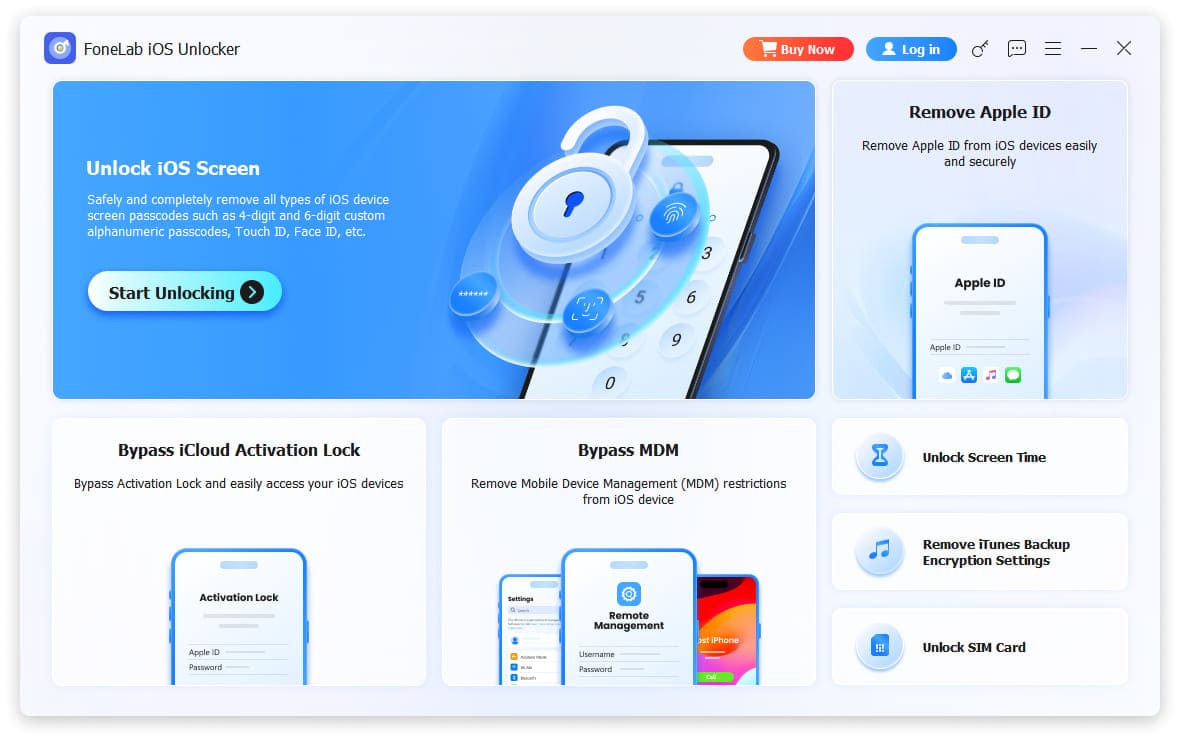
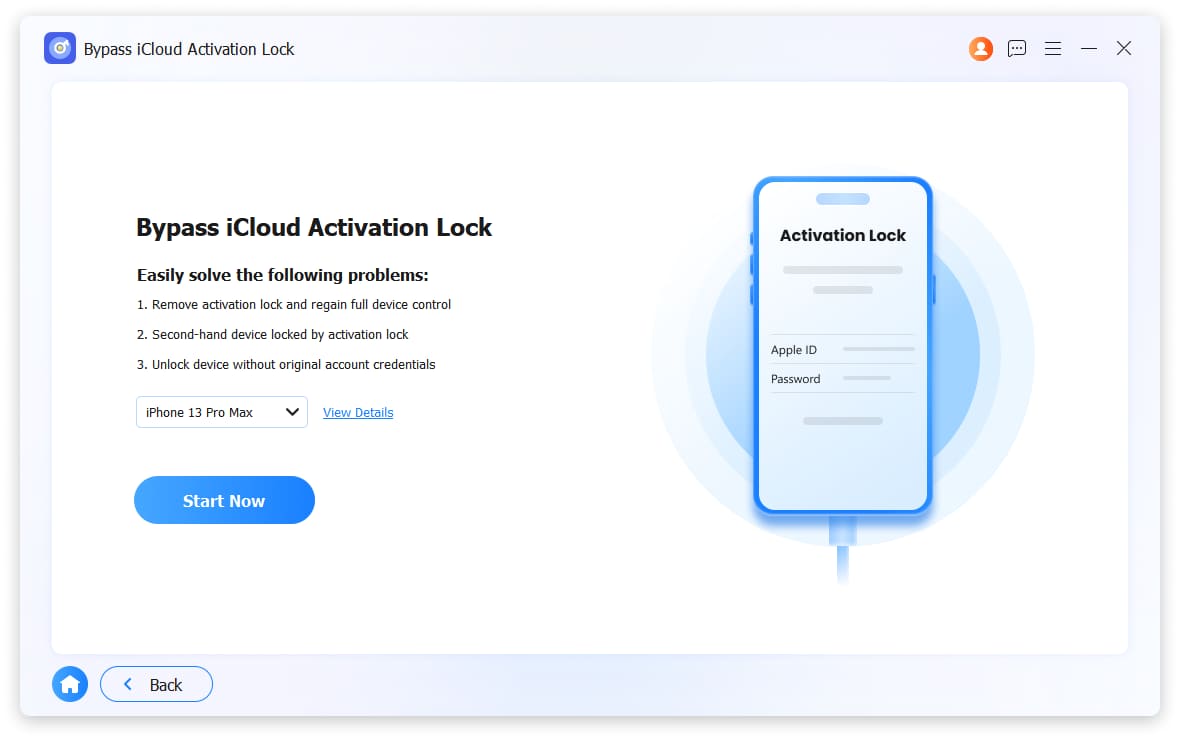
Step 2Connect your iPhone to the computer with a USB cable. Click Start Now.
Step 3The software will detect your device and inform you that jailbreak is required. Click Jailbreak Tutorial and follow the on-screen instructions carefully.
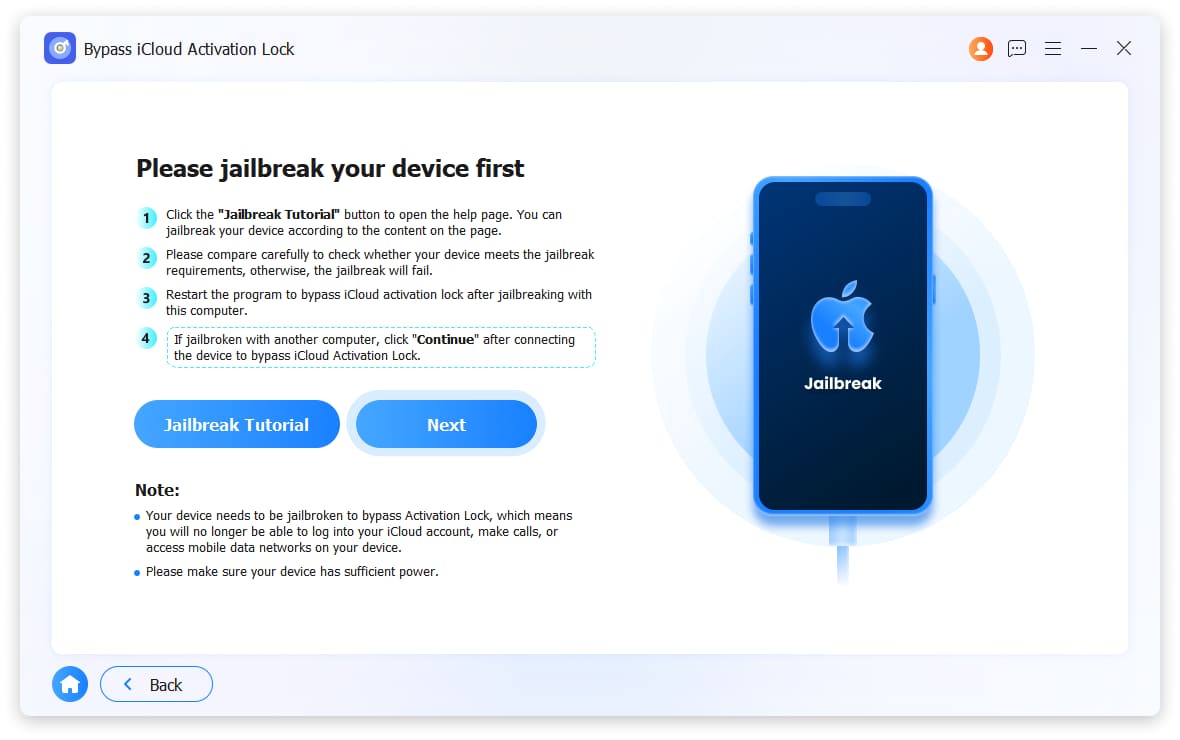
Step 4After the jailbreak completes, restart the program. Reconnect your iPhone and repeat the initial steps.
Step 5This time, with the device jailbroken, click Next. The software will begin bypassing the iCloud activation lock.
Step 6Wait about 10-15 minutes. When finished, your iPhone will restart and you'll be able to use it. The data remains intact.
Note: After bypassing, some iCloud features may be limited (like iCloud backup or Find My), but you can use the phone normally and access all your existing data.
FoneLab Helps you unlock iPhone screen, Removes Apple ID or its password, Remove screen time or restriction passcode in seconds.
- Helps you unlock iPhone screen.
- Removes Apple ID or its password.
- Remove screen time or restriction passcode in seconds.
Part 3: Ask the Previous Owner to Remove Activation Lock
This is the only method that bypasses the lock without jailbreak or data loss. If you can contact the original owner, ask them to remove the device from their account using Find My iPhone.
Step 1Ask the previous owner to sign into iCloud.com with their Apple ID.
Step 2Have them click Find My iPhone (or Find My on newer versions).
Step 3Click All Devices at the top and select your iPhone from the list.
Step 4Click Remove from Account. (If the device hasn't been wiped, they may need to click Erase iPhone first.)
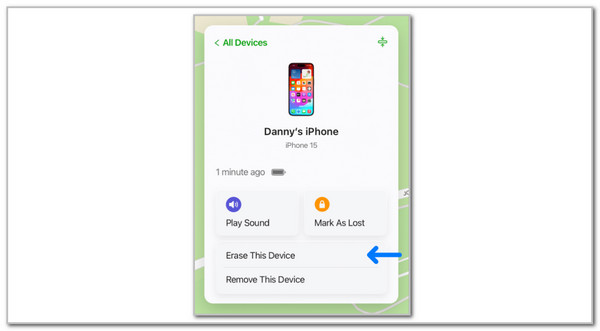
Step 5Restart your iPhone. The activation lock will be gone, and all data remains.
This is how I finally got into my locked iPhone—I tracked down the seller through a mutual friend, and he removed it in about 2 minutes.
FoneLab Helps you unlock iPhone screen, Removes Apple ID or its password, Remove screen time or restriction passcode in seconds.
- Helps you unlock iPhone screen.
- Removes Apple ID or its password.
- Remove screen time or restriction passcode in seconds.
Part 4: Sign In with Apple ID
If the Apple ID on the screen is actually yours, you can just sign in. If you forgot the password, reset it.
Step 1On any computer or phone, go to iforgot.apple.com.
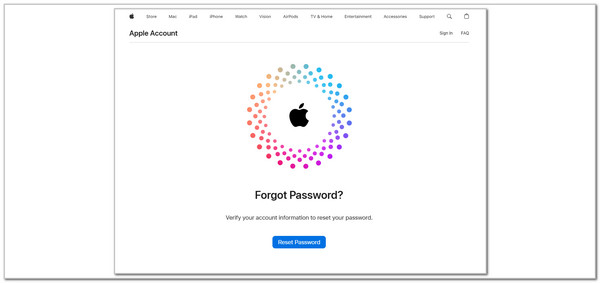
Step 2Enter your Apple ID email and follow the prompts to reset your password.
Step 3Once you have a new password, return to your iPhone and enter it on the Activation Lock screen.
Step 4The iPhone will unlock, and all your data stays intact.
Part 5: Contact Apple Support
If you own the device but can't access the Apple ID, Apple Support can help with proof of ownership.
Step 1Go to getsupport.apple.com or schedule an appointment at an Apple Store.
Step 2Bring your original proof of purchase—a receipt showing the device model and IMEI number.
Step 3Explain that you need the activation lock removed. If they verify your ownership, they can unlock the device without erasing data.
My experience: This works if you're the original owner with a receipt. For second-hand devices without paperwork, it's difficult.
Part 6: Comparison of Methods
| Method | Data Loss? | Requires Jailbreak? | Requires Previous Owner? |
|---|---|---|---|
| FoneLab Bypass | No | Yes (for older models) | No |
| Previous Owner Removal | No | No | Yes |
| Sign In with Apple ID | No | No | No (if it's your own) |
| Apple Support | No | No | No (but need proof) |
Part 7: A Note About Erasing vs. Bypassing
Most guides (and Apple's own methods) will tell you to erase the iPhone. That's the Remove Apple ID method—it works on all models but wipes everything.
Bypassing is different. It lets you get past the activation screen without erasing, but it only works on certain older models and requires jailbreak.
If you have a newer iPhone and can't contact the previous owner, you may have to erase it. But if you have an older device and want to keep your data, bypassing is the way to go.
FoneLab Helps you unlock iPhone screen, Removes Apple ID or its password, Remove screen time or restriction passcode in seconds.
- Helps you unlock iPhone screen.
- Removes Apple ID or its password.
- Remove screen time or restriction passcode in seconds.
Part 8: FAQs about How to Remove iPhone Activation Lock
Can I ask Apple t remove my iPhone activation lock?
Yes. All you need to do is visit your nearest Apple Store and make an appointment with Genius Bar Staff, they would likely require you for 2 pieces of identification and other related security check proofs. Once your ownership is verified, afterward an Apple Staff member would help you remove your iPhone activation lock.
How to check if an iPhone is stolen?
It is always safe to check before your purchase the second-hand iPhone, and make sure an iPhone is not locked because of stolen status. Dial-in "#06#" to get the IMEI number of the iPhone, and go to IMEI number checking services publicly available online to uncover the status of the iPhone.
How can I make sure that my iPhone activation lock has been removed?
You should always try to remove your iPhone activation lock before selling your iPhone on the second-hand market. You could check the activation status of your iPhone via logging into your iCloud account or use FoneLab iOS Unlocker to get rid of the contents and settings completely.
FoneLab Helps you unlock iPhone screen, Removes Apple ID or its password, Remove screen time or restriction passcode in seconds.
- Helps you unlock iPhone screen.
- Removes Apple ID or its password.
- Remove screen time or restriction passcode in seconds.
Conclusion
Getting past iCloud Activation Lock without losing your data is possible, but your options are limited:
- If you can contact the previous owner – Ask them to remove the device from iCloud. No data loss, no jailbreak.
- If it's your own Apple ID – Reset your password at iforgot.apple.com and sign in.
- If you have an older iPhone (6–X) – Use FoneLab iOS Unlocker to bypass the lock without erasing.
- If all else fails – Contact Apple Support with proof of purchase.
In my case, tracking down the previous owner worked. But if I had an older iPhone and the seller was gone, I would have used FoneLab's bypass feature. It's not perfect (jailbreak is required), but it's the only way to keep your data.



