
 iPhone Data Recovery
 iOS System Recovery
 iOS Data Backup & Restore
 iOS Unlocker
 iPhone Password Manager
 Location Changer
 Android Data Recovery
 Broken Android Data Extraction
 Android Data Backup & Restore
 Android Unlocker
 FoneTrans for iOS
 iPhone Data Eraser
 iPhone Cleaner
 HEIC Converter
 HyperTrans
 WhatsApp Transfer for iOS
 Mac Sweep
 Data Retriever
 Mac Data Retriever
 Video Converter Ultimate
 Screen Recorder
 Phone Mirror
Leading Free Voice Recorder Apps or Programs You Can Consider
 Updated by
 Voice recording is essential for some individuals. They use it for taking notes, interviews, meetings, documentations, and more. An iPhone and an Android phone have built-in or pre-installed apps and voice recorders—however, not all. There are versions of Android phones or iPhone that do not contain one.
There are also voice recorders that may be downloaded from your Google Play Store and App Store account. The best free voice recorder apps for Android or iPhone are in this post! Scroll below to get their latest information.

Guide List
Part 1. 123APPS Online Voice Recorder
A voice recorder online free is the best option for voice recording. The reason is that they can be used on both Android phones and iPhone. They can be accessed by using an internet connection and a browser. 123APPS Online Voice Recorder is a convenient and simple online tool that can record voice on your Android phone or iPhone in high quality. There are no hidden charges while using it.
However, this online tool saves the voice recordings in a large file size. It is not recommended for individuals who have less storage space on their Android phone or iPhone and want to use a free online voice recorder. See the steps below to know how to use the online audio recorder.
Step 1Open one of your web browsers on your Android phone or iPhone. Then, search for the 123APPS Online Voice Recorder website. After that, the voice recorder feature will be prompted immediately. Click the Microphone button to start the voice recording.
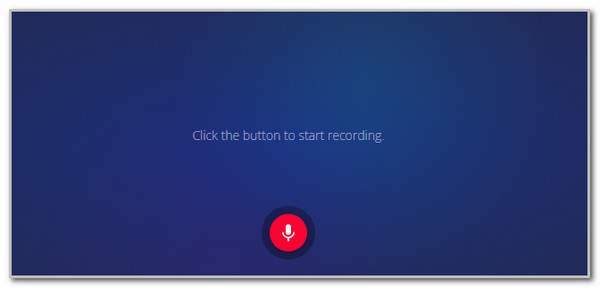
Step 2Keep the recording ongoing until you reach your preferred length. Then, click the Box button to stop it. Later, click the Save button to keep the tapes.

Part 2. Simple Voice Recorder
Simple Voice Recorder is an audio recorder app available on your Android phone. This app is best for novices due to the simple interface and features it offers. This app organizes the voice recordings from its Player feature. Also, you can access the Recycle Bin feature to see the recordings.
This voice recorder app free on Android and contains ads in its interface, which will be unnecessary during the voice recording. Every tap from the interface of the application will show you an ad, which you need to finish watching to use its features. Start using the app with the steps below.
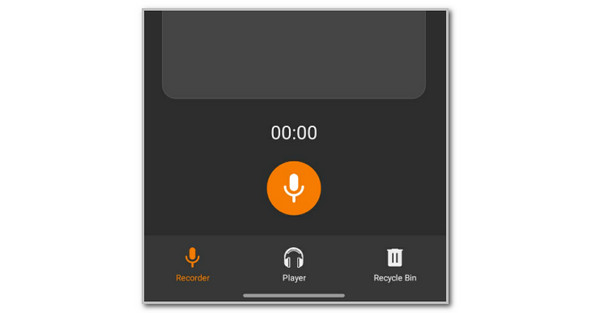
Step 1Get the application from the Google Play Store. After that, open it to see the first interface it offers. Then, tap the Microphone button at the center of the screen. The voice recording will immediately start.
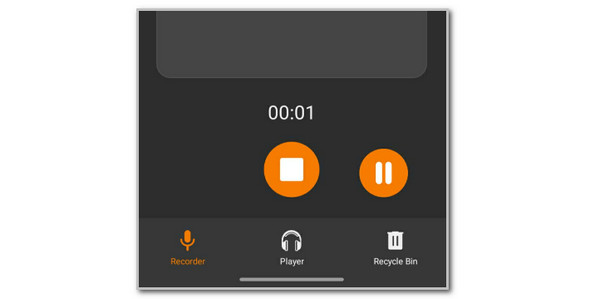
Step 2Please keep the voice recording ongoing. Once you have decided to finish it, tap the Box button at the bottom of your screen. Later, the voice recordings will be saved automatically.
Part 3. Voice Memos
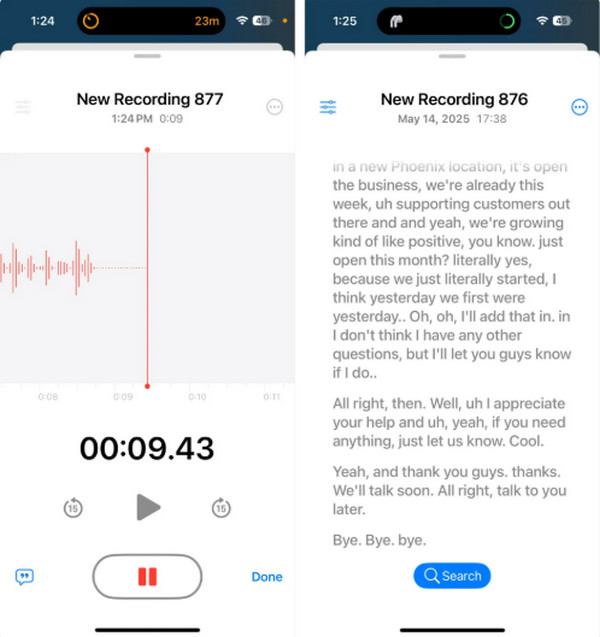
The best voice recorder app for iPhone free is Voice Memos. It is convenient and free for iPhone users. Please note that this app is not available on Android phones or other non-Apple devices. It has basic enhancing features that are best for having high-quality voice recordings. Also, it allows you to skip the silence feature during the voice recording. Please follow the steps below to use Voice Memos effectively.
Step 1Open Voice Memos and tap the Circle button at the bottom to begin the voice recording. After that, adjust the recording level, depending on your preferred one.
Step 2Keep the voice recording ongoing until you reach your preferred recording. Then, tap the Stop option at the bottom to end the screen recording. Later, tap the Done button to finish the procedure.
Part 4. Best Voice Recorder - FoneLab Screen Recorder
FoneLab Screen Recorder is a third-party tool available on Windows and Mac. This tool is the most convenient for recording voice from your iPhone and Android phone. This tool has a basic editing feature that can be used after the voice recording.
The voice recordings will be of high quality, and they can be adjusted according to your preference. Also, you can capture the iPhone and Android phone screen activities using the tool. Please use the steps below for the FoneLab Screen Recorder tool.

FoneLab Screen Recorder allows you to capture video, audio, online tutorial, etc on Windows/Mac, and you can easily customize size, edit the video or audio, and more.
- Record video, audio, webcam and take screenshots on Windows/Mac.
- Preview data before saving.
- It is safe and easy to use.
Step 1Go to the main website of FoneLab Screen Recorder. Then, click the Free Download button from the list. Later, the downloading procedure will start immediately. Install and open the software afterward to begin the process.

Step 2Click the Screen Recorder button at the top left. Options will be shown at the bottom, and select the Phone Recorder button. Choose the operating system of a mobile phone to proceed.
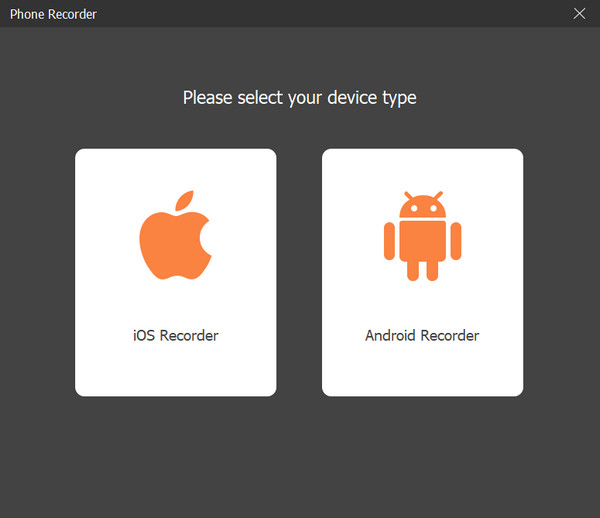
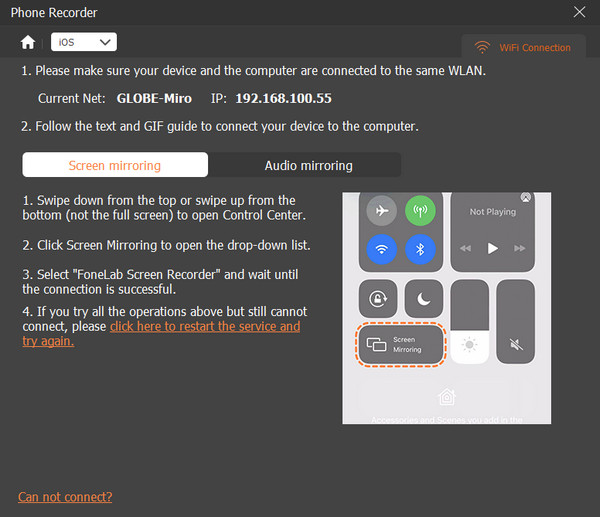
Step 3Please follow the on-screen steps on how to connect an Android phone or an iPhone to the software. Please read carefully for the best results. Then, click the Speaker button at the bottom to add the audio to the recording. Finally, click the Record option to start recording the iPhone or Android phone screen with the audio.
Part 5. Comparison Table of Voice Recorders
Here is the comparison table of the tools from the previous sections. View this section to see their quick information.
| Voice Recorder | Storage | Type | Offline | Platform |
| 123APPS Online Voice Recorder | Cloud | Online | No | Web |
| Simple Voice Recorder | Device | App | Yes | Android |
| Voice Memos | Device and iCloud | App | Yes | iOS |
| FoneLab Screen Recorder | Device | Software | Yes | Windows and Mac |
Part 6. FAQs about Free Voice Recorder App
Does my Android phone have a built-in voice recorder?
As mentioned, not all mobile phones have a built-in voice recorder. You can still check from the available apps that are installed on the mentioned device. If you can’t find one, you can use a voice recorder, like FoneLab Screen Recorder.
What is the best free app to record phone conversations?
Not all voice recorders can record phone conversations or calls. It is due to the strict privacy and security features they contain. But some applications can record your phone conversations or calls, like RingCentral, Zoom Phone, and Rex Call Recorder.
All in all, this article shows the best voice recorder apps free, including an online tool. These apps have their distinct features you need to discover. FoneLab Screen Recorder is also here to help you record your iPhone or Android phone audio using a computer. How interesting, right? Download the tool now and use more of its features!



