
 iPhone Data Recovery
 iOS System Recovery
 iOS Data Backup & Restore
 iOS Unlocker
 iPhone Password Manager
 Location Changer
 Android Data Recovery
 Broken Android Data Extraction
 Android Data Backup & Restore
 Android Unlocker
 FoneTrans for iOS
 iPhone Data Eraser
 iPhone Cleaner
 HEIC Converter
 HyperTrans
 WhatsApp Transfer for iOS
 Mac Sweep
 Data Retriever
 Mac Data Retriever
 Video Converter Ultimate
 Screen Recorder
 Phone Mirror
- Unlock Apple ID
- Bypass iCloud Activation Lock
- Doulci iCloud Unlocking Tool
- Factory Unlock iPhone
- Bypass iPhone Passcode
- Reset iPhone Passcode
- Unlock Apple ID
- Unlock iPhone 8/8Plus
- iCloud Lock Removal
- iCloud Unlock Deluxe
- iPhone Lock Screen
- Unlock iPad
- Unlock iPhone SE
- Unlock Tmobile iPhone
- Remove Apple ID Password
How to Achieve Apple Activation Lock Removal in Easy Ways
 Updated by
 Hi, guys! I decided to factory reset my iPhone this morning. The reason is that it has been facing performance issues for the past few days. However, I forgot to remove the Apple ID from the iPhone. Unfortunately, I forgot my credentials! Can you help me with the Activation Lock removal? Thank you!
Removing the iCloud Activation Lock requires the Apple ID credentials associated with it. Without the account, you need to bypass the said security feature. These methods are presented in this article. See their full details as you scroll below.

Guide List
Part 1. What is Apple Activation Lock
Apple iCloud Activation Lock is a feature associated with Find My. It prevents unauthorized access when the iPhone or iPad is stolen, misplaced, or lost. The mentioned security feature can be enabled after a factory reset when an Apple ID is signed in to the iPhone or iPad, and Find My is on.
Also, iCloud Activation Lock is designed to prevent device theft, protect the personal data of the iPhone or iPad owner, and render stolen Apple devices useless.
Part 2. How Apple Activation Lock Works
When iCloud Activation Lock is enabled, your iPhone or iPad will be locked to the Apple ID on Apple's main servers. Besides the factory reset, iCloud Activation Lock can be triggered for the following reasons:
- • When the iPhone or iPad is restored to its factory settings with Finder, iTunes, or Apple Devices.
- • The iPhone or iPad is activated and in Lost Mode in Find My.
- • When the second-hand iPhone or iPad is linked with the Apple ID of the previous owner and when you set it up after a factory reset.
Part 3. How to Bypass Apple Activation Lock
As mentioned, unlocking the iCloud Activation Lock requires the correct Apple ID credentials. What if the credentials are not known? Bypassing the security lock is the best option. Below are the easy ways to do the mentioned process. Continue browsing to know them.
1. Use Apple Account and Password
The iPhone can be bought second-hand. There are circumstances where the owner forgets to remove an iCloud Activation Lock or Apple ID from the sold iPhone. If so, you can ask them for the iCloud account to unlock the mentioned security feature.
Alternatively, if the password is forgotten, you may reset Apple ID password using the Apple iForgot website. If you have your Apple ID account, you can remove the iPhone or iPad from Find My to unlink it.
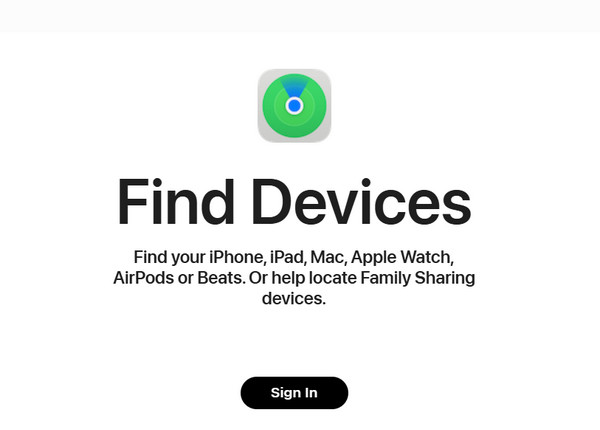
Step 1You need the previous owner's credentials if you are not the owner. So, ask for their Apple ID credentials. Alternatively, you can ask them to remove it using Find My and follow these steps. Open the said service and enter the Apple ID associated with the iPhone. Alternatively, search for iCloud Find My website. After that, click the Sign In button.
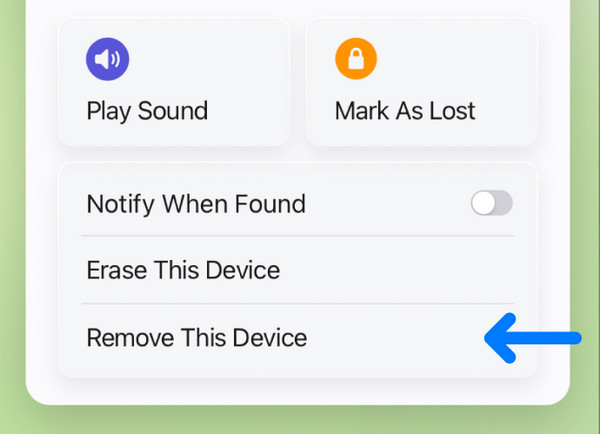
Step 2The Map section will appear on the screen. Then go to the All Devices section in the top-left corner of the main interface. The list of devices linked to an Apple ID will appear. Choose the iPhone name to see the supported features. Choose the Remove This Device button. Finally, authenticate the process to confirm it.
2. Contact Customer Support
If you cannot contact the previous owner or do not know the Apple ID, contact Apple Customer Support. Their official website offers guides to help you bypass iCloud Activation Lock. You may also create a ticket using the website if the guides did not unlock the mentioned security feature. Please perform the steps below to learn how to use the official Apple Customer Support website.
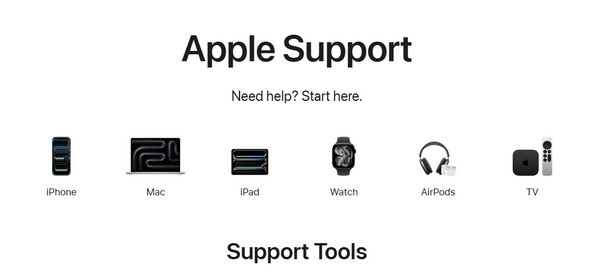
Step 1Open one of your web browsers and search for Apple Customer Support. After that, you do not need to sign in to the website. The supported devices will appear on the screen. Please click the Apple device button from the main interface.
Step 2Scroll below and go to the Search Support section. Type the iCloud Activation Lock keyword. The supported articles or guides for the procedure will be displayed on the screen. Choose the most reliable one. Don’t worry. They are reviewed by Apple, which only means that they are reliable.
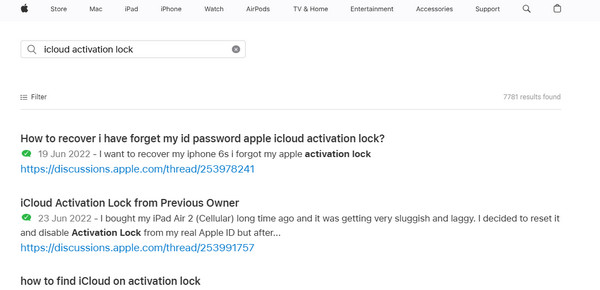
Alternatively, you can visit one of Apple's physical stores. However, you need to bring the proof of purchase of your iPhone or iPad. The iCloud Activation Lock unlocking procedure at the physical store can take a few hours. Or worse, they will ask you to leave the iPhone and get it after a few days. It depends on the number of their customers.
3. Use FoneLab iOS Unlocker
What if you do not have the proof of purchase and Apple ID account? Good news! You can remove Activation Lock without previous owner or proof of purchase with FoneLab iOS Unlocker. It can bypass an iCloud Activation Lock in a few minutes with a USB connection. Most iPad and iPhone models and versions can be processed.

FoneLab Helps you unlock iPhone screen, Removes Apple ID or its password, Remove screen time or restriction passcode in seconds.
- Helps you unlock iPhone screen.
- Removes Apple ID or its password.
- Remove screen time or restriction passcode in seconds.
Besides the mentioned security feature, other security features can be removed using the tool. It includes Screen Time restrictions, Apple ID, screen lock, iTunes backup encryption settings, MDM profile, and SIM lock. Please refer to the steps below to know how to use the tool.
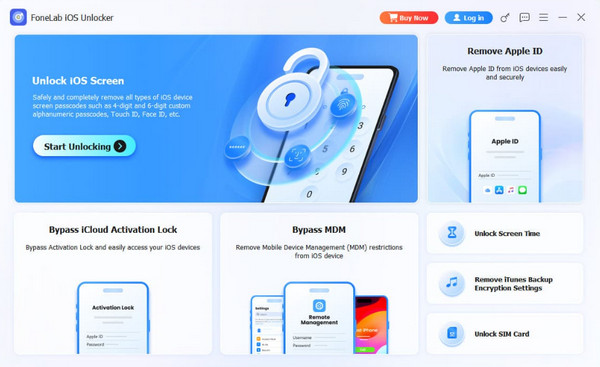
Step 1Please download FoneLab iOS Unlocker from the main website. After that, click the Free Download option on the main interface. Locate the downloaded file and set it up afterward. A small window will be prompted. Please install the file to open the software immediately. Finally, click the Bypass iCloud Activation Lock feature from the first interface.
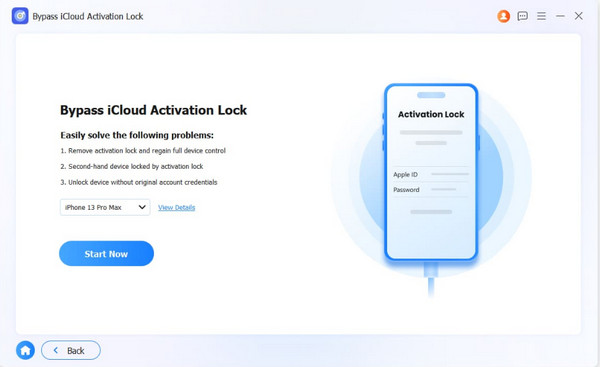
Step 2The following supported problems will appear on the screen. Please plug your iPhone or iPad into the computer with your USB cable. Then, ensure that you tap the Trust button on the mentioned Apple devices to allow permissions. Later, click the Start Now button at the bottom left of the screen.
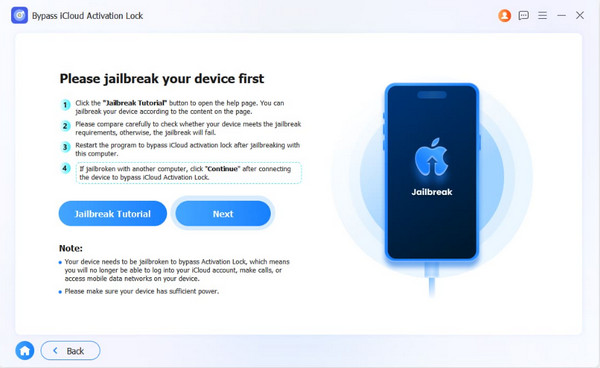
Step 3You need to jailbreak the iPhone or iPad first. The instructions will be prompted on the screen. You can click the Jailbreak Tutorial button at the bottom left. Once the jailbreaking procedure is completed, please click the Next button next to the previous button.
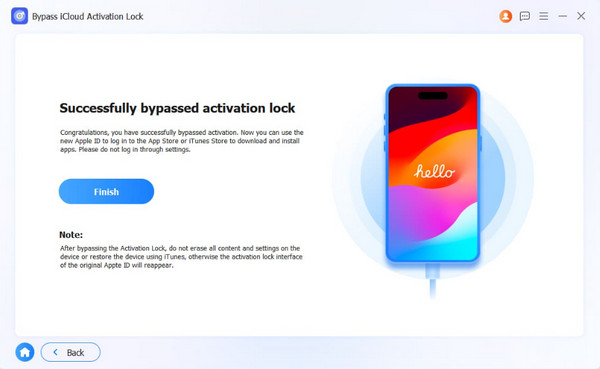
Step 4The tool will begin bypassing the iCloud Activation Lock on your iPhone or iPad. The procedure will only last for a few minutes or seconds. Wait for the procedure to complete for a successful outcome. Finally, please click the Finish button at the bottom. Unplug your iPhone or iPad afterward as the final step to bypass the iCloud Activation Lock.
4. Comparison Table of Methods to Bypass iCloud Activation Lock
| Method | Difficulty | Required Apple ID? | Minutes, Days, or Hours of Interval to Complete It |
| Apple Account and Password | The process is easy if the Apple ID is present. But you need to contact the previous owner; if not, it makes it a bit harder. | Yes. | A few minutes or hours. |
| Customer Support | If you follow the guides or articles, it will be hard for you. It makes the process easy if you go to physical stores. However, it will consume much of your time. | No. However, the proof of purchase is needed. If it is not available, the unlocking procedure is impossible. | A few hours or days. Sometimes, it lasts for a week. |
| FoneLab iOS Unlocker | Easy. | No. | A few minutes. |
Part 4. FAQs about Apple Activation Lock
Is there a way to turn off Apple Activation Lock?
Yes. Turning off the Apple iCloud Activation Lock is possible. Go to the Settings app on your iPhone or iPad. Then, select the account name at the top of the main interface. The iCloud-related information will be prompted. Tap the Sign Out selection at the bottom. Enter the Apple ID password afterward. Confirm the action afterward.
Is iCloud Activation Lock unlock legal?
By default, unlocking the iCloud Activation Lock is legal, especially if you are the original owner of the iPhone or iPad. However, the process becomes illegal if you only find an iPhone or iPad and then bypass the mentioned security feature. Additionally, bypassing the feature is legal if you bought the mentioned devices with iCloud Activation Lock enabled.
All in all, the Apple Activation Lock removal can be achieved easily if the Apple ID is known. If you accidentally forget the account, you need to bypass the security feature. FoneLab iOS Unlocker is a reliable tool that can help you bypass iCloud Activation Lock. Also, you can use it to remove your Apple ID, Screen Time restrictions, and more security features on your iPhone and iPad. Download it to learn more about its features.



