
 iPhone Data Recovery
 iOS System Recovery
 iOS Data Backup & Restore
 iOS Unlocker
 iPhone Password Manager
 Location Changer
 Android Data Recovery
 Broken Android Data Extraction
 Android Data Backup & Restore
 Android Unlocker
 FoneTrans for iOS
 iPhone Data Eraser
 iPhone Cleaner
 HEIC Converter
 HyperTrans
 WhatsApp Transfer for iOS
 Mac Sweep
 Data Retriever
 Mac Data Retriever
 Video Converter Ultimate
 Screen Recorder
 Phone Mirror
- Unlock Apple ID
- Bypass iCloud Activation Lock
- Doulci iCloud Unlocking Tool
- Factory Unlock iPhone
- Bypass iPhone Passcode
- Reset iPhone Passcode
- Unlock Apple ID
- Unlock iPhone 8/8Plus
- iCloud Lock Removal
- iCloud Unlock Deluxe
- iPhone Lock Screen
- Unlock iPad
- Unlock iPhone SE
- Unlock Tmobile iPhone
- Remove Apple ID Password
Helpful Guide to Unlock iPhone Near Me with Alternatives
 Updated by
 Good day! I’m trying to find an iPhone unlock service near me. Is there a proper way to do it? I’ve been locked out of my device since yesterday, and it’s causing me a huge hassle because it’s my primary means of communication. I’m not sure if anyone changed my passcode, since the people around me know it, but regardless, I badly need help unlocking it. Please help.
A locked iPhone with no way to access it is a common concern for many users, for various reasons. Perhaps your passcode was recently changed, and you haven’t mastered it yet. Or someone changed it without your knowledge, preventing you from accessing your own device. The question is: can you still unlock the iPhone, and do you really need a technician near you? The parts below will answer that query, so keep reading.

Guide List
Part 1. Can You Really Unlock an iPhone Locally?
Since iPhones and other Apple devices are designed with strict security, many people wonder, “Can you really unlock an iPhone locally?” Well, the simple answer is yes — provided you use reliable methods.
But before taking any action, it's necessary to identify which type of unlock service you actually need. This way, you'll know the most suitable solution — whether you need a local service or can handle it yourself using built-in or desktop-based methods. The following section discusses solutions for various lock scenarios.
Meanwhile, it's also helpful to know which local iPhone unlocking services to avoid, so you don't waste time on shops that don't offer what you need. Generally, these shops can help bypass carrier locks and forgotten screen passcodes. However, they cannot legally bypass Activation Lock on lost devices, MDM, and other locks without the credentials.
Part 2. How to Find Local iPhone Unlocking Services Near You
Once you gather the necessary information and are ready to unlock the iPhone, it’s time to find services near you. Luckily, today's technology makes it easy to find local shops to visit. You can simply search on a browser, and it will immediately list the physical unlocking services near you with the help of Google Maps.
If you prefer not to go out and are dealing with a SIM-locked iPhone, you can also reach out to your carrier using contact information found online. Or you can visit the official Apple Support website for help, regardless of which type of lock you're facing.
Part 3. Free Methods Before You Find Unlock iPhone Near You
We understand that going to a service center may be your first choice, but we suggest trying the methods below first — you might be able to solve the problem easily on your own.
Method 1. Recovery Mode
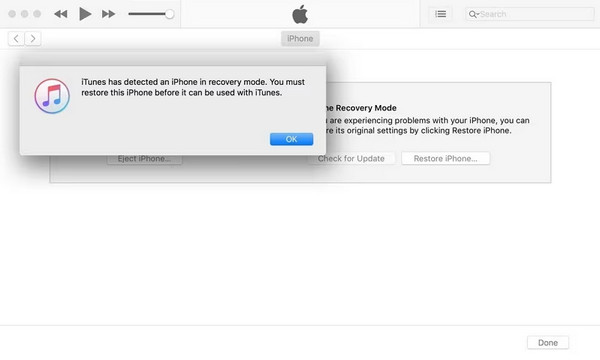
As many know, Recovery Mode is an official troubleshooting solution for almost any issue that occurs on an iPhone. Thus, try using it first, as Recovery Mode offers a Restore option that deletes all data and settings on the device — including the forgotten passcode.
You will be able to unlock your iPhone with the help of iTunes, Finder, or Apple Devices.
Follow the operation below to unlock your iPhone via Recovery Mode:
Step 1Launch iTunes, Finder, or Apple Devices and connect the iPhone via a Lightning cord. Afterward, use the suitable button combination to access Recovery Mode.
On iPhone with Face ID: Press Volume Up, press Volume Down, then long-press the Power button. Your device will soon enter Recovery Mode.
On iPhone with Home key: Long-press both Home and Power keys at the same time until your iPhone screen reveals the Recovery Mode.
Step 2The program on the computer will show a Restore option once it detects the mode. Hence, select it to restore your iPhone, erasing everything, including the passcode.
Method 2. iCloud Find My
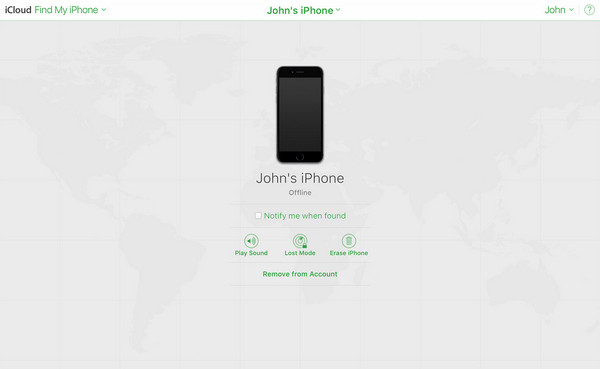
If you haven’t turned off FoneLab iFoneWiz (which is enabled by default), this method is perfect — even if you don't have physical access to the device. iCloud’s Find My page offers the Erase (Device) option that is necessary to erase all data, including the passcode. Simply choose this option to unlock and regain access to your device.
Follow the procedure below to unlock an iPhone using iCloud’s Find My:
Step 1Log in to the iCloud site with your Apple credentials, then hit Find My on the homepage.
Step 2Next, select All Devices in the upper section to choose your locked iPhone from the devices list. Then, on the following page, opt for Erase iPhone.
Method 3. Forgot Passcode
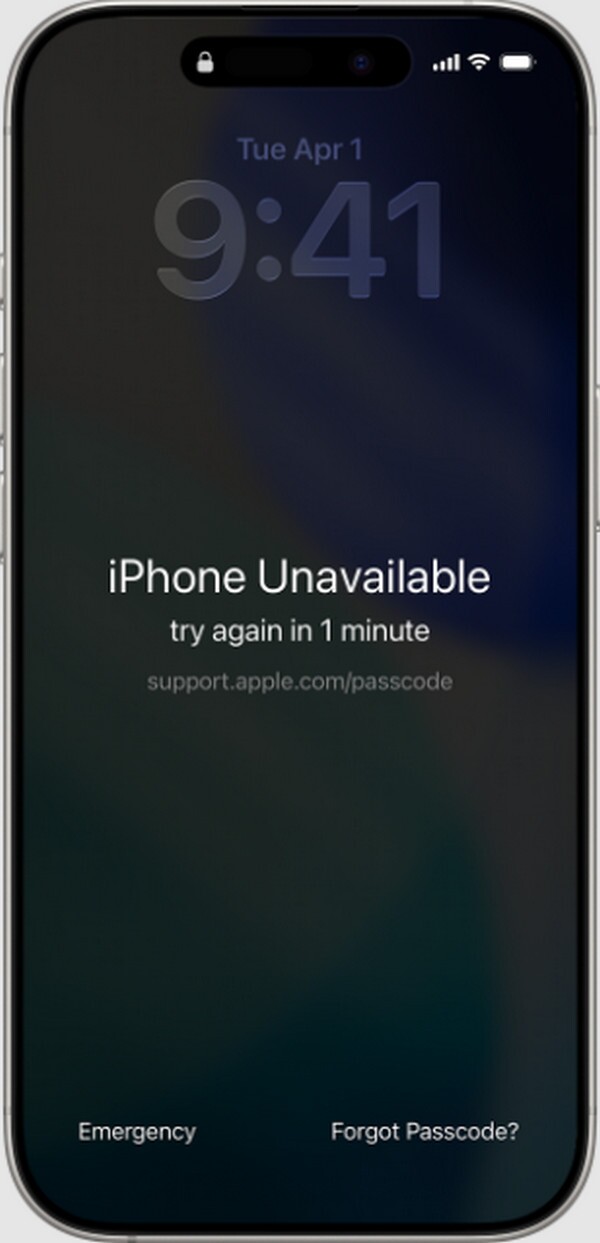
Forgot Passcode is a built-in option that Apple designed to help users regain access after being locked out of their device. As with the previous methods, navigating the process correctly will provide you with a reset option that can delete everything, including the screen passcode you have forgotten. Just note that this feature only appears on iOS 15.2 and later versions.
Follow the guidance below to unlock the iPhone with Forgot Passcode:
Step 1On your iPhone’s lock screen, tap Forgot Passcode, followed by iPhone Reset.
Step 2The credentials of your Apple account linked to the device will then be required, so enter them and let the device reset, eliminating all your data, settings, and passcode.
Method 4. FoneLab iFoneWiz
In addition to Apple's official methods, FoneLab iFoneWiz offers an effective and painless solution to unlock your iPhone. What types of locks? It can handle numerous issues — whether you've forgotten your screen passcode, run into an iCloud Activation Lock, MDM, SIM lock, or others.
FoneLab iFoneWiz is compatible with iOS 26 and older versions, so don’t hesitate to trust it with your iOS devices, even in different models. Besides, even beginners won’t have difficulty with the unlocking process, as the tool’s interface and functions are designed to be user-friendly.

iFoneWiz Helps you unlock iPhone screen, Removes Apple ID or its password, Remove screen time or restriction passcode in seconds.
- Helps you unlock iPhone screen.
- Removes Apple ID or its password.
- Remove screen time or restriction passcode in seconds.
View the directions below as an example to handle your iPhone lock with FoneLab iFoneWiz:
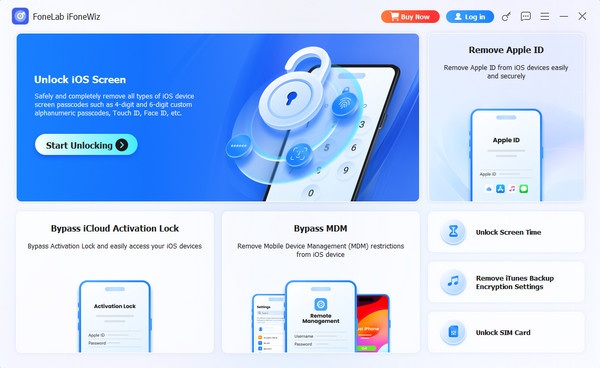
Step 1Start by acquiring the FoneLab iFoneWiz installer using the Free Download option. After it’s saved in the computer’s Downloads, perform the initial setup and wait for the Start button to appear to run it. Then, click the Unlock iOS Screen feature on the interface.
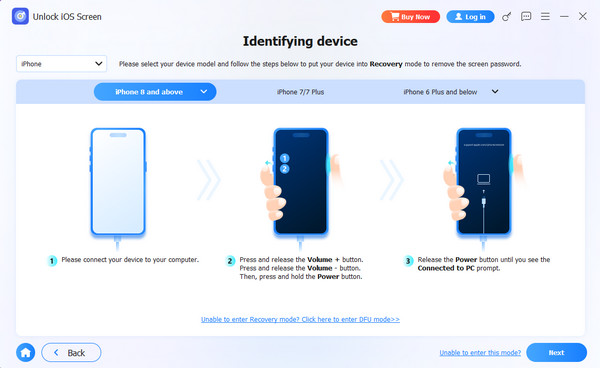
Step 2The following necessary step is to connect your locked iPhone. Do it with a Lightning cable, and the program will detect the device afterward. Once successful, it’s time to proceed with further directions and prompts until your lock concern is resolved.
Part 4. Comparison of Free Methods to Unlock iPhone
| Method | Recovery Mode | iCloud Find My | Forgot Passcode | FoneLab iFoneWiz |
| Requirements | Computer with iTunes, Finder, or Apple Devices & USB cable | Find My enabled, Apple ID & password, internet connection | iOS 15.2 or later, Apple account credentials, and internet connection | Computer (Windows/Mac) & USB cable |
| Ease of Use | Medium | Easy | Easy | Easy |
| Data Loss | Yes | Yes | Yes | Yes |
| Success Rate | High (If physical buttons and computer work) | High (If device is online) | High (If software/iOS version requirements are met) | Very High (Designed specifically for lock bypass) |
Part 5. FAQs about Unlock iPhone Near Me
Can I unlock my iPhone without losing my data?
Unfortunately, you can’t. For security reasons, Apple does not allow any method to remove a forgotten passcode while preserving the data.
Do I need to find an unlock iPhone carrier near me to ensure it’s locked?
No, you don’t need to go out of your way to do that. You can simply head to Settings > General > About. Then, check if the Carrier Lock section says “No SIM restrictions” to know it’s unlocked.
Before heading to physical shops for unlocking services, try the methods above first — especially FoneLab iFoneWiz. Your lock issue may be resolved quickly without wasting time, effort, or money.



