
 iPhone Data Recovery
 iOS System Recovery
 iOS Data Backup & Restore
 iOS Unlocker
 iPhone Password Manager
 Location Changer
 Android Data Recovery
 Broken Android Data Extraction
 Android Data Backup & Restore
 Android Unlocker
 FoneTrans for iOS
 iPhone Data Eraser
 iPhone Cleaner
 HEIC Converter
 HyperTrans
 WhatsApp Transfer for iOS
 Mac Sweep
 Data Retriever
 Mac Data Retriever
 Video Converter Ultimate
 Screen Recorder
 Phone Mirror
- Unlock Apple ID
- Bypass iCloud Activation Lock
- Doulci iCloud Unlocking Tool
- Factory Unlock iPhone
- Bypass iPhone Passcode
- Reset iPhone Passcode
- Unlock Apple ID
- Unlock iPhone 8/8Plus
- iCloud Lock Removal
- iCloud Unlock Deluxe
- iPhone Lock Screen
- Unlock iPad
- Unlock iPhone SE
- Unlock Tmobile iPhone
- Remove Apple ID Password
Trustworthy Solutions to Refurbished iPhone Unlock
 Updated by
 How can I resolve refurbished unlocked iPhone? I purchased the device from an online market, but when they delivered it, I realized I couldn't access it because of the activation lock. They must have forgotten to remove it, but contacting the seller again would be a hassle, as it would be too tiring to deliver it back to them. Thus, can I just handle the lock alone? Please suggest.
Buying a refurbished iPhone can save you money while still giving you access to Apple's ecosystem — but only if you don't end up with a device hiding "hidden defects" or "software locks." Many buyers only discover issues like an undisclosed activation lock, carrier lock, or even an unbootable device after receiving the phone, at which point contacting the seller becomes a hassle.
Whether you're planning to buy a refurbished iPhone or already have one that's locked, this guide provides clear, actionable steps.

Guide List
Part 1: Must-Do Inspection Checklist for Refurbished iPhones
Perform the following inspections without connecting to Wi-Fi or inserting a SIM card, or during the "Erase All Content and Settings" reactivation process. This ensures that any hidden locks or issues aren't masked by temporary account logins.
1. Check for Hidden Activation Lock (Most Critical)
Activation Lock is the most common and troublesome issue with refurbished iPhones. If the previous owner didn't sign out of iCloud, the device may become a brick after resetting iPhone to factory settings.
How to check:
- Go to Settings > General > Transfer or Reset iPhone > Erase All Content and Settings
- After the device restarts, attempt to activate it
- If it asks for an Apple ID and password that you don't know, the device has an activation lock
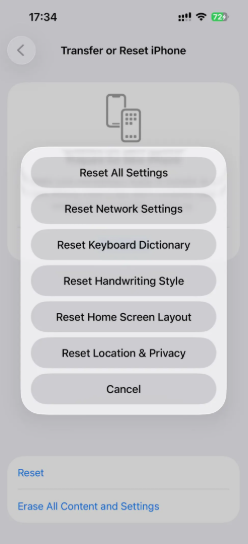
What to do if locked: Do not purchase the device. Ask the seller to remove the device from their iCloud account before you pay.
2. Hardware & Software Quick Check
Hardware Check:
- Screen: Place a drop of water on the screen — if water spreads out instead of forming a tight bead, the screen may be non-original
- Face ID / Touch ID: Try to set it up — must successfully enroll and unlock
- Cellular Baseband: Dial *#06# — IMEI should pop up; if nothing appears, motherboard may have been repaired
- Water Resistance: Remove SIM tray and gently blow air into the slot — if air goes in easily, the device has been opened
Software Lock Check:
- Hidden MDM Lock: After erasing, during activation, check for a message like "This iPhone is supervised by [Company Name]"
- Hidden Carrier Lock: Insert a SIM card from a different carrier to see if calls/data work — some devices may re-lock after a reset
- Configuration Lock: Connect to a computer and use device information tools to check
3. Serial Number & "Blacklisted" Device Check
This step prevents you from buying a device reported as lost or stolen.
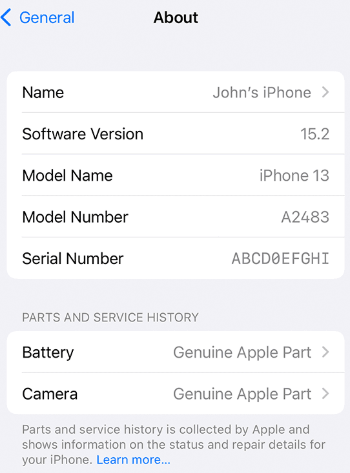
- Get the serial number/IMEI: Go to Settings > About, or dial *#06#
- Check via Apple's "Check Activation Lock Status" page: confirms if locked to an Apple ID
Part 2: How to Unlock Different Types of Locks
If you've already purchased the device and discovered it's locked, first identify which type of lock you're facing, then follow the corresponding method.
Lock Type Comparison Table
| Lock Type | What It Looks Like | Common Causes |
|---|---|---|
| Activation Lock | After restore/reset, screen shows "This iPhone is linked to an Apple ID" | Previous owner didn't sign out of iCloud; device is lost/stolen |
| Carrier Lock | Insert SIM card, message says "SIM Not Supported" or "Invalid SIM" | Device under carrier contract; original carrier not unlocked |
| Screen Lock | Lock screen shows "iPhone is Disabled" or requires passcode | Previous user didn't erase device; too many wrong passcode attempts |
| MDM Lock | During activation, shows "This iPhone is supervised/managed by [Company]" | Corporate device, school device, or leased phone not released |
1. Activation Lock Unlock Methods
Option A: Official / Free Methods (Recommended)
| Method | Steps |
|---|---|
| Contact Seller / Previous Owner | Ask them to sign out of iCloud remotely: https://icloud.com/find → select device → erase → remove from account |
| Apple Support (with proof of purchase) | Provide original purchase receipt showing device was bought new. Apple may unlock if you can prove legitimate ownership. |
Option B: FoneLab iOS Unlocker
FoneLab iOS Unlocker is a professional tool designed to unlock various types of locks on iOS devices. It supports removing activation lock, screen lock, MDM lock, and carrier lock — making it a comprehensive solution for all lock-related issues on refurbished iPhones.

FoneLab Helps you unlock iPhone screen, Removes Apple ID or its password, Remove screen time or restriction passcode in seconds.
- Helps you unlock iPhone screen.
- Removes Apple ID or its password.
- Remove screen time or restriction passcode in seconds.
Key Features:
- Bypass iCloud Activation Lock without requiring the original Apple ID or password
- Remove screen passcode (4-digit/6-digit, Touch ID, Face ID)
- Bypass MDM (Mobile Device Management) lock from corporate or school devices
- Remove carrier lock to use SIM cards from any network
- Intuitive interface with step-by-step on-screen guidance
How to Use FoneLab iOS Unlocker:
Step 1Download and install FoneLab iOS Unlocker on your computer.
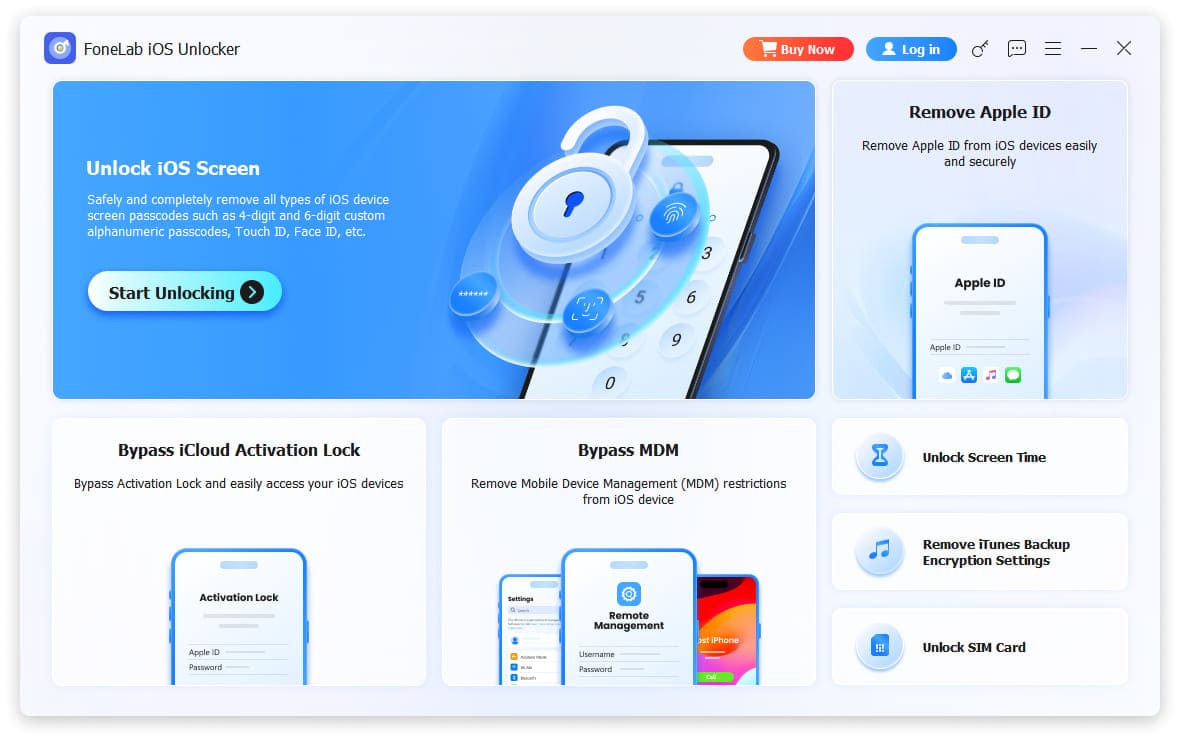
Step 2Launch the program and select the appropriate unlocking feature from the main interface:
- Bypass iCloud Activation Lock — for activation lock issues
- Unlock iOS Screen — for screen lock issues
- Bypass MDM — for MDM/supervision lock issues
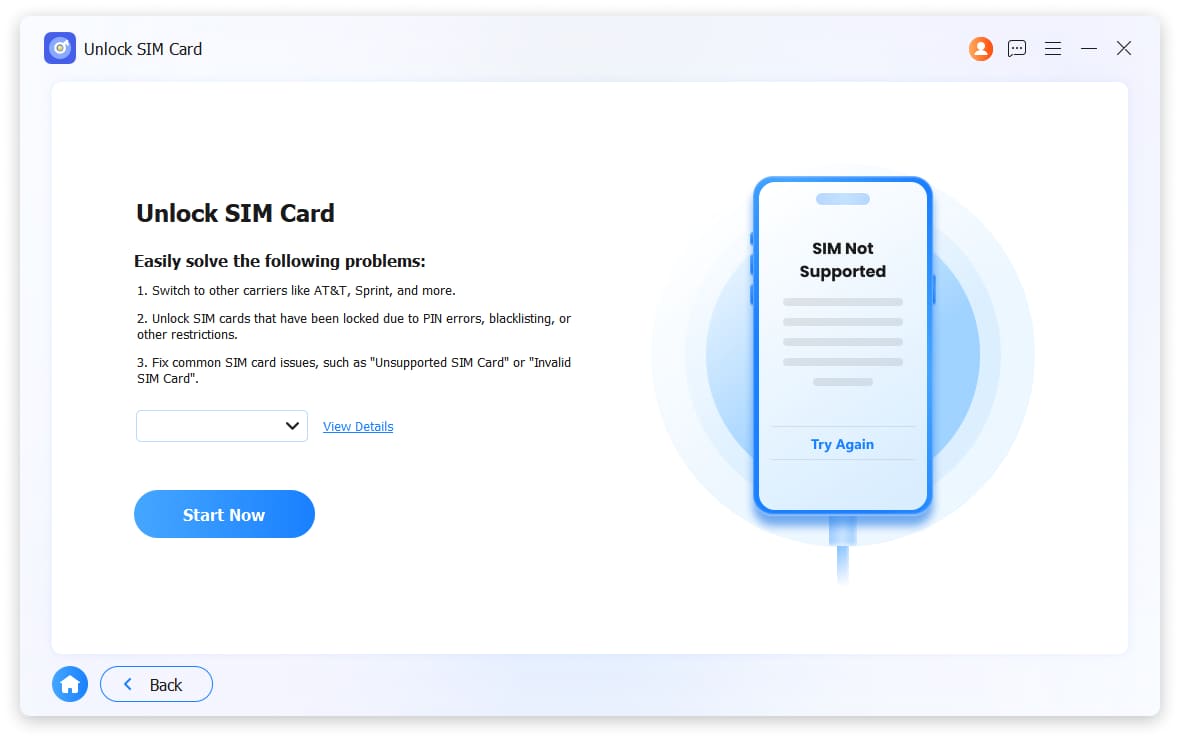
- Unlock SIM Card — for SIM/carrier lock issues
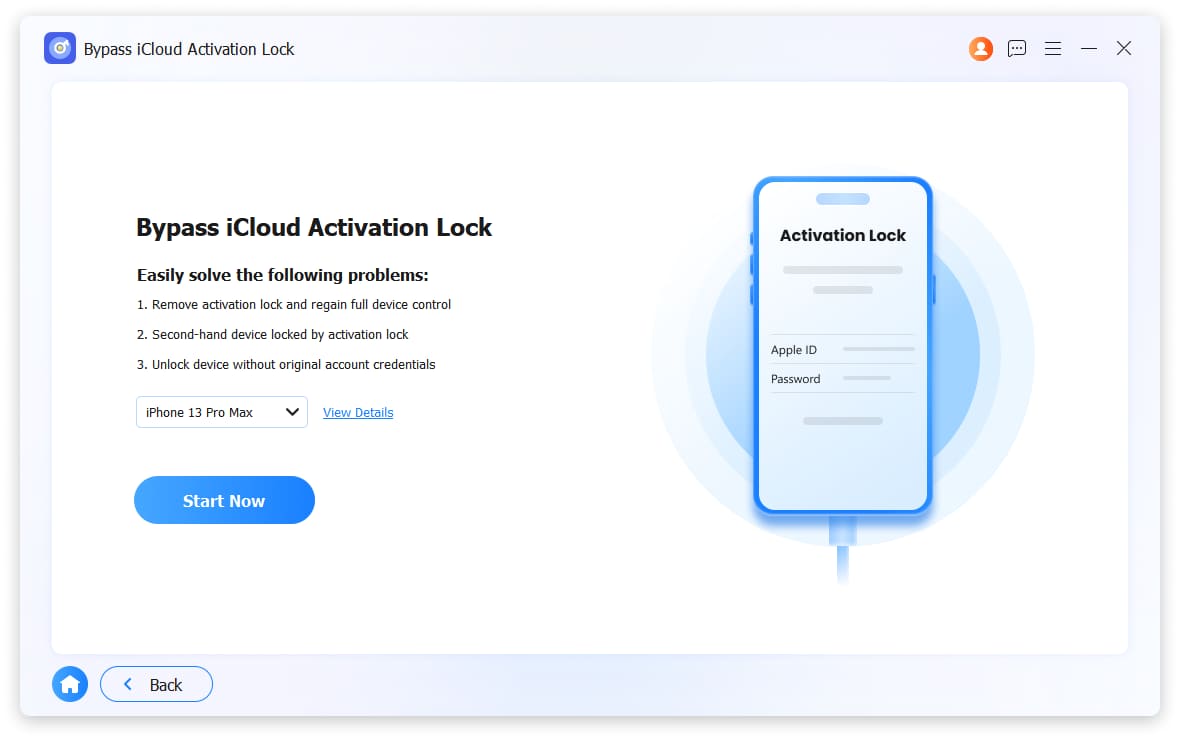
Step 3Connect your iPhone to the computer and follow the on-screen instructions to complete the process.
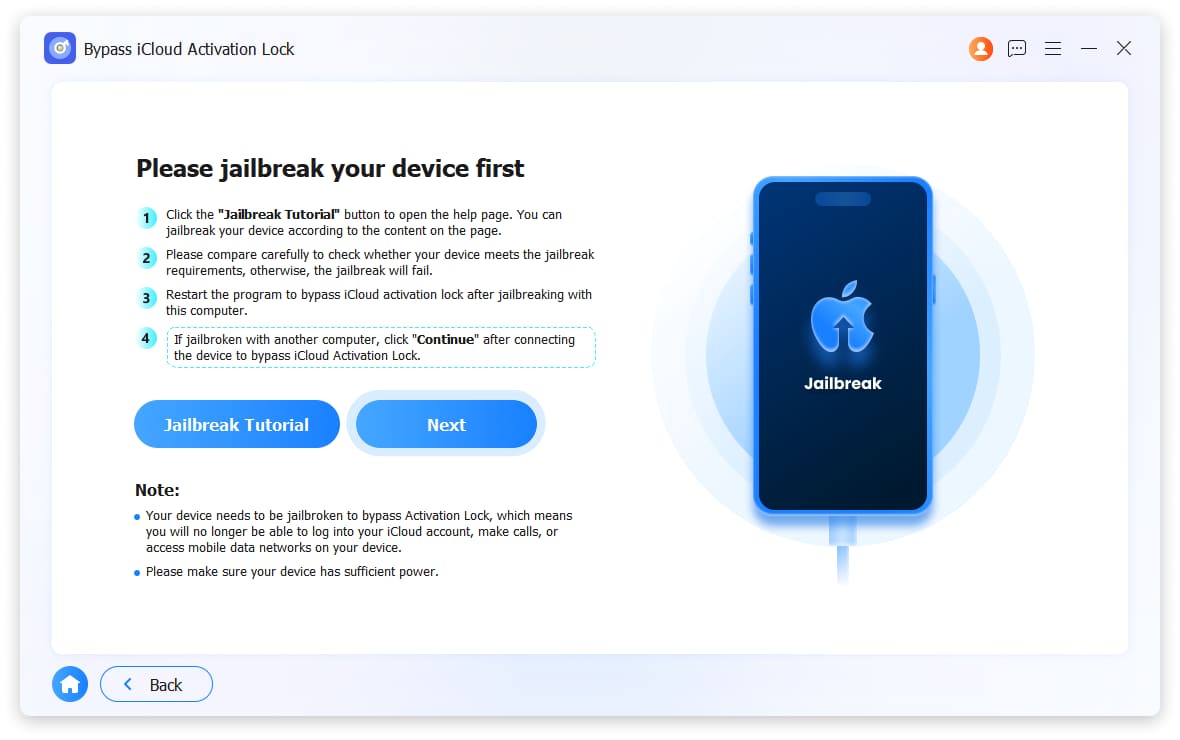
Note: For activation lock and MDM lock, FoneLab provides a bypass rather than a permanent removal. The lock may reappear after a factory reset. Screen lock and carrier lock removal are more permanent solutions. Always back up important data before attempting any unlock procedure.
2. Carrier Lock Unlock Methods
Official Carrier Unlock
If your iPhone is locked to a specific carrier, the most reliable way to unlock it is through the original carrier.
| Method | Steps |
|---|---|
| Contact Original Carrier | Reach out to the carrier that originally locked the device. If the device has completed its contract period, most carriers will unlock it for free upon request. |
| Information Needed | Device IMEI number, and proof of ownership (if available). |
Note: If you purchased the device as refurbished and do not know the original carrier, you can check using the device's IMEI through online IMEI lookup tools. Alternatively, FoneLab iOS Unlocker offers a carrier unlock feature as an alternative solution.
FoneLab Helps you unlock iPhone screen, Removes Apple ID or its password, Remove screen time or restriction passcode in seconds.
- Helps you unlock iPhone screen.
- Removes Apple ID or its password.
- Remove screen time or restriction passcode in seconds.
3. Screen Lock Unlock Methods
Option A: Using Apple ID (Find My)
If the device is linked to your Apple ID:
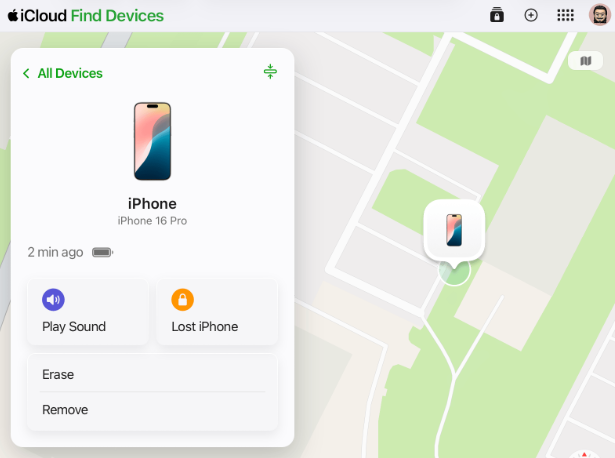
- Go to https://icloud.com/find on another device
- Select the locked iPhone
- Click Erase iPhone — this will wipe the screen passcode
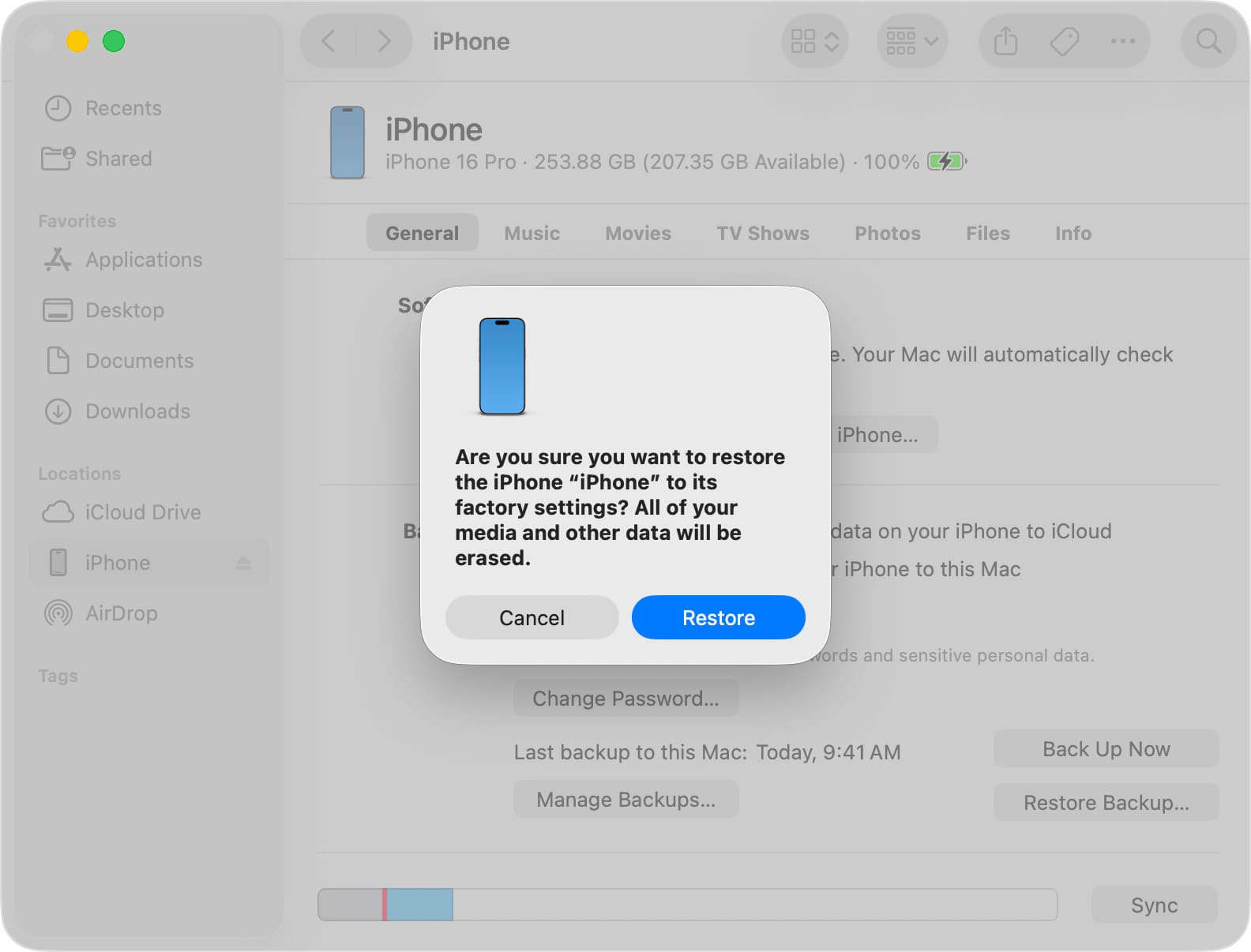
Option B: Recovery Mode Restore (iTunes/Finder/Apple Devices)
If you don't have the Apple ID or device is not enrolled in Find My:
- Put iPhone into recovery mode
- Connect to computer with iTunes/Apple Devices(Windows) or Finder (Mac)
- Click Restore — this will erase the device and install latest iOS
- Warning: After restore, activation lock will appear if the device was locked to an Apple ID
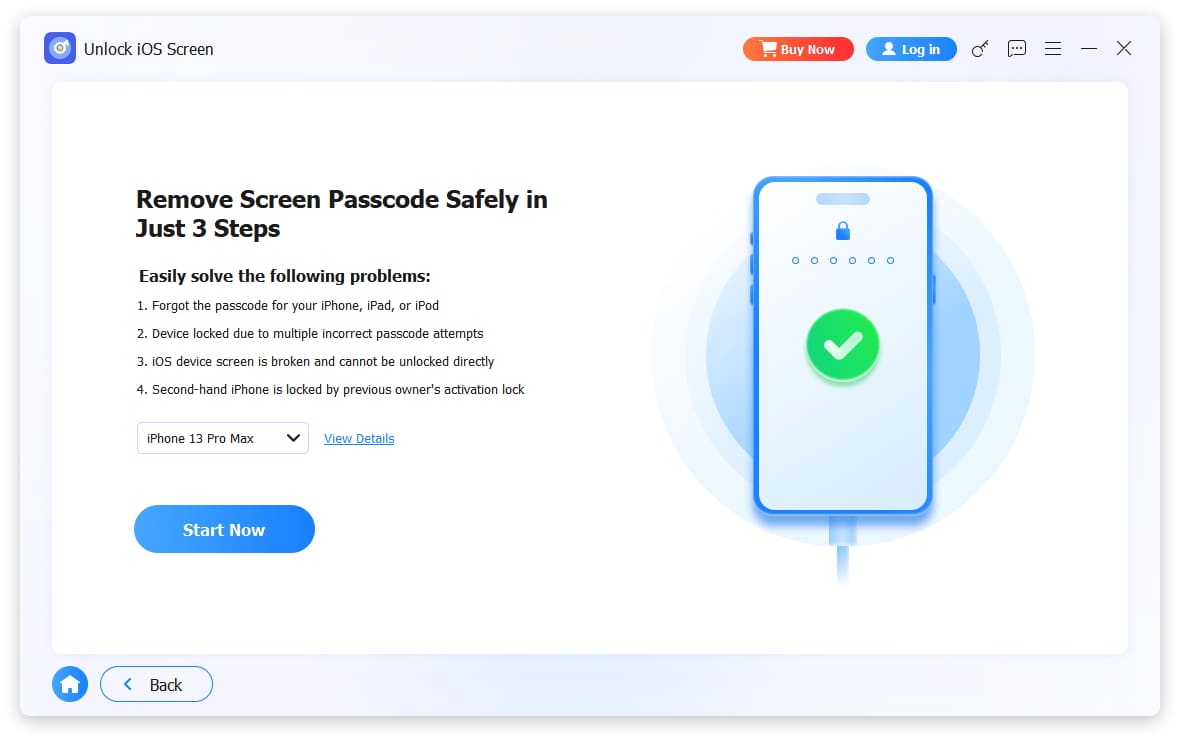
Option C: FoneLab iOS Unlocker
FoneLab iOS Unlocker includes a Unlock iOS Screen feature that can remove screen locks without requiring the passcode or causing data loss (on supported iOS versions).
4. MDM Lock Unlock Methods
Option A: Contact the Organization
If the device was legitimately purchased as a used corporate device:
- Contact the company that originally managed it
- Ask them to release the device from their MDM system
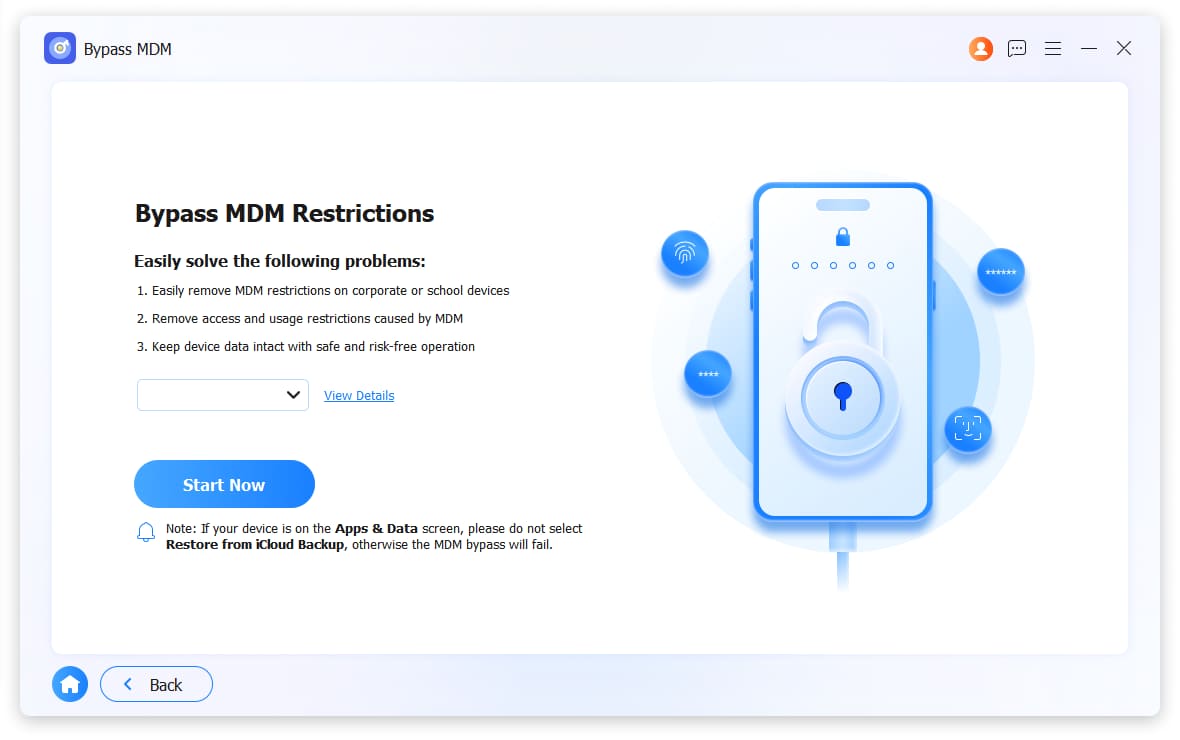
Option B: FoneLab iOS Unlocker
FoneLab iOS Unlocker offers an Bypass MDM feature that can bypass MDM locks, allowing you to use the device normally. This is especially useful for refurbished devices that were previously used in corporate or educational environments.
FoneLab Helps you unlock iPhone screen, Removes Apple ID or its password, Remove screen time or restriction passcode in seconds.
- Helps you unlock iPhone screen.
- Removes Apple ID or its password.
- Remove screen time or restriction passcode in seconds.
Part 3: FAQs about iPhone Refurbished Unlocked
Is buying a refurbished iPhone worth it?
According to some user reviews, yes, it is. By buying a refurbished iPhone, you can enjoy Apple's premium functions and quality but at an affordable price.
Are refurbished iPhones still original?
Unfortunately, no. Refurbished iPhones already have replaced parts and experienced alterations. Although technicians restore them thoroughly, they can no longer be considered original.
If you bought a refurbished iPhone and encountered such locks, no worries. The methods above have your back, and you must only do their processes correctly.
FoneLab Helps you unlock iPhone screen, Removes Apple ID or its password, Remove screen time or restriction passcode in seconds.
- Helps you unlock iPhone screen.
- Removes Apple ID or its password.
- Remove screen time or restriction passcode in seconds.



