
 iPhone Data Recovery
 iOS System Recovery
 iOS Data Backup & Restore
 iOS Unlocker
 iPhone Password Manager
 Location Changer
 Android Data Recovery
 Broken Android Data Extraction
 Android Data Backup & Restore
 Android Unlocker
 FoneTrans for iOS
 iPhone Data Eraser
 iPhone Cleaner
 HEIC Converter
 HyperTrans
 WhatsApp Transfer for iOS
 Mac Sweep
 Data Retriever
 Mac Data Retriever
 Video Converter Ultimate
 Screen Recorder
 Phone Mirror
- Unlock Apple ID
- Bypass iCloud Activation Lock
- Doulci iCloud Unlocking Tool
- Factory Unlock iPhone
- Bypass iPhone Passcode
- Reset iPhone Passcode
- Unlock Apple ID
- Unlock iPhone 8/8Plus
- iCloud Lock Removal
- iCloud Unlock Deluxe
- iPhone Lock Screen
- Unlock iPad
- Unlock iPhone SE
- Unlock Tmobile iPhone
- Remove Apple ID Password
What is an MDM: Full Overview of The Security Feature
 Updated by
 Greetings! What is MDM software? My mom mentioned it when I told her that some features on my iPhone and iPad are not working. By the way, they are given by our school. I hope you can help me understand it better. Thank you!
Schools, work, and other organizations commonly use MDM. But why and how do they use it? In this article, we will help you better understand what MDM is. Additional tips will also be presented for your convenience. Continue browsing to learn more details about the topic.

Guide List
Part 1. What is MDM
What does MDM mean? MDM, or Mobile Device Management, is Apple’s security feature or system used by schools, companies, and organizations. They used it to monitor and secure your iPhone or iPad remotely. The MDM profile usually works with different platforms, including Microsoft Intune, Apple Business Manager, and more.
MDM configures a profile installation. So, it grants the administrator management permissions, connects the iPhone or iPad to the organization's MDM server, and applies security rules. The following are some of the restrictions it can make:
- It can disable the App Store.
- It prevents a factory reset.
- The iCloud sign-in is blocked.
- It requires you to put in a strong passcode.
- It installs and removes applications silently.
- You are required to use the Wi-Fi connection of your company, school, or other organization.
Part 2. How MDM Works
What is MDM on iPhone or iPad process? MDM uses a push notification system. It does not continuously stream the data stored on your iPhone or iPad. It uses the Apple Push Notification service or APNs. The MDM profile server sends a signal to Apple. This way, the mentioned manufacturer forwards it to secure the device. In this case, the device will check in with the MDM server.
Additionally, the account is not logged in as people claim. It is bound to use a unique cryptographic identity certificate. Afterward, your iPhone or iPad and the MDM server will use TLS encryption. Command spoofing and fake MDM servers will be prevented.
Part 3. How to Check If an Apple Device is Being Monitored
Some people are unsure whether their iPhone or iPad is being monitored with an MDM profile. Checking this possibility is easy! There will be no authentication needed. Please imitate the steps below to check whether an MDM profile is installed on your iPhone or iPad.
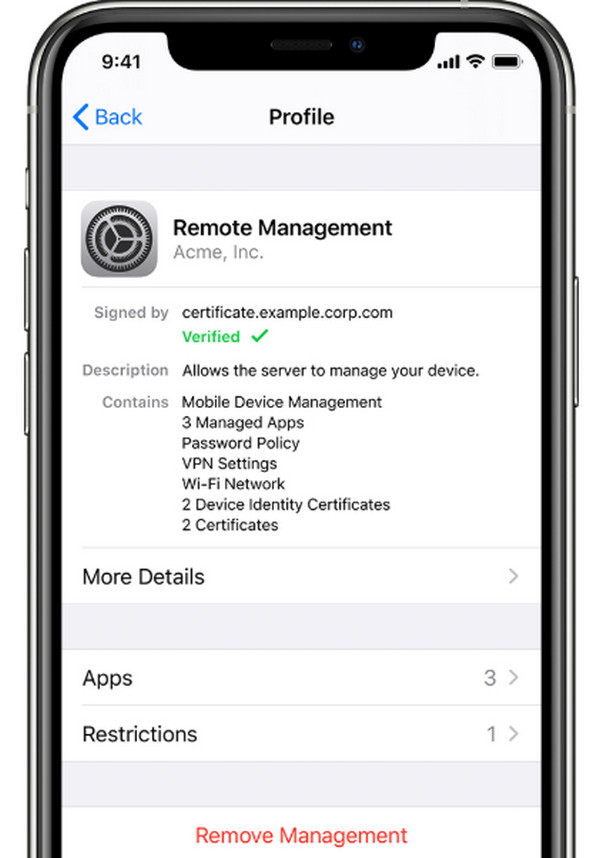
Open your iPhone or iPad’s Settings app. Then, select the General button from the options list. Then, tap the VPN & Device Management button and scroll below. You will see the profile name, Mobile Device Management, or Remote Management message screen if an MDM profile is installed on the mentioned devices.
Part 4. How to Remove MDM from iPhone/iPad
However, some iPhone or iPad users prefer to remove the MDM profile. This way, they can use the mentioned devices without any restrictions from their apps, features, and other operations. The 3 methods below will show you how to remove MDM from an iPhone or an iPad. Continue browsing to discover them.
Method 1. Remove MDM from Settings
Some MDM profile removal processes require a jailbreak on your iPhone or iPad. Do you want to remove MDM without jailbreak for a safer process? You can use the iPhone or iPad Settings app. However, you need to log in to the MDM console before you can proceed with the MDM removal. Follow the steps available below to know how.
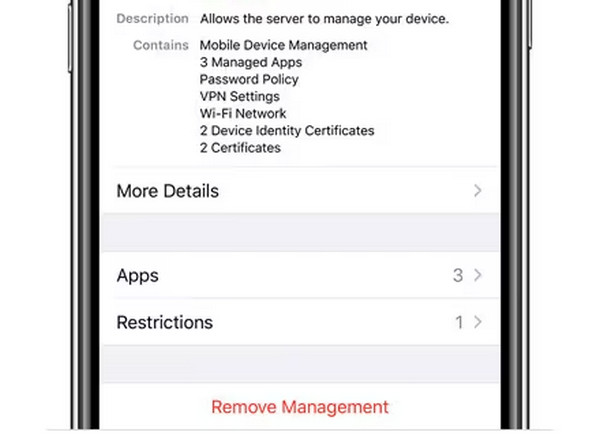
Open the Settings app on an iPhone or an iPad. After that, please proceed to the next screen. Tap the General button in the list, then select VPN & Device Management. Select the profile you want to remove from the devices mentioned above. Then, tap the Remove Management button at the bottom center of the screen. Authenticate the process to complete it.
Method 2. Remove MDM on Apple Business or School Manager
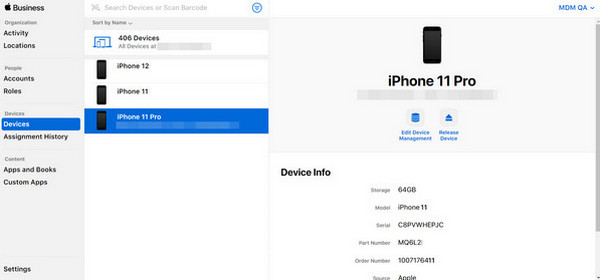
There is no way to remove the MDM on your end if it is linked to Apple Business Manager or Apple School Manager. You need to contact your school or employer to have it done for you. They must do the following steps.
Open the Apple Business Manager or School Manager. Sign in with your account. After that, select the Devices button on the left. After that, search your device using the serial number. You can also choose your device from the list. Select the Release from Organization button. Confirm the button to release the said device.
Method 3. Use FoneLab iOS Unlocker
On the other hand, some cannot remove MDM from iPhone because they cannot do it themselves due to a lack of information or credentials. FoneLab iOS Unlocker is a reliable tool that can help you bypass the MDM profile. The best thing this tool offers is that it will not delete even a single piece of data on your iPhone or iPad. A USB connection is required during the process. Please use the steps below to bypass your iPhone or iPad’s MDM profile.

FoneLab Helps you unlock iPhone screen, Removes Apple ID or its password, Remove screen time or restriction passcode in seconds.
- Helps you unlock iPhone screen.
- Removes Apple ID or its password.
- Remove screen time or restriction passcode in seconds.
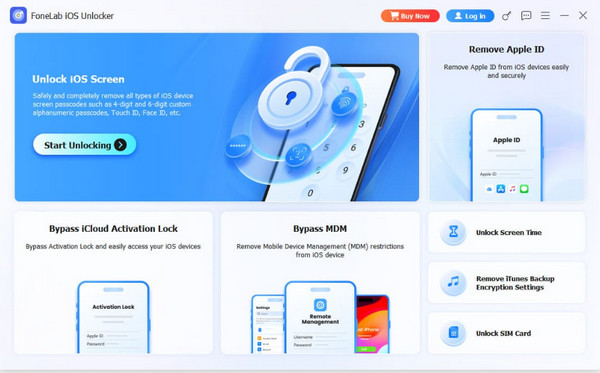
Step 1Download FoneLab iOS Unlocker. Install and open it afterward. Then, click the Bypass MDM feature at the bottom center of the screen.
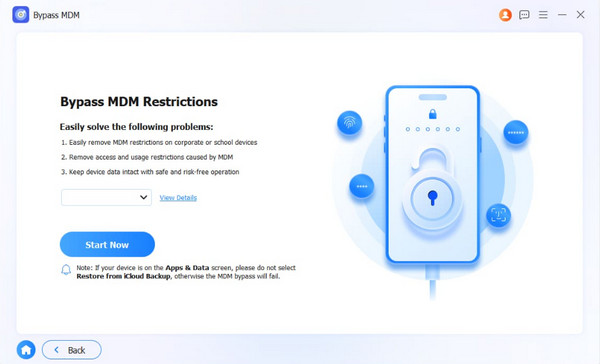
Step 2Plug your iPhone or iPad into the computer using a USB cable. Select the Start Now option at the bottom left to continue.
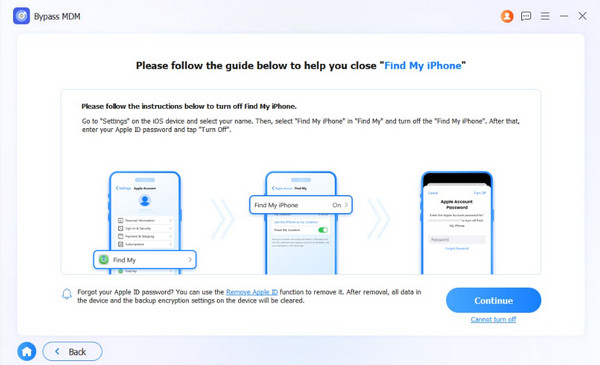
Step 3Follow the on-screen instructions to turn off Find My on your iPhone or iPad. Click the Continue button. Click the Next and OK buttons. The MDM bypass will start. Click the Finish button to complete the process.
Comparison Table of Methods to Remove MDM on iPhone or iPad
| Method | Difficulty | Required Connection | Required Credentials |
| Remove MDM from Settings | Very Hard | Internet Connection | You need to log in to the MDM console. |
| Remove MDM on Apple Business or School Manager | Very Hard | Internet Connection | IT Department’s Access |
| FoneLab iOS Unlocker | Very Easy | USB Connection | None |
Part 5. FAQs about What is MDM
Can MDM wipe my iPhone?
Yes. The MDM profile can wipe your iPhone or iPad. The thing is, it can be done wirelessly, just like the other operations. It can perform a Full Wipe on company devices or a Selective/Partial Wipe on personal devices.
Is removing MDM illegal?
MDM is in place to enforce restrictions on features, apps, and websites that your school or workplace does not allow you to access. So, removing the MDM from your iPhone or iPad is illegal without their permission.
What is an MDM? This article ensures that the question is clearly answered. It explains how we can check and remove it. FoneLab iOS Unlocker is listed as the tool that can bypass the mentioned security feature. The program can also be used to bypass Screen Time restrictions, iCloud Activation Lock, etc. Please download the tool to explore more of the procedure it can do.



