
 iPhone Data Recovery
 iOS System Recovery
 iOS Data Backup & Restore
 iOS Unlocker
 iPhone Password Manager
 Location Changer
 Android Data Recovery
 Broken Android Data Extraction
 Android Data Backup & Restore
 Android Unlocker
 FoneTrans for iOS
 iPhone Data Eraser
 iPhone Cleaner
 HEIC Converter
 HyperTrans
 WhatsApp Transfer for iOS
 Mac Sweep
 Data Retriever
 Mac Data Retriever
 Video Converter Ultimate
 Screen Recorder
 Phone Mirror
 Recover Android Data Now
Recover the lost/deleted iPhone data including photos, contacts, videos, files, call log and more data from your SD card or device.
5 Samsung Phone Data Recovery Tools You Should Not Miss
 Updated by
 Hi! I was deleting unnecessary files from my Samsung phone this morning. The storage is full, that’s why I decided to do that. However, I did not notice that some of the essential files had been deleted. Is there a Samsung data recovery tool that I can rely on? Please suggest the best one if there’s any. Thank you!
Losing data on your Samsung phone can be stressful, especially files from work, school, and other essential matters. Don’t worry. This article will help you determine the best Samsung phone data recovery tool for your Samsung phone. Their list is posted in this article. Scroll below to discover them.

Guide List
Part 1. FoneLab Android Data Recovery
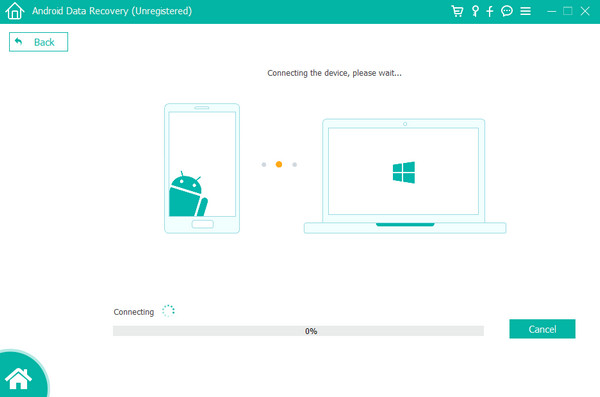
FoneLab Android Data Recovery is known for recovering different data types on Samsung phones. You can recover deleted Android photos, contacts, messages, call logs, audio, videos, WhatsApp messages, attachments, documents, and more. You can use it to directly recover the data from your Samsung phone, SIM, or SD card. Besides Samsung, HTC, Motorola, Google phones, Sony, and other famous Android phone brands are supported. The tool has a simple interface that is recommended for first-time users to recover Samsung deleted data.
Pros
- • The tool allows you to preview the data before you recover it to your Samsung phone.
- • It supports Android OS 5.0 and later versions.
- • It can be used for different recoverable scenarios, including improper handling, device failure, accidental deletion, system crash, and more.
- • It has an intuitive interface.
- • The software can be downloaded and accessed on Windows and Mac.
- • It only requires 1GB of RAM.
- • SIM card and SD card recovery is possible.
- • The tool can be downloaded to macOS 10.7 and later versions.
- • It can recover text contents and attachments.
- • The tool can recover text and Word contents.
Cons
- • It needs 200 MB or more of space on your computer.
Part 2. Dr.Fone Android Data Recovery
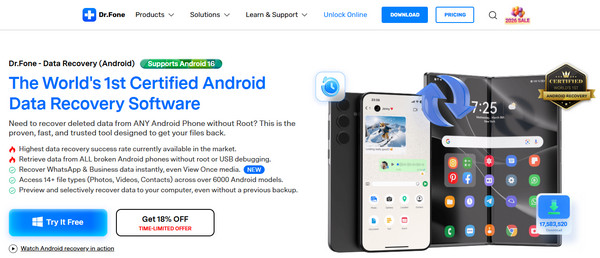
Dr.Fone Android Data Recovery is considered a data recovery tool that has a success rate available in the market. Also, it can retrieve data from a broken Samsung phone without root or USB debugging. The software often releases new features, and the latest is the View Once feature. Besides data recovery, you can also use it for fixing Samsung phone issues, transferring data, backing up data, unlocking a Samsung phone, and more.
Pros
- • The tool has a simple interface that is helpful for beginners.
- • It has a wide range of compatibility for different Android phones when plugged into a computer.
- • Messages, contacts, videos, photos, documents, and more data types are supported.
- • It allows you to preview the data before recovering it.
- • The tool can be run in read-only mode from your computer.
- • It can be accessed on your Windows and Mac.
Cons
- • The tool is expensive for its paid version to access all of its features.
- • Rooting your Android phone is needed if you want a deeper recovery for your data.
- • High-capacity Samsung phones will take up much of your time, such as deep scans.
- • A 100% recovery procedure for your Samsung data is not guaranteed.
- • The tool does not offer refunds for different scenarios.
- • Some Samsung phone data that is deleted cannot be recovered.
Part 3. Softonic Android Data Recovery
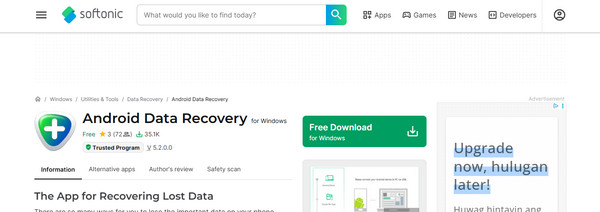
Softonic Android Data Recovery is a Samsung data recovery tool that scans the Android phone storage or SD card to locate your deleted files and recover them afterward. It can recover different data types, including documents, messages, videos, contacts, photos, and more. You can preview the data you will recover to be sure about the one you want to retrieve.
Pros
- • The tool is designed for novices who can perform the recovery process in 3 steps.
- • It works with the latest and earlier versions of Android OS.
- • Its features are simple, which allows you to have a smooth recovery process.
Cons
- • The success rate of this tool is moderate because it offers basic recovery utilities.
- • The scanning process of the software is slow.
- • It lacks deeper recovery and an advanced scanning mode for your Samsung phones.
- • Some data cannot be recovered or overwritten.
Part 4. Five Star Android Data Recovery
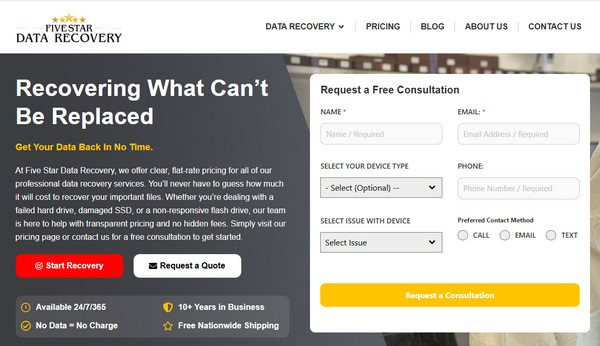
Five Star Android Data Recovery is the most different among all these Samsung data recovery tools. It is a company that offers an in-lab expert data recovery. It can be used for damaged and failed storage from Samsung phones. It is way more advanced for DIY software options.
Pros
- • If they did not collect or recover any data, there will be no charges.
- • They offer a detailed recovery process by updating you.
- • Thousands of users trust it.
- • They can also back up Android videos, photos, and more data.
Cons
- • It is way more expensive than DIY recovery tools.
- • It does not guarantee a 100% success rate for the recovery.
Part 5. EaseUs MobiSaver for Android
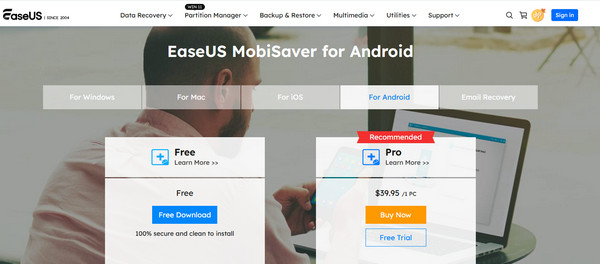
EaseUs MobiSaver for Android can recover different data types on your Samsung phone. Documents, contacts, photos, videos, audio, and more are included. Besides a Samsung phone, it can also be used for iOS and email recovery.
Pros
- • It has a simple interface.
- • It allows you to preview the Samsung deleted files before the recovery.
- • You can recover data selectively.
- • It does not need to root your Samsung phone for basic scans.
Cons
- • It scans the deleted data from the Samsung phone slowly.
- • It has mixed feedback from its users, containing bad reviews.
Part 6. Comparison Table of Samsung Data Recovery Tools
| Data Recovery Tool Name | Best Scenario to Use | Supports SIM Card Recovery | WhatsApp Data Recovery | Ease of Use |
| FoneLab Android Data Recovery | All Around | Yes | Yes | Easy |
| Dr.Fone Android Data Recovery | Moderate Recovery | No | Yes | Moderate |
| Softonic Android Data Recovery | Basic Recovery | No | No | Hard |
| Five Star Android Data Recovery | Basic Recovery | No | No | Moderate |
| EaseUs MobiSaver for Android | Easy Recovery | No | It only recovers partial WhatsApp data and attachments. | Hard |
Part 7. FAQs about Samsung Phone Data Recovery
What is the best Samsung Galaxy data recovery?
There are countless Samsung Galaxy data recovery tools, but FoneLab Android Data Recovery is the best. It is due to the simple interface it offers for novices, supported data types, a fast recovery process, safety, and more.
Is it possible to retrieve permanently deleted files on a Samsung?
Yes. Permanently deleted files on a Samsung phone can still be recovered. You can use a powerful tool to do that, like FoneLab Android Data Recovery.
All in all, 5 Samsung phone data recovery tools have been introduced in this article. Their pros, cons, and key features are included for your reference. Which one do you think is the best? We hope you consider FoneLab Android Data Recovery! You can use it to recover Android phone deleted data, including photos, videos, call logs, and more. This tool can also help you recover from an SD card and a SIM card. Download it now to know more about its features!



