
 iPhone Data Recovery
 iOS System Recovery
 iOS Data Backup & Restore
 iOS Unlocker
 iPhone Password Manager
 Location Changer
 Android Data Recovery
 Broken Android Data Extraction
 Android Data Backup & Restore
 Android Unlocker
 FoneTrans for iOS
 iPhone Data Eraser
 iPhone Cleaner
 HEIC Converter
 HyperTrans
 WhatsApp Transfer for iOS
 Mac Sweep
 Data Retriever
 Mac Data Retriever
 Video Converter Ultimate
 Screen Recorder
 Phone Mirror
- Autofill Password on iPhone
- Change Outlook Password on iPhone
- Change AOL Password oni Phone
- Forgot Notes Password on iPhone
- Email Password on iPhone
- Voicemail Password on iPhone
- Change Instagram Password on iPhone
- Change NetFlix Password on iPhone
- Change Facebook Password on iPhone
- Password Protect Photos on iPhone
- Password Generator on iPhone
- Wi-Fi Password on iPhone
- Change Yahoo Password on iPhone
- Change Gmail Password on iPhone
- Share Wi-Fi Password on iPhone
5 Best Password Managers for iPhone to Consider Using
 Updated by
 Hi! I often accidentally forget the passwords to my account. It includes my Instagram, Facebook, and other social media accounts. Is there an iOS password manager that can store them on an iPhone? This way, I have a copy of my passwords and prevent myself from forgetting them. Please suggest. Thank you!
Password managers are used to store your account passwords. The app or tool that you will use must be trusted and secure. In this section, you will encounter the 5 leading password managers. See their differences and similarities as you scroll below to choose the best one for you.

Guide List
Part 1. Built-in iPhone Password Manager
Apple, the manufacturer of iPhone, offers a password manager app and feature. They guarantee you a secure storage process for your iPhone account passwords. Below are the iPhone password managers.
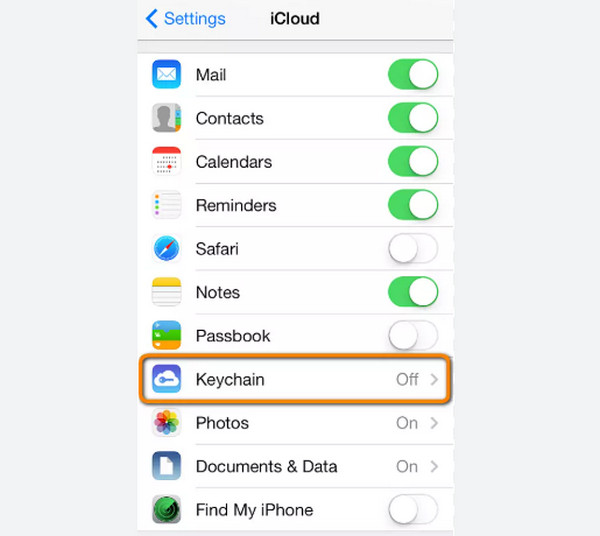
1. iCloud Keychain
iCloud Keychain is a feature on an iPhone and other Apple devices that enables you to save your account passwords with the enabled feature. Your iCloud Keychain password will be suggested as you sign in with the account. It works with the OS level, regardless of whether it is inside an app or browser. The Apple security and device passcode is the basis, not a master password.
Pros
- • This iPhone password manager uses your signed-in Apple ID on your iPhone, and it does not require an extra login on the mentioned device.
- • It does offer frequent security prompts, a vault locking, and more.
- • The feature reduces third-party app connections that minimize exposure.
- • It rarely breaks after a system upgrade.
Cons
- • A trusted person cannot help you recover passwords.
- • Outside Apple environments are not supported.
- • It offers a complicated process to export your passwords.
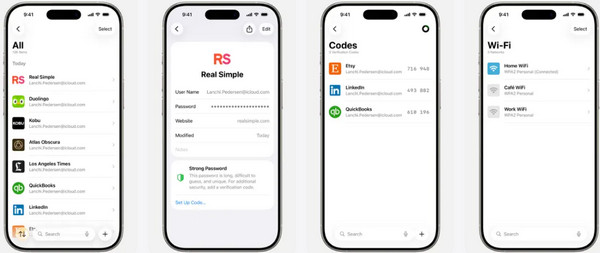
2. Passwords App
Passwords is the supported application of Apple that can store your passwords, usernames, notes, and other account password information. It protects the passwords with biometric and device lock screen passcode. Autofill integration is supported with different applications, including Safari, the iPhone’s built-in web browser. The Passwords app can suggest a strong and unique password when creating an account.
Pros
- • There is no installation or subscription needed.
- • This iPhone or iPad password manager uses iCloud Keychain encryption.
- • It is best for users who do not want complex features.
- • Autofill when signing in is supported for a quick process.
Cons
- • Unlike third-party password managers, exporting data is not flexible.
- • The app does not support threat scoring or in-depth breach reports.
- • You cannot share your passwords with your friends and family due to restrictions.
- • It does not support advanced organization tools.
Part 2. LastPass
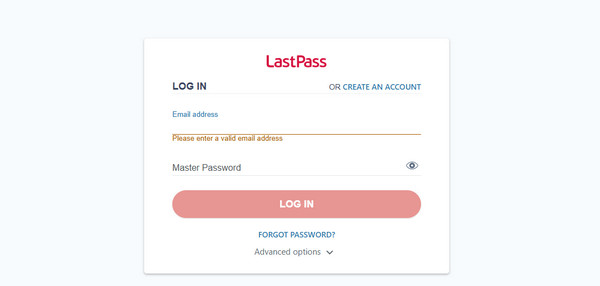
LastPass is an online manager passwords tool that can store your account passwords from your iPhone. This online tool does not read your saved passwords from your iCloud, which others find convenient and secure. It it compatible for Windows, Mac, iOS, and Android OS, due to its website. It automatically alerts you if the password is weak or strong. On the other hand, you are required to create an account on the website.
Pros
- • It uses AES-256 security.
- • The online tool supports multi-factor authentication for an additional layer of security.
- • It supports modern credentials types.
- • Fixing reused and weak passwords is supported.
- • It supports a free tier.
Cons
- • Not all features are free because some require a subscription.
- • Some users find the interface hard to understand or complex.
- • The free version only allows you to use one device.
- • There are reports that the online tool has weak customer support.
- • It has security reputation concerns.
Part 3. FoneLab iPhone Password Manager
FoneLab iPhone Password Manager enables you to scan, view, and classify and more for iPhone, iPad or iPod Touch.
- Scan passwords on iPhone, iPad or iPod touch.
- Export your passwords from devices and save them as a CSV file.
- Restore your passwords of email, Wi-Fi, Google, Facebook, etc.
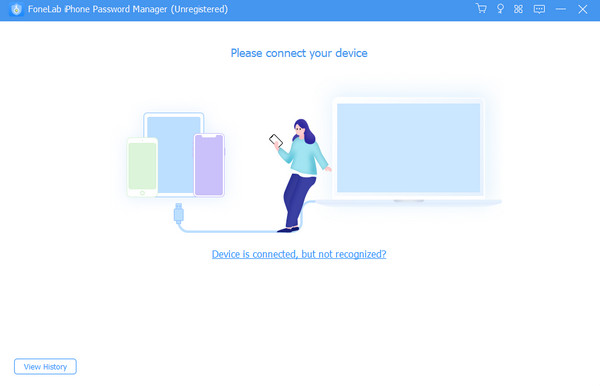
FoneLab iPhone Password Manager is a third-party tool that is built to scan and find your passwords. It includes Apple ID, Screen Time passcode, iCloud Keychain, and more. You will discover how to find passwords on iPhone with it easily due to the simple interface it offers. Exporting the passwords from your iPhone is allowed. Your computer will save the passwords in a CSV file. Also, restoring your passwords from email, Google account, Facebook, Wi-Fi, and more is supported. You can manage your passwords easily because the tool can classify them based on their category. Scanning the password history is allowed to help you track your activity.
Pros
- • All models and versions of iPhone, iPod Touch, and iPad are supported by the tool.
- • This Apple passwords manager encrypts your iPhone passwords to prevent data disclosure.
- • It only uses a USB connection for scanning and viewing your iPhone passwords.
- • It has a detailed and organized interface, which allows users to experience a smooth process.
- • It may be downloaded on Windows and Mac.
- • It does not require a resource-intensive computer because of its small file size.
- • The tool is 100% safe to use.
- • It requires you to set the iTunes backup password for an additional security layer.
Cons
- • The tool does not have an app version for your iPhone.
Part 4. Keeper Password Manager
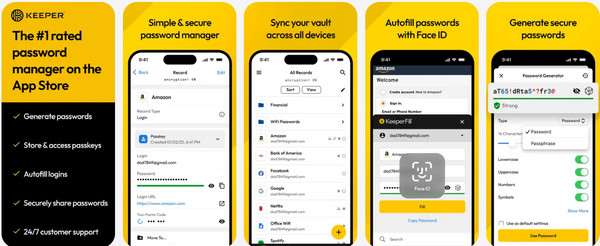
Keeper Password Manager is a third-party Apple iPhone password manager that allows you to store different account passwords. The keeper cannot read your password vault due to restrictions. The good thing about this app is that it has a desktop version. It allows you to send or share your password with someone, such as your friends and family. Your trusted contacts can request access to your vault.
Pros
- • It allows you to customize your vault.
- • It has a 24/7 paid customer support.
- • It can encrypt beyond basic passwords, like private messages.
Cons
- • It has advanced features that are hard for novices to operate.
- • The price of the application can add up, depending on your needs.
- • The free version of the app is limited to one device.
Part 5. Comparison Table of iPhone Password Managers
| Password Manager Tool/App | Supported Devices | Security Level | Ease of Use |
| iCloud Keychain | iPhone, iPad, Mac | High | Easy |
| Passwords App | iPhone, iPad, Mac | High | Easy |
| LastPass | All devices that contain a web browser | Low | Hard |
| FoneLab iPhone Password Manager | Windows and Mac | High | Easy |
| Keeper Password Manager | iPhone and iPad | Moderate | Hard |
Part 6. FAQs about Apple Password Manager
Are my iCloud and Apple passwords the same?
Usually, yes. The Apple and iCloud passwords have the same password. Apple ID serves as your primary account, and iCloud is a service you set up using your Apple ID.
Does disabling the iCloud Keychain delete saved passwords?
Turning off the iCloud Keychain feature does not automatically delete the passwords. The passwords will stay on your iPhone. They will only be removed from the iCloud syncing process. They will still appear on the other devices that contain the same Apple ID.
In conclusion, you can store your passwords in a password manager on iOS devices. This post has presented the 5 best ones. FoneLab iPhone Password Manager is included. It can find all of your iPhone account passwords in one click! It supports the latest iOS and iPadOS versions. It encrypts your passwords to prevent data disclosure. Download the tool to explore it now.



