FoneTrans for iOS is your all-in-one solution for moving data freely between iPhone, iPad, computer, and iTunes. Forget the limits of iTunes—this tool lets you transfer photos, music, contacts, and voice memos in any direction, without sync headaches.
Switching to a new iPhone? No problem. Move everything—contacts, music, files—to your new device quickly and safely, without losing a thing.
FoneTrans for iOS goes far beyond being just an iTunes alternative. It gives you a smarter way to manage and organize your iOS data directly on your PC or Mac.
Gone are the hours spent manually sorting photos or hunting down duplicate contacts. With FoneTrans for iOS, everything becomes intelligent and effortless.
A complete toolkit packed with smart utilities. Pick the right tool for every iOS task — fast, safe, and effortless.
iCloud Management-Your iCloud, fully under your command.
Not just viewing — you can download, delete, and organize iCloud photos, contacts, notes, calendars and reminders directly from your computer. No more digging through iPhone settings.
Photos to PC-Move your memories in one click.
Transfer all or selected photos from iPhone/iPad/iPod Touch to your computer instantly. Keep your device storage free while preserving every precious moment safely on your PC.
Device to Device-Straight swap without the middleman.
Copy data directly from one iOS device to another — no computer, no iCloud, no waiting. Perfect when you upgrade to a new iPhone.
Device to PC-Full backup, zero hassle.
Export photos, music, contacts, messages, and more from your iOS device to your computer. Everything stays organized exactly the way you want.
Contacts Backup-One click to keep everyone safe.
Save your entire address book as a local backup file within a few clicks. You'll never lose a number again.
Contacts Restore-Bring them back in seconds.
Recover lost or deleted contacts from a backup file directly to any iOS device. No iCloud needed, no data overwritten — just restored.
iTunes Library-Your music, no strings attached.
Access and manage your entire iTunes library without syncing headaches. Add, delete, or edit playlists freely — and transfer songs to your iPhone anytime.
Ringtone Maker-Turn any song into your personal ringtone.
Pick your favorite part of any track, trim it easily, and export as a standard iPhone ringtone. No extra software, no conversion tricks.
HEIC Converter-Open every photo on any computer.
Convert Apple's HEIC images to JPEG or PNG in batch with one click. Works perfectly on Windows and older systems that don't support HEIC.
iPhone
iPhone 17 Pro Max/17 Pro/Air/17, iPhone 16/16 Pro/16 Pro Max, iPhone 15/15 Pro/15 Pro Max, iPhone 14/14 Pro/14 Pro Max, iPhone 13/13 mini/13 Pro/ 13 Pro Max, iPhone 12/12 mini/12 Pro/ 12 Pro Max, iPhone 11 Pro Max/11 Pro/11, iPhone XS, iPhone XS Max, iPhone XR, iPhone X, iPhone 8, iPhone 8 Plus, iPhone 7, iPhone 7 Plus, iPhone SE, iPhone 6s, iPhone 6s Plus, iPhone 6, iPhone 6 Plus, iPhone 5s, iPhone 5c, iPhone 5, iPhone 4S, iPhone 4
iPad
iPad Pro, iPad, iPad 2, iPad 3, iPad 4, iPad Air, iPad Air 2, iPad mini, iPad mini 2, iPad mini 3
iPod
iPod touch 6, iPod touch 5, iPod touch 4
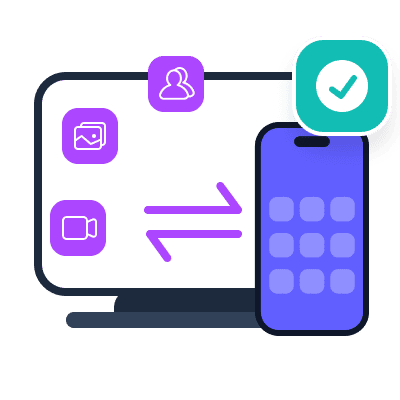
Move your data any way you want — iOS to PC, PC to iOS, or straight from one iPhone to another. Photos, music, contacts, everything. No sync required. No data lost. Just drag, drop, and go.
Download and install.
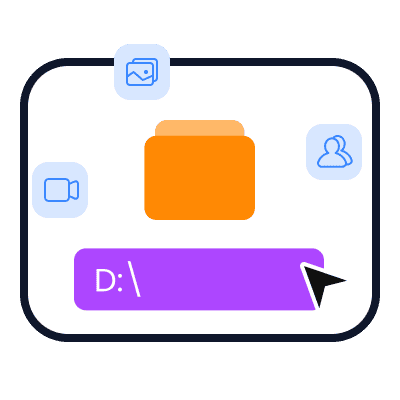
Choose data to transfer and destination.
Get your data transferred.
|
Windows Windows 10, Windows 8.1, Windows 8, Windows 7, Windows Vista, Windows XP (SP2 or later) |
Mac OS Mac OS X 10.7 or above (including macOS Tahoe, macOS 27 Golden Gate Beta) |
RAM 1024 MB or more |
CPU 1GHz Intel/AMD CPU or above |
|
iTunes Version iTunes 10.7 or above. The latest version is recommended. |
iPadOS Versions iPadOS 26/18/17/16/15/14/13 |
iOS Version iOS 5 and above |
Here are the revised six authentic-sounding positive reviews for FoneTrans for iOS with full names, around 50 words each, with the third one updated as requested:
Sarah Johnson
"Honestly wasn't expecting much, but this thing saved me when iTunes wiped my playlist twice. Just dragged and dropped my music back without losing anything. Felt like a lifesaver on a stressful Sunday."
Michael Chen
"Trying to move 4,000 photos from my old iPhone to the new one usually gives me a headache. FoneTrans for iOS did it in about 15 minutes without any weird glitches. Worth every penny just for the sanity check."
Jessica Rodriguez
"I only bought this to get my WhatsApp history transferred to my new phone. FoneTrans for iOS actually worked when nothing else would. Pulled my chat logs and contacts cleanly. Super relieved right now."
Thomas Wright
"Finally something that lets me manage my work iPhone without messing up my personal iPad. Being able to selectively sync calendar events without overwriting everything is a huge relief. Solid tool."
Emily Parker
"My laptop is ancient and hates iTunes. FoneTrans for iOS ran smooth on my old Windows machine. Converted all those annoying HEIC photos to JPG so I could email them. Super handy, no complaints."
David Kim
"Used FoneTrans for iOS to back up my text messages before a factory reset. Saved them on my desktop. For someone who isn't tech-savvy, the steps actually made sense. Didn't need to call my nephew."
How long does it take to transfer data from one iPhone to another?
It depends on the size of the data you want to transfer. For most users with average photo libraries and contacts, it usually takes 5-15 minutes. Large video files or extensive message histories may take a bit longer, but the progress bar keeps you updated throughout.
Will FoneTrans for iOS overwrite or erase my existing data?
No. Unlike iTunes, FoneTrans for iOS allows you to selectively transfer data without overwriting or erasing anything on your destination device. You choose exactly which files, contacts, or messages to move. Nothing gets replaced or removed unless you specifically tell it to.
Can I transfer WhatsApp messages and attachments?
Yes. FoneTrans for iOS supports transferring WhatsApp messages, photos, videos, and attachments from your iPhone. You can also export WhatsApp chats to readable formats like HTML or CSV for backup purposes.
Does FoneTrans for iOS work with the latest iOS version?
Yes. FoneTrans for iOS supports iOS 26, iOS 27 Beta, iPadOS 26, iPadOS 27 Beta, and all earlier versions. It is regularly updated to stay compatible with new Apple releases.
Can I use FoneTrans for iOS without installing iTunes?
FoneTrans for iOS requires iTunes to be installed on your computer because it relies on Apple's device drivers. However, you do not need to open or use iTunes at all during the transfer process. The program works alongside iTunes drivers without forcing you to sync through iTunes.
Is my privacy protected when using FoneTrans for iOS?
Yes. The program does not upload your data to any external servers. All transfers happen locally between your devices and your computer. Your personal information, messages, and media remain entirely on your own hardware.
What Our Users Are Reading Right Now
Recover lost iOS photos, messages & more
Restore deleted Android contacts & files
Fix various iOS system issues safely
FoneLab iOS Data Backup & Restore
Backup and selectively restore iOS data
FoneLab Android Data Backup & Restore
Backup and restore Android data easily
Permanently erase iPhone data and privacy
FoneLab Broken Android Data Extraction
Extract data from broken Android phones
FoneLab WhatsApp Transfer for iOS
Transfer and backup WhatsApp between devices
Transfer files and manage device data
Record screens on computers and mobiles
FoneLab Video Converter Ultimate
Convert, enhance and edit video files
Clean junk and optimize Mac performance
Unlock iPhone screen and remove Apple ID
Recover lost data from PC and drives
Recover lost data from Mac and drives
FoneLab iPhone Password Manager
View, manage and export saved passwords
Change virtual GPS location on iPhone
Remove screen locks and bypass FRP
Transfer and manage iOS music, photos
Clean junk and free up iPhone space
Convert HEIC images to JPG/PNG
Mirror phone screen to computer display