
 iPhone Data Recovery
 iOS System Recovery
 iOS Data Backup & Restore
 iOS Unlocker
 iPhone Password Manager
 Location Changer
 Android Data Recovery
 Broken Android Data Extraction
 Android Data Backup & Restore
 Android Unlocker
 FoneTrans for iOS
 iPhone Data Eraser
 iPhone Cleaner
 HEIC Converter
 HyperTrans
 WhatsApp Transfer for iOS
 Mac Sweep
 Data Retriever
 Mac Data Retriever
 Video Converter Ultimate
 Screen Recorder
 Phone Mirror
- Part 1. How to Hide Location on iPhone by Turning Off Location Services
- Part 2. How to Hide Your Location on iPhone in Find My
- Part 3. How to Hide Location on iPhone Without Notifying with FoneLab Location Changer
- Part 4. How to Hide Location on iPhone with an Online Tool
- Part 5. How to Hide Location on iPhone via a VPN Tool
- Part 6. Comparison of Methods to Hide Location on iPhone
- Part 7. FAQs about How to Hide Location on iPhone
How to Hide Your Location on iPhone in 5 Proven Ways
 Updated by
 Hi! I want to hide my location on my iPhone. How do I hide my location on iPhone? The reason is that I want to prank my friends about it. I hope you can help me hide or change my location on my iPhone. Thank you in advance!
You can hide your iPhone's location in different ways. In this article, you will see the 5 easy methods for the process. Continue browsing this post to see the methods mentioned.

Guide List
- Part 1. How to Hide Location on iPhone by Turning Off Location Services
- Part 2. How to Hide Your Location on iPhone in Find My
- Part 3. How to Hide Location on iPhone Without Notifying with FoneLab Location Changer
- Part 4. How to Hide Location on iPhone with an Online Tool
- Part 5. How to Hide Location on iPhone via a VPN Tool
- Part 6. Comparison of Methods to Hide Location on iPhone
- Part 7. FAQs about How to Hide Location on iPhone
Part 1. How to Hide Location on iPhone by Turning Off Location Services
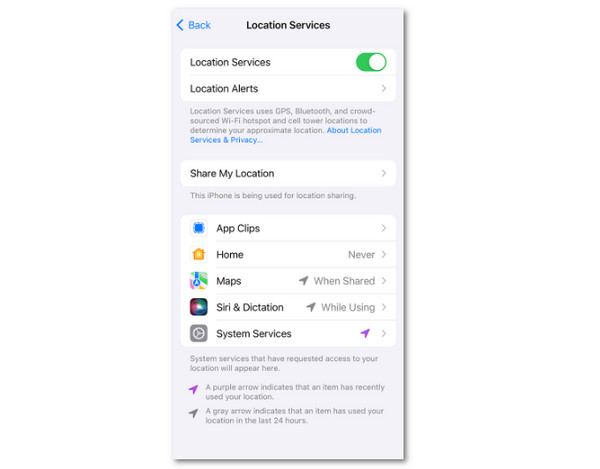
Turning off Location Services is the primary way to hide your location on your iPhone. This technique does not require any professional skills. It is simple and can be performed in a few seconds or minutes. The steps below will show you how to do this.
Open the Settings app on your iPhone. After that, tap the Privacy & Securit button from the options list that will appear. Select the Location Services button on the screen. Toggle off the slider afterward on the screen to hide your iPhone's location.
How to hide location on iPhone without turning it off? Move on.
Part 2. How to Hide Your Location on iPhone in Find My
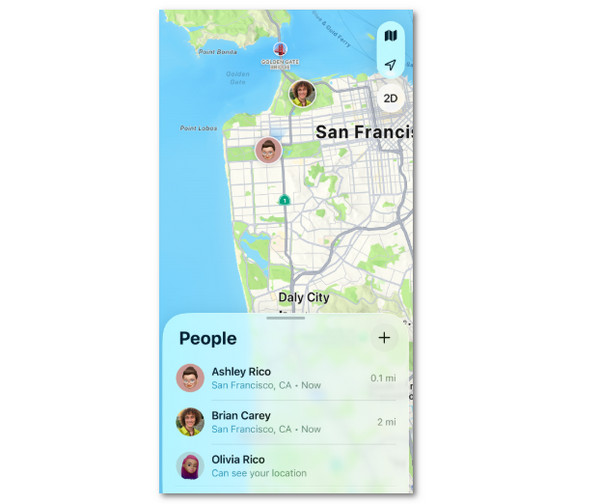
Find My iPhone is one of the most helpful services on your Apple devices, including your iPhone. It is used to track the location of your friends and family. It has a Find My Friends feature that allows you to hide the location from your friends. How to hide location on Find My Friends? The steps are available below.
Open the Find My app. After that, select the People button at the bottom of the screen. Then, more options will be prompted on the screen. Please choose the contact with whom you want to hide your location. Finally, select the Stop Sharing Location button from the list to hide your location.
Part 3. How to Hide Location on iPhone Without Notifying with FoneLab Location Changer
Some of you might be afraid that turning off the location on the iPhone will notify your friends or family. If you are one of them, use FoneLab Location Changer! This third-party tool is primarily made to help you change location on iPhone. It is not limited to the immediate area around your real-time location, but it can change globally.

FoneLab Location Changer enables you to modify locations on iPhone, iPad or iPod Touch easily.
- Set your location on iOS devices to anywhere accordingly.
- Move your iPhone with your desired routes with or without starting and ending spots.
- Various iOS devices are supported.
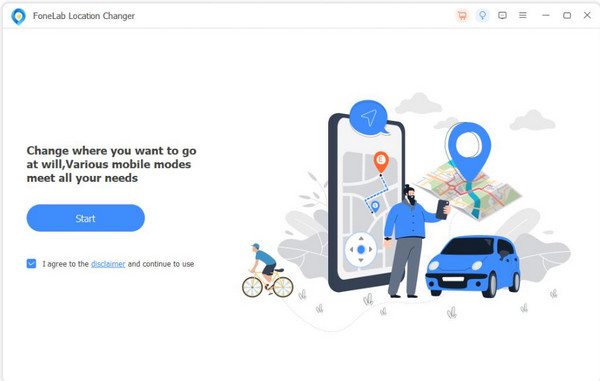
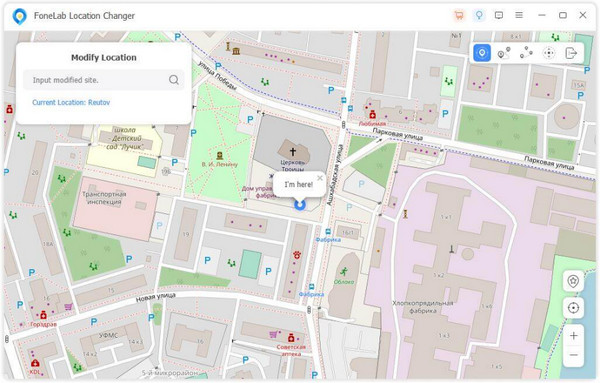
The tool shows the digital map of the entire globe to help you decide which place you will choose. You can use its 4 modes to change the location from your iPhone. You will discover them once you start using the tool. How to hide my location on iPhone without them knowing? Change your location with this tool using the steps below.
Step 1Go to the main website of the mentioned tool above. Then, select the Free Download button from the list. Set up the downloaded file correctly and install it afterward. Open the tool to start the process.

Step 2Get a USB cable and plug the iPhone into the computer. Once successful, please click the Start button at the bottom left of the screen. The map interface will be shown afterward.
Step 3Please go to the Modify Location window at the top left. Then, type the location you prefer to change with your iPhone. Click the Modify button under the window to apply the location changes to your iPhone.
Part 4. How to Hide Location on iPhone with an Online Tool
Well, hide.me is an online tool that helps you hide your iPhone location using the IP address if you don’t want to download a program on your computer. Some users want to use this program since it is accessible to all devices that have a web browser. However, this online tool has a low chance of changing or hiding your location on iPhone. How to hide your location without turning it off? Use the online tool with the instructions below.
Visit the website of hide.me. After that, the interface of the online tool will appear on the screen. Then, enter the needed information from the right about your iPhone. Then, click the Go button on the right to start hiding your iPhone's location.

Part 5. How to Hide Location on iPhone via a VPN Tool
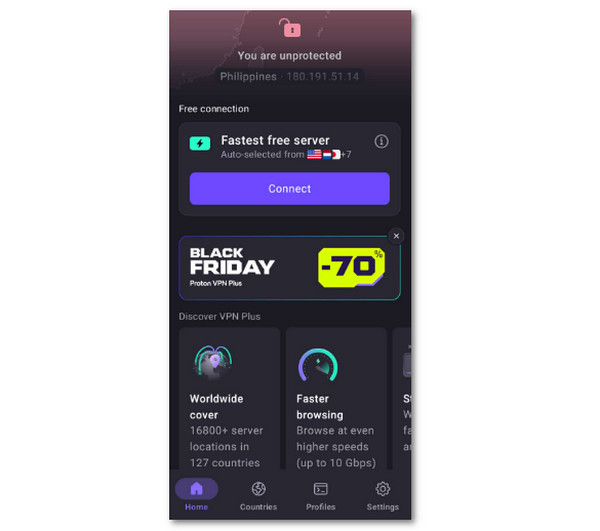
An application can also be used to hide your location. These apps use a VPN to change your location to hide your real-time location on your iPhone. However, these apps pose risks to the security of your iPhone. Proton VPN is one of them. This app is simple, but it requires professional skills to use. Please follow the steps below to use this app to hide your location by changing the real-time one. Proceed below.
Download the Proton VPN app on your iPhone. After that, sign in or sign up on your iPhone to access it. Then, please ensure that the advertisements are not tapped from the screen to avoid any confusion. Later, you will see the fastest server for your iPhone. Tap the Connect button in the center. Tap the Allow button in the small window and enable the notifications. Finally, wait for the iPhone location to be changed with the app.
Part 6. Comparison of Methods to Hide Location on iPhone
| Method | Effectivity | Difficulty Level | Requirements |
| Turn Off Location Services | High | Easy | iPhone Passcode |
| Find My | Medium | Hard | Internet Connection, and Apple ID Account |
| FoneLab Location Changer | High | Easy | Computer and USB Cable |
| hide.me | Low | Hard | Internet Connection and Browser |
| Proton VPN | Low | Hard | Internet Connection |
Part 7. FAQs about How to Hide Location on iPhone
Can someone track me if I'm using a VPN?
It depends on the configuration of the VPN. The more complex or more private the VPN configuration, the lesser you can be tracked. However, professionals can track your location on an iPhone even when using a VPN due to their skills.
Can you tell if someone is faking a location on an iPhone?
There is no exact way to track if someone is faking the location on the iPhone. But you can monitor the changes from their location. If there are unusual or impossible jumps from their locations, they might be faking it.
This article is all about how to hide location on iPhone without notifying others. 5 of the best methods are here to help you hide it. FoneLab Location Changer will do it by changing your location to hide your real-time location. If you want to explore more of its features, download the tool now on your computer!



