The Ultimate & Safe Alternative to iTunes and iCloud

Quickly back up iPhone/iPad data with optional encryption in 1-click. Selectively preview and restore your data to computer or iOS devices without data loss.

One-Click Smart Backup

One-Click Smart Backup, Effortless & Worry-Free

  • Ultra-Simple Operation: Connect your device and back up your entire iPhone, iPad, or iPod touch to your computer with just a single click—no complex settings or technical know-how required.
  • Flexible Storage Path: Freely choose any folder on your computer as the backup destination for easy file management.
  • Incremental & Safe Backup: Intelligently detects and backs up only new or changed data, ensuring it never modifies or overwrites any of your existing old backups—saving time and keeping your history intact.
  • No Wi-Fi Needed: The entire backup process requires absolutely no Wi-Fi connection. You can back up anytime, anywhere, even without internet access.

Zero-Data-Loss Restore, Foolproof Recovery

  • Safe Restoration: Precisely restore backup data to your iOS device or computer with zero risk of overwriting any existing files on your device—eliminating the fear of accidental data loss.
  • Dual Export Options: When restoring, you can either send data directly back to your device or export it to your computer in commonly used file formats for archiving or sharing.
  • Cross-Device Flexibility: Restore data from one iOS device to another seamlessly—perfect for upgrading to a new iPhone without losing a thing.
Zero-Data-Loss Restore
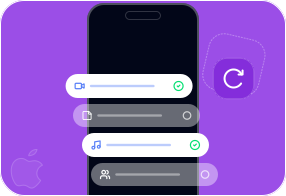
Preview & Select Freely

Preview & Select Freely, Total Control at Your Fingertips

  • Content Transparency: Before restoring, you can thoroughly preview every detail within your backup files, so you know exactly what you're recovering.
  • Selective Recovery: Restore only what you truly need—simply check specific contacts, notes, or other data types to avoid flooding your device with unwanted junk.
  • Categorized Browsing: Both backup and restore processes support filtering by data type (e.g., photos, messages, contacts), making management quicker and more efficient.

Encrypted Privacy Protection, Bank-Level Security

  • Two Backup Modes: Choose between "Standard Backup" and "Encrypted Backup." Opting for the encrypted mode adds a password lock to your data fortress.
  • Password Guard: Set an independent password for your backup files, fully protecting your sensitive personal logs, private photos, intimate chat histories, and call logs from unauthorized access.
  • End-to-End Security: The software guarantees the protection of all your privacy information, and the entire online ordering process is secured via 100% encrypted channels for complete peace of mind.
Encrypted Privacy Protection

Break Free from iTunes. Take Your Data Anywhere.

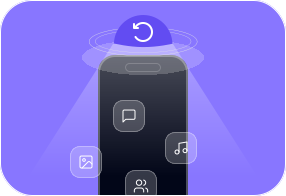
FoneLab iOS Data Backup & Restore is your all-in-one solution for moving data freely between iPhone, iPad, computer, and iTunes. Forget the limits of iTunes—this tool lets you transfer photos, music, contacts, and voice memos in any direction, without sync headaches.

Switching to a new iPhone? No problem. Move everything—contacts, music, files—to your new device quickly and safely, without losing a thing.

Backup iOS to Computer
Restore Backup to computer
Restore Backup to iOS
  • Messages & Attachments
  • Contacts
  • Call history
  • Voicemail
  • WeChat & attachments
  • Kik & attachments
  • Line & attachments
  • Viber & attachments
  • QQ & attachments
  • WhatsApp & attachments
  • Messenger & attachments
  • Notes & Attachments
  • Reminders
  • App photos
  • Photos
  • Music
  • Voice Memos
  • Videos
  • Calendar
  • Safari History
  • Safari bookmarks
  • App Document
  • Messages & Attachments
  • Contacts
  • Call history
  • Voicemail
  • WeChat & attachments
  • Kik & attachments
  • Line & attachments
  • Viber & attachments
  • QQ & attachments
  • WhatsApp & attachments
  • Messenger & attachments
  • Notes & Attachments
  • Reminders
  • App photos
  • Photos
  • Music
  • Voice Memos
  • Videos
  • Calendar
  • Safari History
  • Safari bookmarks
  • App Document
  • Contacts
  • Notes & Attachments

Supported iOS Devices

Check the supported iOS models of FoneLab iOS Data Backup & Restore.

Tech Specs

Windows

Windows 10, Windows 8.1, Windows 8, Windows 7, Windows Vista, Windows XP (SP2 or later)

Mac OS

Mac OS X 10.7 or above (including macOS Tahoe, macOS 27 Golden Gate Beta)

RAM

1024 MB or more

CPU

1GHz Intel/AMD CPU or above

iPadOS

iPadOS 26/18/17/16/15/14/13

Hard Disk Space

200 MB and above free space

iOS Version

iOS 5 and above

Why FoneLab Beats iTunes & iCloud

Features Backup with iTunes Backup with iCloud FoneLab iOS Data Backup & Restore
Encrypt Backups Yes Yes Yes (With custom password)
Selectively Backup No No Yes (Choose exact files)
Selectively Restore No No Yes (Preview & pick)
Preview Backup Content No No Yes (In-detail view)
Risk of Overwriting Data High Medium Zero (Coexists safely)
Backup Speed Medium Slow Fast (Local transfer)
Internet Required No Yes No
FoneLab iOS Data Backup & Restore

Backup. Restore. Stay in Control.

Worried about losing your data? Back up everything in one click — from your iPhone, iPad, or iPod touch to your computer. Preview before you restore, choose only what you need, and keep your privacy locked behind encrypted protection. Your data, your rules.

How to Back Up & Restore iOS Data in 3 Easy Steps

Download and install

Download and install.

Select and preview

Select and preview.

Begin backup or restore

Begin backup or restore.

What Our Users Say

  • Mark Davidson

    "Finally a backup tool that doesn't require iCloud. Took 2 minutes and done."

  • Jessica Collins

    "Upgraded to a new iPhone and restored everything I needed in minutes. No duplicates, no missing files."

  • Daniel Kim

    "The encrypted backup option gives me peace of mind. My private photos and chats stay safe."

  • Sarah Mitchell

    "Love that I can preview backup content before restoring. Only recovered the notes and contacts I actually needed. Quick, simple, and no clutter on my phone afterward."

  • Rachel O'Brien

    "Super easy to use. Backed up my whole phone before repair and restored everything perfectly after. Didn't lose a single contact or photo. The whole process was smoother than I expected."

  • Thomas Wagner

    "Been using this for monthly backups over a year now. Reliable, fast, and never failed me once. It also doesn't overwrite my old backups, which is a huge plus for keeping version history."

FoneLab for iOS, Your iOS All-in-one.

FAQ

How-tos You May Need

What Our Users Are Reading Right Now

FoneLab iPhone Data Recovery

Recover lost iOS photos, messages & more

Learn More

FoneLab Android Data Recovery

Restore deleted Android contacts & files

Learn More

FoneLab iOS System Recovery

Fix various iOS system issues safely

Learn More

FoneLab iOS Data Backup & Restore

Backup and selectively restore iOS data

Learn More

FoneLab Android Data Backup & Restore

Backup and restore Android data easily

Learn More

FoneEraser for iOS

Permanently erase iPhone data and privacy

Learn More

FoneLab Broken Android Data Extraction

Extract data from broken Android phones

Learn More

FoneLab WhatsApp Transfer for iOS

Transfer and backup WhatsApp between devices

Learn More

FoneLab HyperTrans

Transfer files and manage device data

Learn More

FoneLab Screen Recorder

Record screens on computers and mobiles

Learn More

FoneLab Video Converter Ultimate

Convert, enhance and edit video files

Learn More

FoneLab Mac Sweep

Clean junk and optimize Mac performance

Learn More

FoneLab iOS Unlocker

Unlock iPhone screen and remove Apple ID

Learn More

FoneLab Data Retriever

Recover lost data from PC and drives

Learn More

FoneLab Mac Data Retriever

Recover lost data from Mac and drives

Learn More

FoneLab iPhone Password Manager

View, manage and export saved passwords

Learn More

FoneLab Location Changer

Change virtual GPS location on iPhone

Learn More

FoneLab Android Unlocker

Remove screen locks and bypass FRP

Learn More

FoneTrans for iOS

Transfer and manage iOS music, photos

Learn More

FoneLab iPhone Cleaner

Clean junk and free up iPhone space

Learn More

FoneLab HEIC Converter

Convert HEIC images to JPG/PNG

Learn More

FoneLab Phone Mirror

Mirror phone screen to computer display

Learn More
Explore FoneLab Store