Register
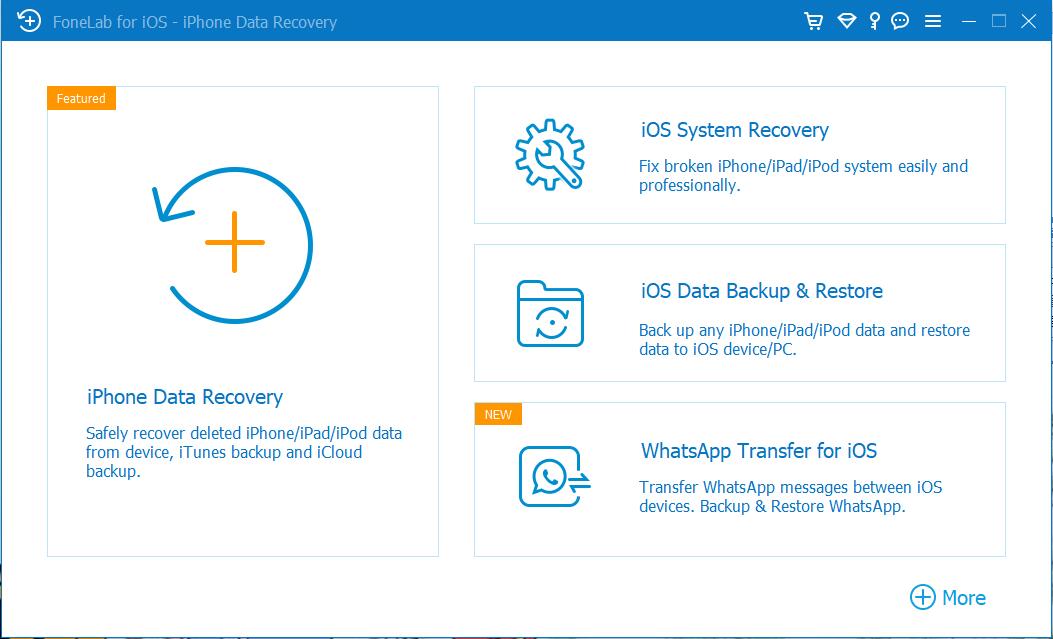
1Click the Key icon on the top-right corner.
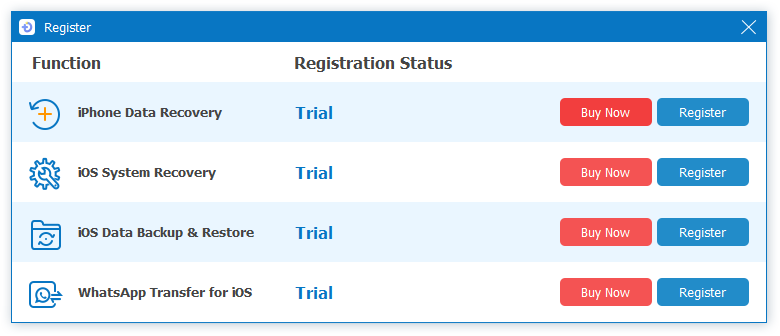
2Choose iOS System Recovery.
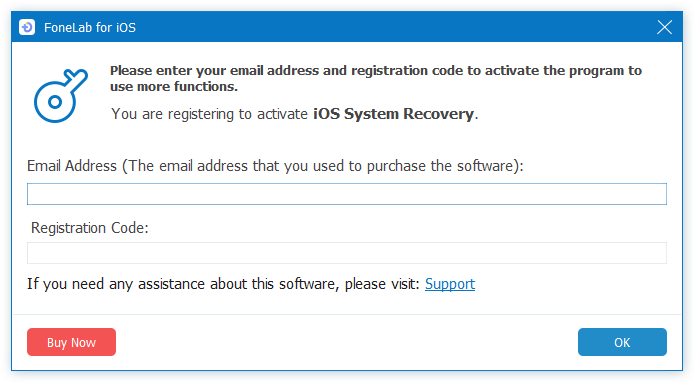
3Enter the email and register code in the box.
Tutorial
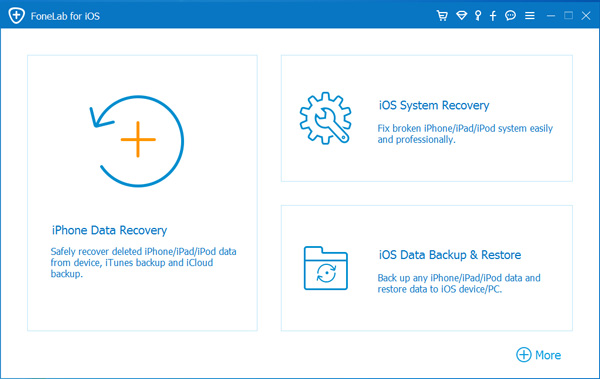
1Launch Program
First of all, you should download and install FoneLab iOS System Recovery on your computer. And then it will get launched automatically.
2Connect Device
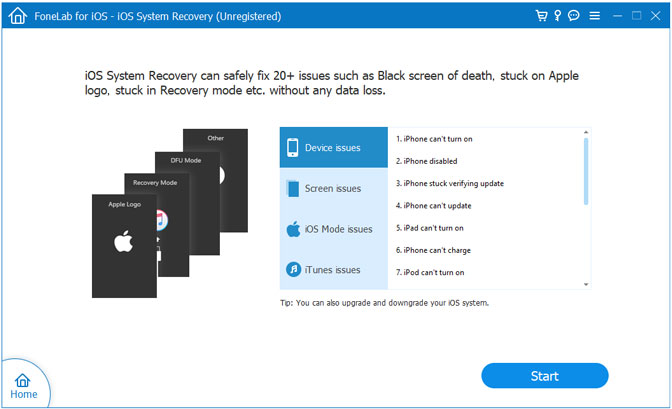
Connect your iOS device to the computer via USB cable, and choose iOS System Recovery, then click Start.
3Recover System
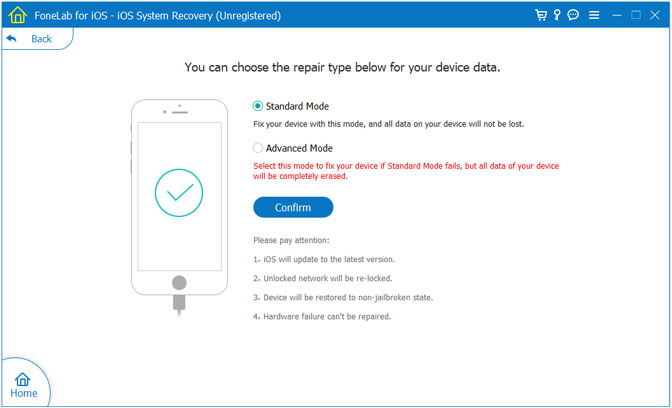
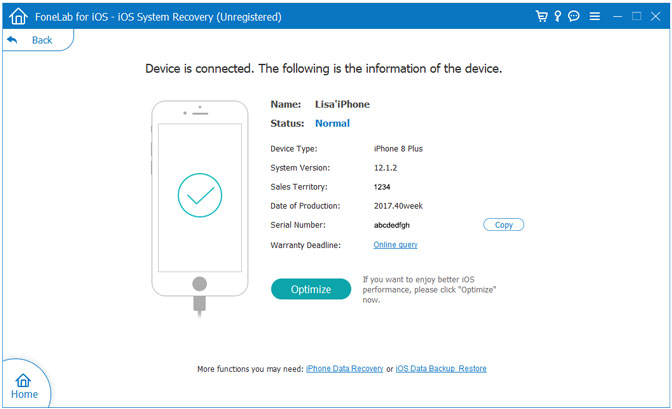
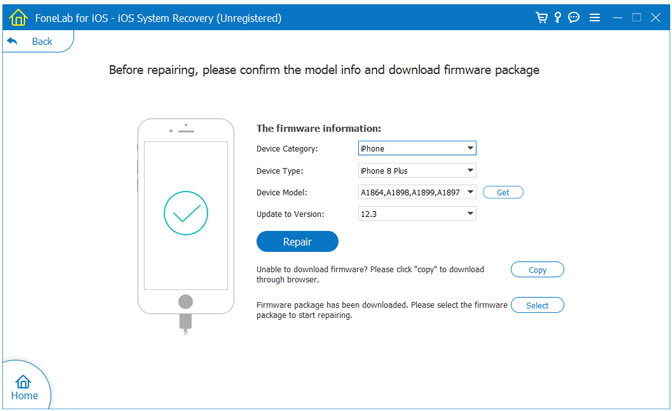
You will be asked to select Standard Mode or Advanced Mode and confirm the information of your iOS device. And then click Optimaze/Repair to start the fixing process.

 iPhone Data Recovery
 iOS System Recovery
 iOS Data Backup & Restore
 iOS Unlocker
 iPhone Password Manager
 Location Changer
 Android Data Recovery
 Broken Android Data Extraction
 Android Data Backup & Restore
 Android Unlocker
 FoneTrans for iOS
 iPhone Data Eraser
 iPhone Cleaner
 HEIC Converter
 HyperTrans
 WhatsApp Transfer for iOS
 Mac Sweep
 Data Retriever
 Mac Data Retriever
 Video Converter Ultimate
 Screen Recorder
 Phone Mirror